
Adding Channels
After creating a Local Lineup, you can add channels to start watching or streaming.
To add channels to a Local Lineup:
Tap the
 icon to open the side menu.
Select
 Manage Services.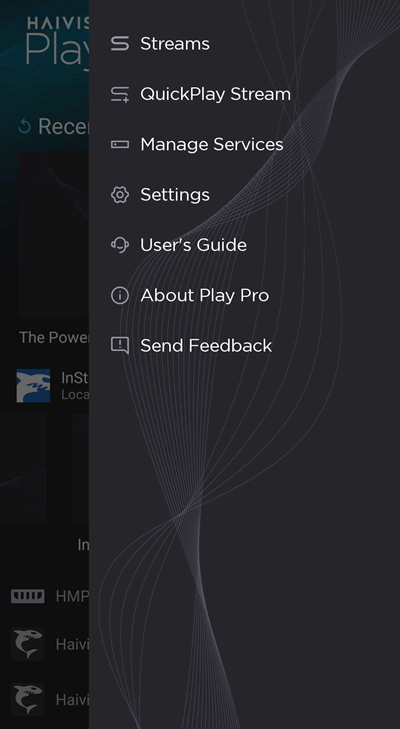
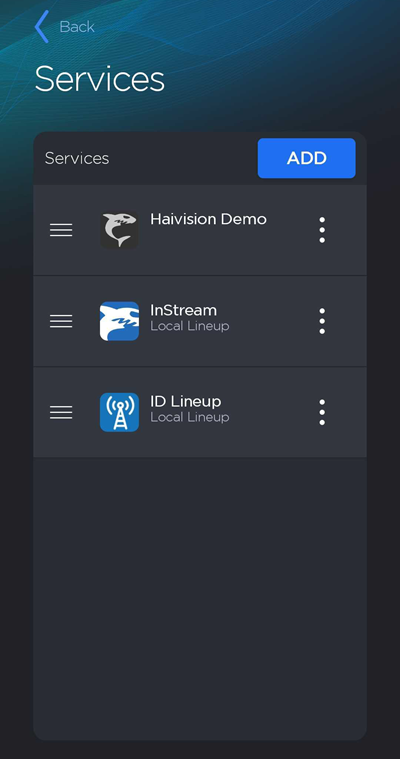
On the Services screen, tap a Local Lineup to view its channels.
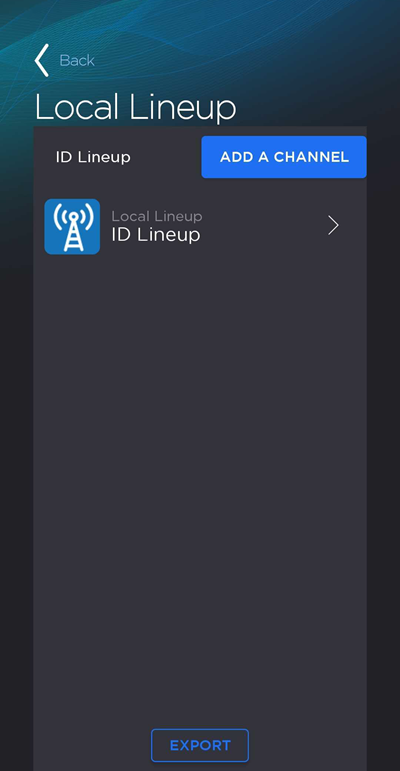
Tap the Add a Channel button.
On the Add Channel screen, enter a Channel Nickname and Description.
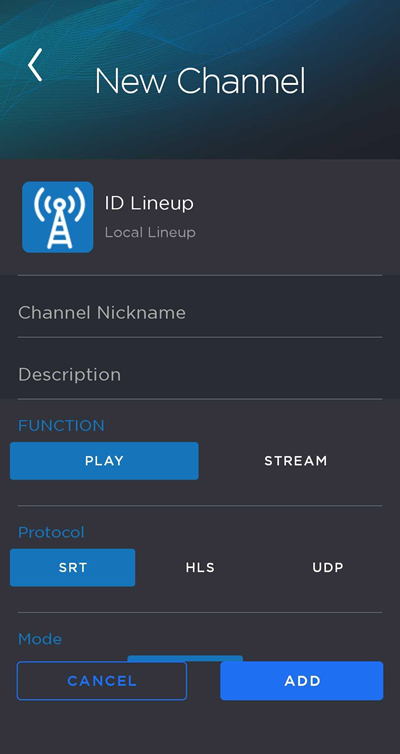
Select the channel's function: Play or Stream. To tune in to a stream, select Play. To create a stream using your device's camera as the video source, select Stream. See the tabs below for instructions on either function.
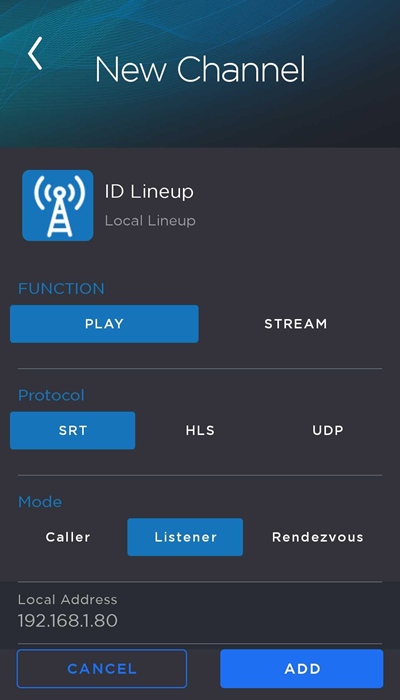
Configure the stream properties:
Select a Protocol: SRT, HLS, or UDP.
Select the Mode: For SRT, choose between Caller, Listener, and Rendezvous. For UDP, choose between Unicast and Multicast.
Enter the stream Address.
Specify the Port number to be used.
(SRT Caller and Rendezvous modes only) Specify the Local Port number. A value of 0 auto-assigns the local port.
(Optional, SRT only) If you are tuning in to an encrypted stream, enable the Encryption toggle and enter the Passphrase to access the stream.
(Optional, SRT Caller only) Enter a Stream ID.
(SRT only) Enter a Latency value.
(Optional, UDP only) Enable the FEC toggle.
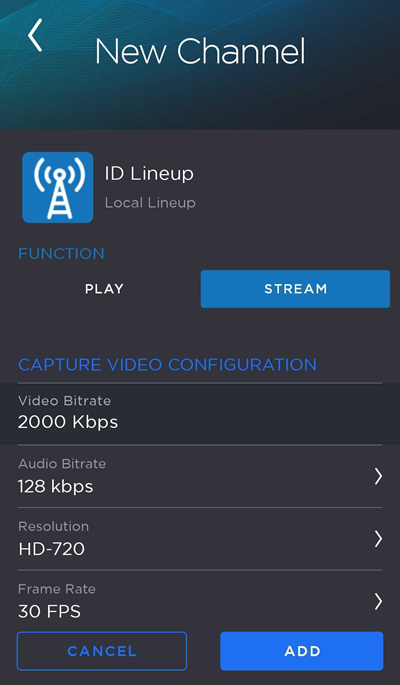
In the first section, configure the video capture settings:
Enter a Video Bitrate value in Kbps.
Select an Audio Bitrate value. Values range from 64 Kbps to 256 Kbps.
Select a Resolution. Values include SD, HD-720, HD-1080, and UHD.
Select a Frame Rate. Values range from 15 FPS to 60 FPS.
Select a Codec: H.264 or HEVC.
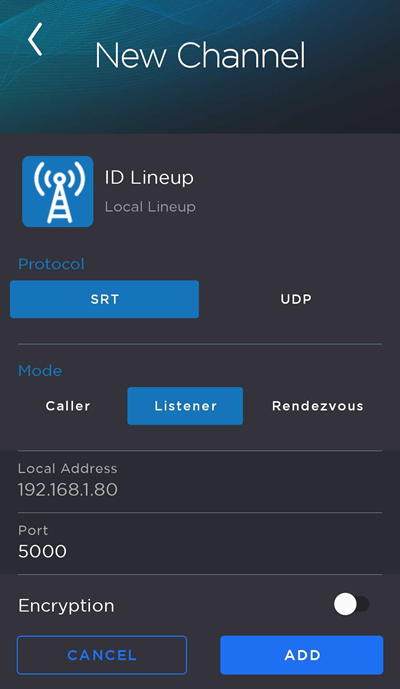
In the next section, configure the stream properties:
Select a Protocol: SRT or UDP.
Select the Mode: For SRT, choose between Caller, Listener, and Rendezvous. For UDP, choose between Unicast and Multicast.
Enter the destination Address.
Specify the Port number to be used.
(SRT Caller and Rendezvous modes only) Specify the Local Port number. A value of 0 auto-assigns the local port.
(Optional, SRT only) Toggle Encryption on and enter a Passphrase. Users tuning in to the encrypted stream will have to enter this passphrase to view it.
(Optional, SRT Caller mode only) Enter a Stream ID.
(SRT only) Enter a Latency value.
When you are finished, tap the Add button.
The new channel is added to the bottom of the Local Lineup channel list.