
Standalone Camera View
Selecting a channel from a Local Lineup with the function set to Stream opens the standalone camera view, as shown in the example below:
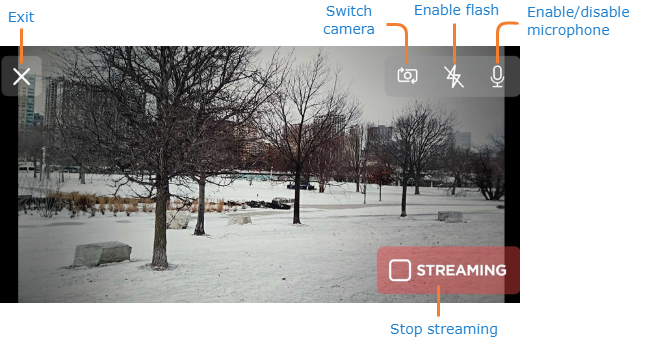
Tap the Preview button to start streaming. The button changes to read Streaming. Tap it again to stop the stream.