
Standalone Video Player
Selecting a channel from a Local Lineup with the function set to Play opens the standalone video player, as shown in the example below:
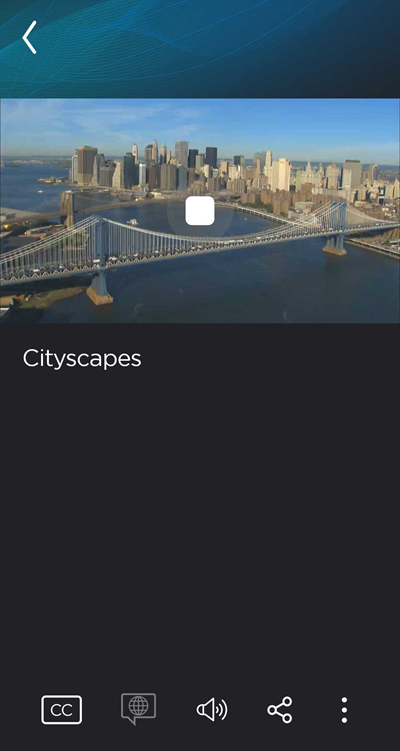
Video Player Controls
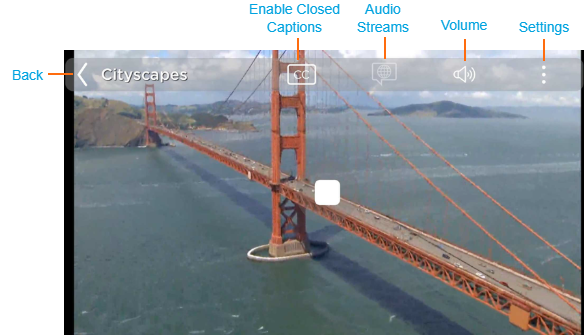
Standalone player elements are listed below, along with a brief description:
Closed Captions — If enabled, displays on-screen captions.
Audio Tracks — Allows you to select a different audio stream for the selected video (e.g., a different language feed).
Volume — Slider control for adjusting the volume level.
(Portrait orientation only) Share — Opens sharing options.
Settings — Allows you to change how video is displayed in the player.