
Setting Up a Makito Destination
To play back the test stream from the Media Gateway/SRT Gateway, you must configure a stream input on a Makito X4 Decoder.

Tip
As you configure the stream input, you may wish to refer to the Makito X4 Decoder User's Guide, available from the Haivision InfoCenter.
If you have not already done so, power up the Makito X4 Decoder.

Note
For the purpose of this test, you should connect a monitor to the SD1 output
Open a Web browser to the IP Address for the Makito X4 Decoder and sign in. The Web interface opens to the Dashboard view.
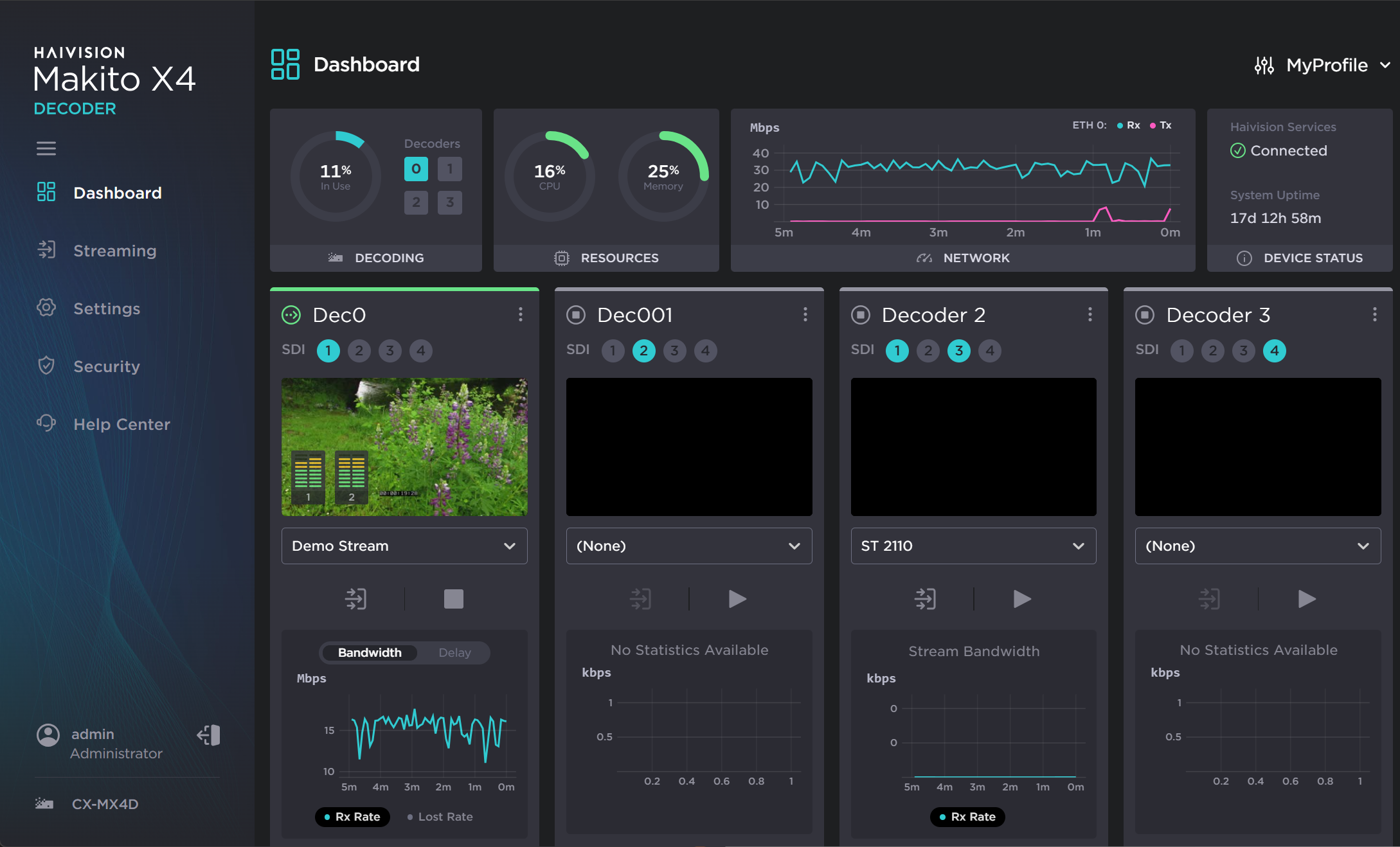
In the sidebar, click Streaming and click the Add Stream button.
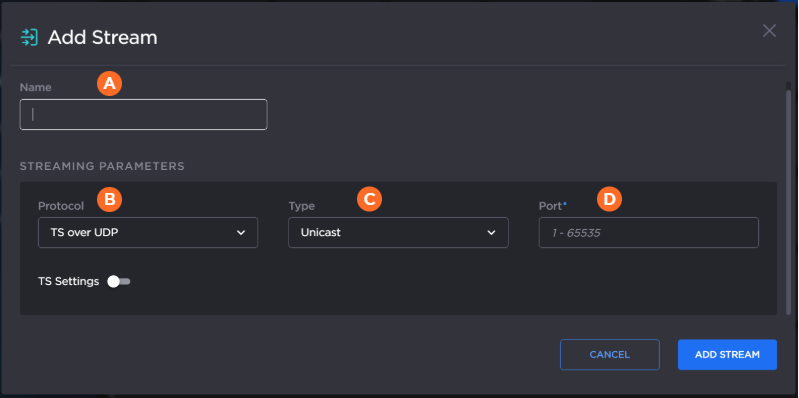
In the Add Stream dialog:
Type a
 Name for the stream and select
  TS over UDP for the Protocol.
Select
 Unicast in the Type dropdown and enter a
  port number that is different from the port number used in Step #10 in Setting Up a Makito Source Stream. (Remember this number for a future step in Creating a Route on Gateway.) Click Create.
In the sidebar, click Dashboard. To configure the SDI1 output with the stream, click the dropdown in the decoder assigned to SDI Output 1, and choose the stream you created in Step #4 from the list.
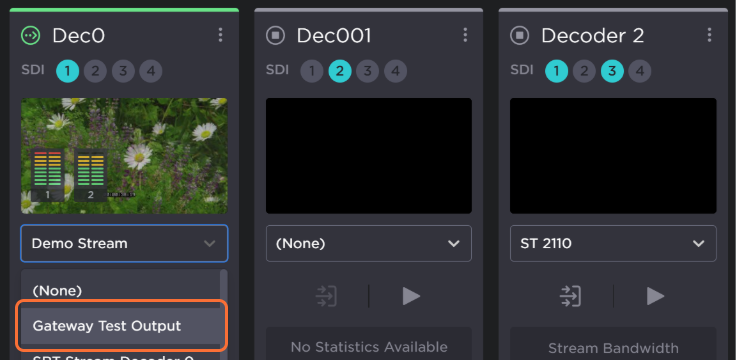
Click the Apply button.
For more details, refer to the Makito X4 Decoder User's Guide.