
Changing the Live Mode Streaming Address

Note
This task is not to be confused with Changing the Preferred Streaming Address on the CineAgents page.
By default, Command 360 choose the IP address to route Live Mode streams to. In some cases, you may wish to change this.
To change the Live Mode streaming address:
Click the user icon in the top right and select Admin.
On the side menu, click Video Processors.
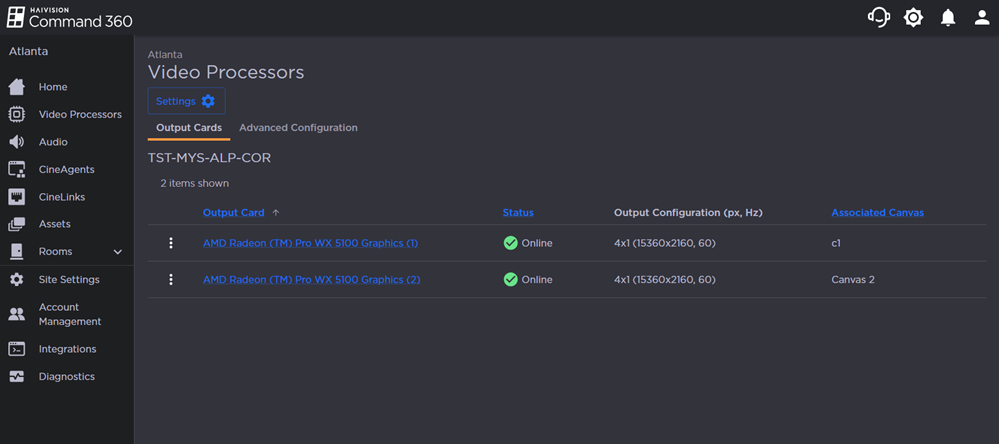
Click the Settings button. The Configuration Settings side panel opens.
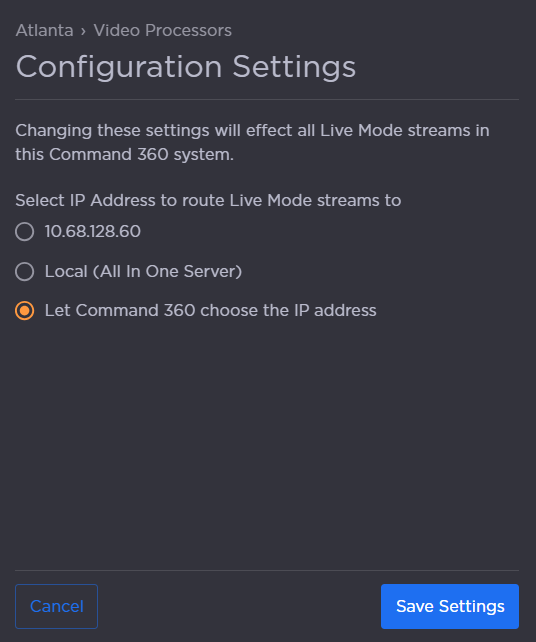
Select an IP address to which Live Mode streams will be routed.
Note
As noted in the interface, changing the settings here will affect all Live Mode streams in Command 360.
When finished, click Save Settings.