
Selecting a Record Profile
You can select different record profiles for:
Live + Auto-record
Record only
Unit Panel
You can select a Record Profile from the Unit Panel when you are starting a Live or a Record. See Starting a Record and Starting a Live.
Web Interface
From the Dashboard, in the Streams section, click the
 icon. The encoder's current settings appear: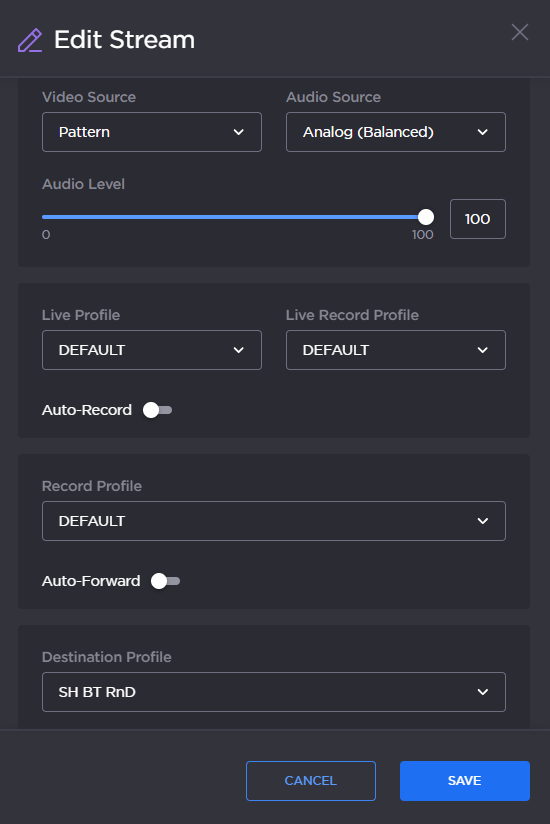
Select a pre-defined Record Profile from the dropdown list.
If desired, activate the Auto-Forward toggle.

Note
When this option is enabled, a Forward starts automatically when a Live starts.
The record profile used for the Auto-record can be different than the one used for a Record only.