
Configuring Forward Settings

Note
Mass storage can be SD cards and USB storage devices.
Unit Panel
From the Home menu, tap
 >
>  .
.Tap the toggle button to enable or to disable Resume at Startup, Auto-erase, or/and Hot Folder options.
Note
Resume at Startup: If any forward is still in progress when the unit is turned off, it is resumed when the unit is started up.
Auto-erase: All successfully forwarded filed are automatically deleted when the forward is complete.
Hot Folder: Files coming from a camera are automatically transmitted via an FTP server.
Note
See Configuring a BGAN Profile for more information.
Web Interface
Click Settings > Forward.
Click the toggle buttons to enable/disable the Resume at Startup, Auto-erase and/or Hot Folder options.
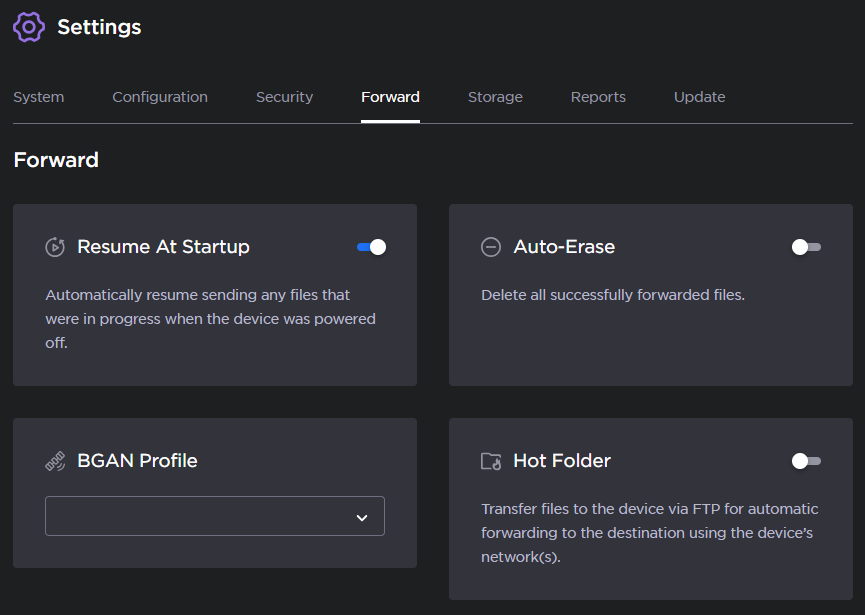
Select a BGAN Profile in the drop-down list if required.
Note
See Configuring a BGAN Profile for more information.