
Sizing Images for Export
This page is being used to explore how Scroll PDF Exporter handles image sizes and alignment, as well as to test various workarounds.
As published with Scroll Viewport: https://betadoc.haivision.com/test1/sizing-images-for-export
As created with Scroll PDF Exporter:

CONCLUSIONS
Scroll PDF Exporter does not preserve Confluence alignment settings.
Possibly related to this K15t bug.
Scroll PDF Exporter scales images based on full page width (vs Confluence column).
Use Confluence sections macro to approximate center and right alignment.
Use draw.io for more control over size and alignment in PDF exports (see Example 10).
Example 1 — Image inserted at default width:
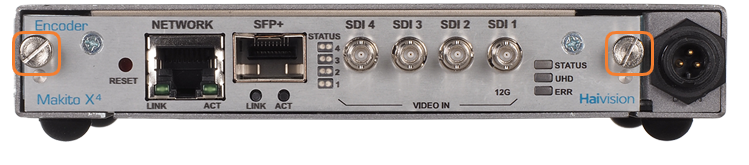
Publish Result: Same (wider column)
PDF Export Result: Same; image relatively larger (full page width)
Example 2 — Image resized manually (default center alignment):
Publish Result: Same (wider column)
PDF Export Result: Left aligned; image relatively larger
Example 2a — Image positioned inline in a paragraph that is center aligned,
converted to original size, then resized manually:
Publish Result: Same (wider column)
PDF Export Result: Left aligned; image relatively larger
Example 3 — 2-column layout (large left, small right); images pasted into sections assume default size:
Publish Result: Same (wider column)
PDF Export Result: Same; images relatively larger
Example 4 — 3-column layout (small left, large middle, small right); image pasted into middle section assumes default size:
Publish Result: Same (wider column)
PDF Export Result: Same, but left-aligned within center section; image relatively larger
Example 5 — Image inserted at default width inside table (also default width):
|
Publish Result: Same; image relatively larger (wider column; horizontal table borders)
PDF Export Result: Same (wider column; full table cell borders)
Example 6 — Image inserted inside table, resized manually (default center alignment):
|
Publish Result: Same (wider column; horizontal table borders)
PDF Export Result: Same; image relatively larger (wider column; full table cell borders)
Example 7 — Image inserted at default width inside table (also default width):
 |
Publish Result: Same (wider column; horizontal table borders)
PDF Export Result: Same; image relatively larger (wider column; full table cell borders)
Example 8 — Image inserted in middle column of table with scroll table macro set to 20%, 60%, 20%:
|
Publish Result: Image reverts to default size (empty columns 1 and 3 ignored?; horizontal table borders)
PDF Export Result: Same; image in Confluence is 34% smaller than in Example 7, but in PDF it is 60% (wider column; full table cell borders)
Example 9 — Image inserted via draw.io (full size):
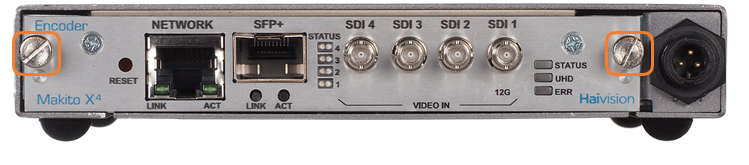
Publish Result: Same result as Example 1
PDF Export Result: Same result as Example 1
Example 10 — Image inserted via http://draw.io (reduced size and centered in draw.io):
Publish Result: Image retains reduced size but is left aligned.
PDF Export Result: Image retains reduced size and center alignment!