
Q&A
This page contain a series of questions, many posed by CNN/WB staff, with answers provided by Haivision experts. While these are reviewed and updated from time to time, some responses may become outdated as new software and hardware versions are released.

Battery | Bitrate/Encoding | Hardware | Licensing | Networking | Power | Routing | SRT | Storage | UI/Control
Battery
AIR
On the AIR transmitters, does the internal battery charge if the unit is plugged-in and powered on?
No, the AIR internal battery only charges when the unit is switched off. This charging condition is imposed on us by the product certification body.
2025-09-24
AIR
Can we swap the battery in AIR transmitters?
Yes, the battery can be swapped.

The AIR will turn off if not plugged in with the power cord during the swap operation.
2025-09-24
AIR
Are there two batteries per AIR unit, and is there an external charger for those batteries?
Yes, 2 batteries are supplied with the AIR. Each unit comes standard with 1 battery, plus additional accessories: 1 extra battery (HWO-OT-BAT) and a battery charger (HWO-OT-CHA).
2025-09-24
AIR
Does the AIR automatically switch to the internal battery if the power cord gets disconnected?
Yes, it will automatically switch to the battery.
2025-09-24
AIR
What’s the estimated battery duration on AIR unit when fully charged?
A battery should last between 1h30 and 1h45 while being used live. Transmitting with cellular modems corresponds to the lower limit (1h30).
2025-09-24
AIR
How long does it take to fully charge the AIR unit's internal battery when it's completely discharged and inside the transmitter? Is the charging time the same with the external charger?
It typically takes about 2h40 to fully charge when the battery is in the transmitter and the transmitter is turned off. With using the external charger, it should be faster, taking around 2 hours.
2025-09-24
AIR
On AIR units, is there a way to see what percentage the battery is at?
While you cannot see the exact percentage of the battery charge, there is an indicator showing the approximate level of charge on the touchscreen. Look for these symbols:

2025-09-24
Bitrate / Encoding
AIR PRO
Can the buffering rate and bitrate rate be configured and modified on the transmitter on the unit itself?
The configuration of transmission latency and desired throughput are available in Live profiles. The user can define multiple profiles and choose which one is active.
2025-09-24
StreamHub
If a source is 720p, what is the expected output format on the router? Will it take 1080p and spit out 1080i?
By default, the field transmitters (PRO, AIR) will transmit the resolution and frame rate that they receive from the camera. The StreamHubs are configured to output SDI at a designated resolution and frame rate (1080i59.94 in Techwood). The resolution and frame rate are automatically converted without a transcoder in the middle. For sending the feed to an IP Output, you may want to add a transcoder (“Encoder” in StreamHub) to convert the protocol, frame rate, resolution, etc. before sending it out. This will depend on the requirements of the device at the receiving end of the IP Output.
2025-09-24
Hardware
PRO
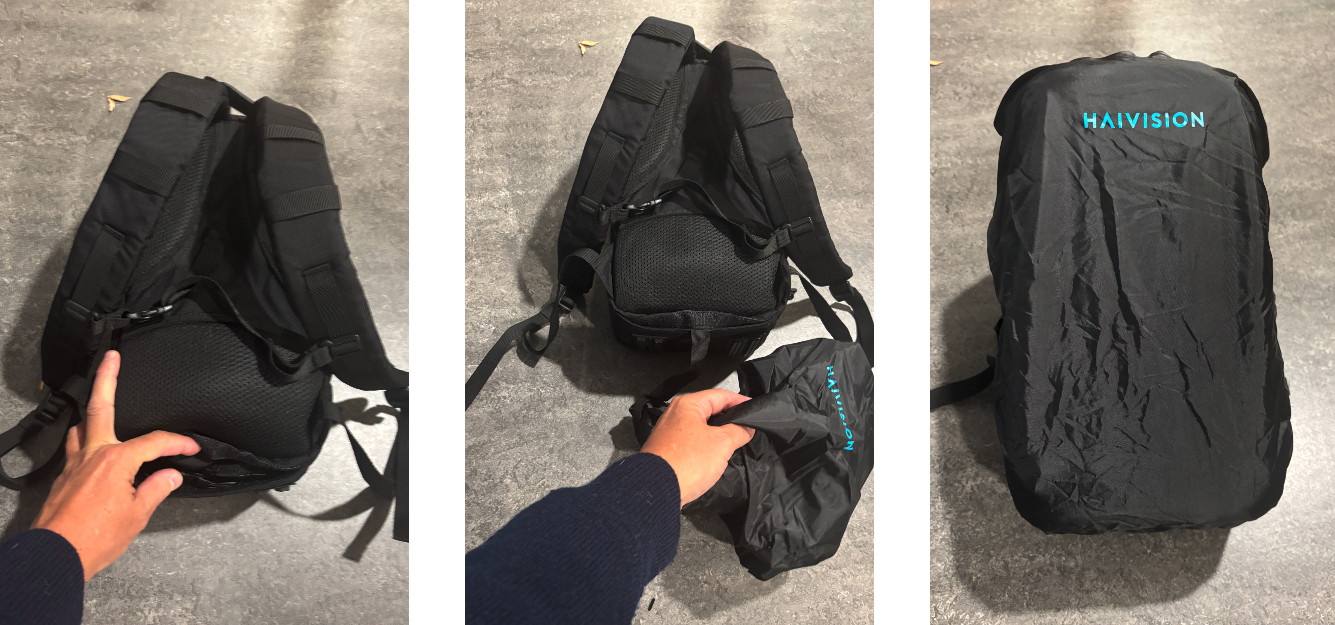
For the PRO transmitter backpack, is there a rain cover that comes with it?
The rain cover is included in the backpack (in a pocket located in the bottom face):
2025-09-24
StreamHub
Can StreamHub accept video cards other than Blackmagic or AJA?
Only Blackmagic cards are certified to work in the StreamHub servers. Only models certified by Haivision should be used.
2025-09-24
Licensing
Hub 360
How can we avoid exceeding licensing limits?
Currently Hub 360 can display the committed number of paired appliances (value in Peak number card + red line in the graph) on the Admin > Usage page, and the available MoJoPro licenses on the Admin > Licensing page.
As of StreamHub version 4.5+, MoJoPro licenses from StreamHub can be used at Hub 360 level. This means that the 2 MoJoPro licenses for every StreamHub will be usable for MoJoPro routes in Hub 360.
In version 1.9 of Hub 360, clearer info is displayed on the Admin > Licensing page:
.png?inst-v=1269db4f-e850-4272-b1c3-40eb046afe87)
2025-09-24
StreamHub
Do we need a license to direct a transcoded stream to an SDI output? If so, can we apply that license to just some StreamHubs, or turn it on temporarily for a specific project?
You cannot attach a transcoded stream to an SDI output. This is by design since the SDI will automatically convert any Input to the designated Output. In that workflow, re-encoding an Input before sending to an SDI Output would be superfluous.
Licenses can be modified on a per-StreamHub basis, enabling features either permanently or temporarily.
2025-09-24
Networking
AIR PRO
I’m having trouble connecting to a network. What can I do?
Transmitters using Webbing-type Multi-IMSI SIM cards are sometimes slow to connect to a network, or fail altogether. This may be due to the presence of 3G networks in the area. The solution is to configure the modem(s) in 4G/5G mode instead of Auto mode.
2026-06-11
AIR
Can the antennas on the AIR unit be repositioned?
No. The Wi-Fi and cellular antennas are integrated and concealed inside the device.
2025-09-24
AIR PRO
Can we connect to a transmitter via Wi-Fi and what’s the difference between Access Point and Client Interface?
When configured in Wi-Fi access point mode, the unit can be controlled remotely from a smartphone, tablet or laptop. This option allows you to establish a direct connection to the transmitter via Wi-Fi. When Wi-Fi is configured in client mode, it allows you to connect your transmitter to a Wi-Fi network connection and use that connection to transmit. For more information on Wi-Fi configurations please refer to our InfoCenter under the desired transmitter and search for key words such as “Wi-Fi”, “Access Point”, and “Client Mode”.
2025-09-24
AIR PRO
Can transmitters connect to Wi-Fi via a landing page, such as the ones you get when trying to connect to hotel Wi-Fi? If not, is there a way to get around it?
No, it’s not currently possible and there is no workaround for it. Transmitters do not connect to Wi-Fi with Captive Portal.
2025-09-24
AIR PRO
Is there a way of navigating landing pages for public Wi-Fi networks using the web browser?
We do not support such connections. We would need to know the SSID and web portal, but there’s currently no way to capture that information.
2025-09-24
AIR PRO
When inserting Haivision-provided SIM cards for the US (VRZ, TMO, ATT), they preferably need to be in a specific order. For other ones that are not carrier specific, does the order/pattern in which they are inserted matter?
The position of the SIM cards in our transmitters (slot 1, slot 2, etc.) does not matter. Whether the SIM card is from a local carrier (ATT, T-Mobile, etc.) or a multi-operator SIM card (Haivision), its position does not matter. We had originally specified a slot order in the user manual in response to a customer request. However, this guidance has since been removed, as the order does not matter.
2025-09-24
AIR PRO
During on-site training, we had a transmitter that had two cell modems (of six) with less-than-stellar connection, probably due to distant cell towers or network congestion. If there are 2 modems that are not performing as well as the others on a transmitter, is it better to leave them on or turn them off?
There are a number of things one can do in this scenario:
1. Let the modems be as-is. Cell connections can change over time, especially if the transmitter is on the move.
2. Set the modems to “low” priority. The transmitter will only use the modems sparingly, holding them in reserve. This can prevent modems with poor connections from placing the burden of re-transmitting lost packets on the “good” modems.
3. Disable the modems with poor connections. As described above, this can prevent having to retransmit an excessive number of packets (especially if the connections are really bad).
4. Adjust the modem settings by using the “low frequency” preset (when indoors or surrounded by buildings) or specifying the connection technology (5G, 5G/4G only, or 4G only) when one area may have better connection types available.
2025-09-24
AIR PRO
On the matter of international roaming modems, have you had any instances where the modems had to be manually configured to 'talk' to the locally available networks?
The modems comply with international standards. No configuration is required at the modem level. For a local provider’s SIM cards, you may need to set the APN manually, but in most cases you do not. Each transmitter has a large, embedded APN database per cellular operator, so that the appropriate APN is automatically applied when the SIM card is detected. You do not need to add the APN for SIM cards you get from Haivision, even when using them internationally with different operators.
2025-09-24
AIR PRO
What is the Bluetooth connection used for on transmitters?
The Bluetooth can be used for the intercom feature. By default, the intercom is a wired connection (interface on the front panel). When connecting a Bluetooth headset to the transmitter, the intercom automatically switches from wired to Bluetooth.
2025-09-24
DataBridge
Can data from Cellular bonding & Ethernet be aggregated and used through the Data Bridge Feature?
All links can be aggregated (Ethernet, Wi-Fi, cellular) When a DataBridge is used, the traffic is balanced between the links, but generally only one or two links are used because we are considering only the link with the lowest latency (the reference), plus any other links having a latency not greater than 10% of the reference.
2025-09-24
PRO
On PRO units, at the bottom of the menu screen, we can see if the signal is 4G or 5G but not the percentage of the signal strength. Where do we see that information on the PRO unit?
There is no percentage being shown, but the size of the bar provides an indication of the signal strength.
Example of the unit screen: 
Example of the Web UI: 
2025-09-24
StreamHub
Is the SST connection to the StreamHub encrypted?
The SST connection is not encrypted, but it is split amongst all bonded paths, making content reconstruction very difficult for anyone intercepting network packets.
2025-09-24
StreamHub
Do I need to be on the WBD local network to be able to access a StreamHub?
Yes, and it would also work if you were remotely connecting to WBD network using VPN.
2025-09-24
StreamHub
On StreamHub Inputs, what’s the purpose of setting a Capped Bitrate on the transmitter if the bandwidth still goes above the set value? For example, with a capped bitrate set to 4.2 MB, the Input can still go up to 5.3 MB. Setting the transmitter to send VBR or CBR doesn’t change the behavior.
What is set is the video capped bitrate only. In addition, you have audio + retransmission (that is a dynamic value, not a percentage). This is why the total behavior is always above the defined value.
2025-09-24
Power
AIR PRO StreamHub
How long does it take for the transmitters (AIR, PRO3, PRO4) and receivers (StreamHubs) to power cycle?
The boot time for transmitters is around 30 seconds. At this point, the user can interact with the touchscreen or web interface. To be able to transmit on cellular networks, the time required to start up, initialize and connect the SIM cards to their operator needs to be considered. This generally takes an additional 30 seconds. The total time for a unit to start a Live session is around 60 seconds. The time required to simply access the unit is around 30 seconds.
2025-09-24
AIR PRO StreamHub
Can a single Receiver in StreamHub be power cycled if it has a technical issue, or does the entire StreamHub go down?
A receiver (PRO, AIR, MoJoPro) can be restarted without affecting the connected StreamHub. The StreamHub software and hardware can be restarted, but this will affect any streams passing through that server until the software comes back online. Note that the StreamHub Inputs, Outputs, and Encoders can individually be restarted without necessarily affecting the other streams, so there is some control with regards to troubleshooting/restarting things.
2025-09-24
StreamHub
How long does it take receivers (StreamHubs) to power cycle?
About 1 minute 45 seconds.
2025-09-24
Routing
AIR PRO StreamHub
Does a transmitter need a route established with StreamHub to start?
A field transmitter needs two things to start: an input signal (camera or test pattern) and a destination. The destination needs to be managed by the route makers before the unit can go live. From the Hub 360 side, dragging-and-dropping the source onto the route will automatically start both sides (assuming there is an input signal at the transmitter). If using the drop-down menu to select a source on a route, the Input and Route do not automatically go live. This gives the route manager more control.
Live can also be started directly from a transmitter, even if a predefined booking (using drag & drop or drop-down menu) has not been previously performed. In such a case, Hub 360 will allocate a StreamHub input for this transmitter and create the video route. This is based on configured StreamHub priorities
See the InfoCenter for more details: https://doc.haivision.com/Hub 360/1.8/managing-the-priority-of-StreamHubs-within-a-group https://doc.haivision.com/Hub 360/1.8/understanding-StreamHub-usage-with-automated-route
2025-09-24
AIR PRO StreamHub
If a source is assigned to one unit no longer in use, can I assign another unit to that route?
If a route is not active, and has a field unit assigned to the Input, that route can be reassigned by dragging-and-dropping a different unit onto the route, or by using the drop-down to pick another input. If the route is active (live), the route cannot be modified until stopped.
2025-09-24
AIR PRO StreamHub
Will a field user be able to dissociate from a route?
No, unless they have Hub 360 access to modify routes. Access is controlled by WBD personnel.
2025-09-24
AIR PRO Hub 360
Does the screen show the Route number?
No. The route number may be irrelevant in the new workflow. In Hub 360, CT teams can easily identify a transmitter using its serial number and figure out to which route and StreamHub output it’s been assigned.
2025-09-24
SRT
General
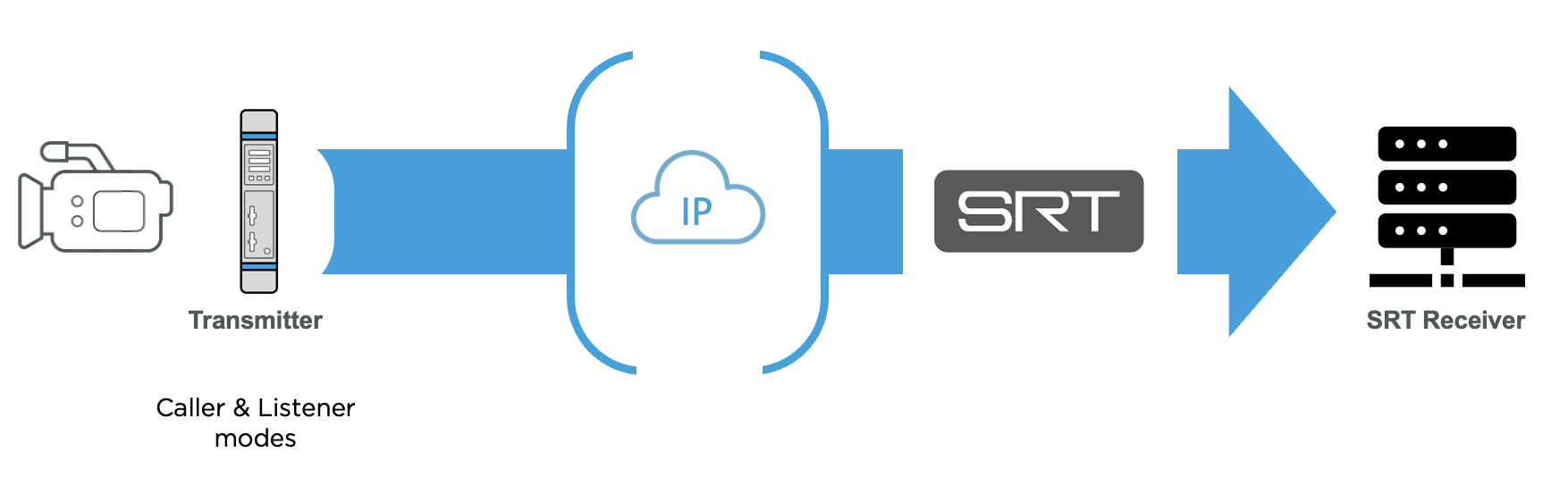
Is SRT only available with an Ethernet connection?
Yes. SRT is only available with the Ethernet connection on the transmitters.
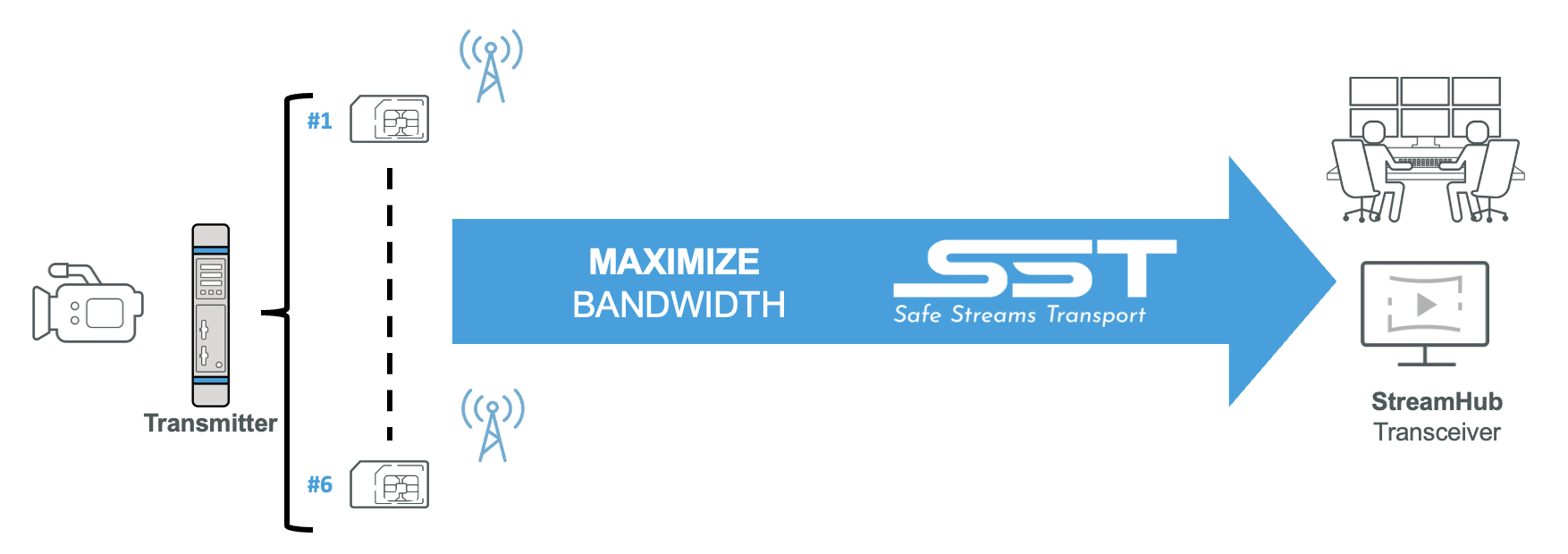
For wireless connections (cellular, Wi-Fi), we use a technology called SST (Safe Stream Transport). This protocol, developed by Haivision, allows multiple transmission links to be aggregated (bonding) by adjusting the bit rate and video resolution in real time to match the fluctuating bandwidth available on cellular networks.
2025-09-24
StreamHub
Are we able to see the SRT feed IP details and share them with someone?
Yes. On a StreamHub, the IP Output settings (including the IP information) can be found using the “link” icon next to the “play” button under the preview window. The “link” button will allow you to copy both the public IP link and the internal IP link.
2025-09-24
StreamHub
Does each Output have its own unique SRT option?
On a StreamHub, each IP Output “slot” can be assigned a unique profile. The profile contains the connection specifics like host name, port, caller/listener, etc.
2025-09-24
Storage
AIR PRO
Can we transmit without an SD card? Can you record or auto record if the SD card is full and still transmitting? Can we auto-record without an SD card?
The SD card in our transmitters is not required for live broadcasting. It is required for local recordings. Recordings can be made during or outside of a live broadcast. If the user starts a Live broadcast combined with a (simultaneous) recording but the SD card has an anomaly (missing, full, locked, etc.), the user is asked in the product interface if they still want to start their Live broadcast (therefore without simultaneous recording). If the SD card is full during a Live + recording, the live continues and an error message is displayed on the Web UI and Touchscreen:
.png?inst-v=1269db4f-e850-4272-b1c3-40eb046afe87)
.png?inst-v=1269db4f-e850-4272-b1c3-40eb046afe87)
2025-09-24
AIR PRO
What happens if you run out of space on the SD card? Does it erase the video or stop it? Is there an error or warning?
The recording is stopped and an error message is displayed in the Web UI and on the touchscreen.
2025-09-24
AIR PRO
What else can the SD card be used for besides storing the recordings?
The SD card is most often used to store recorded files but can serve other purposes. When a report is generated from the unit panel, it gets stored on the SD card. Any file uploaded to the transmitter unit via FTP and panel screenshot (when a user connects a USB keyboard and presses F1) also gets stored on the SD card. You can eject the SD card, add files to it using your computer, and insert it back in your transmitter to transfer any files back to the StreamHub. You can also host a firmware version in the SD card and update the unit from the touchscreen.
2025-09-24
AIR PRO
Can I use SD slot to transfer files?
Yes. Any file types can be transferred. In addition to video, you can push other things (documents, still files) to StreamHub.
2025-09-24
AIR PRO
Is it possible to go live if there is no SD card in the transmitter?
The SD card in our transmitters is not required for live broadcasting. It is required for local recordings. Recordings can be made during or outside of a live broadcast. If the user starts a Live broadcast combined with a (simultaneous) recording but the SD card has an anomaly (missing, full, locked, etc.), the user is asked on the product interface if they still want to start their Live broadcast (without simultaneous recording).
2025-09-24
AIR PRO
Can I load original files from a camera into a transmitter unit using its memory card, or does it only store files that the unit records via HDMI/ SDI input?
Any files on the internal SD card can be forwarded.
2025-09-24
UI/Control
AIR PRO
How can I check audio bitrate totals?
The user can set the number of audio channels and the audio bit rate in Live Profiles and Recording Profiles. Audio channels are available in 1 x mono, 1 x stereo, 2 x mono, 2 x stereo, etc. The bit rate corresponds to the total audio bit rate. For example, if the user chooses 2 x stereo, they can specify a total bit rate of 128 to 1024 kbps:
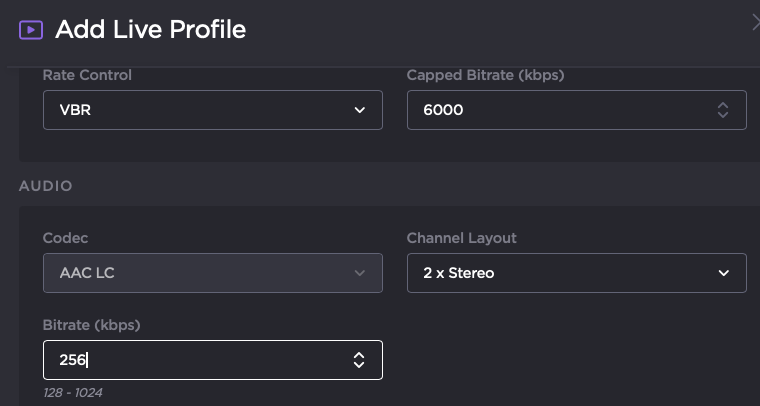
If they choose 256 kbps, this means that each stereo channel is 128 kbps (left = 64 kbps, right = 64 kbps).
2025-09-24
AIR PRO
How long does it take to change between profiles?
To switch profiles on a field transmitter you need to stop the live stream, switch the profile, and then start the stream again. This should just take a few seconds. Some things to be aware of:
While a stream is live you cannot edit the Profile in use, nor can you add a new Profile ([LC] to the same input).
You can edit an existing Profile that is not in use. To minimize your down-time, we recommend appropriating one of the existing profiles and modifying it to your specifications before making the swap.
2025-09-24
AIR PRO
How do we add new PRO3, PRO4 or AIR transmitters to
Hub 360?
New transmitters will need to be added to Hub 360 through the pairing process. For instructions on how to do so please refer to this InfoCenter link:
https://doc.haivision.com/Hub 360/1.8/adding-an-appliance
2025-09-24
AIR PRO
Can changes be made and applied to a transmitter while in the field?
In the field, the user has access to the transmitter unit's information on the touchscreen. They can configure, administer, and monitor the unit using this interface. Users can also connect to the unit via Wi-Fi (they will first need to configure their unit's WiFi as an access point). They will then have access to the transmitter's web interface.
2025-09-24
AIR PRO
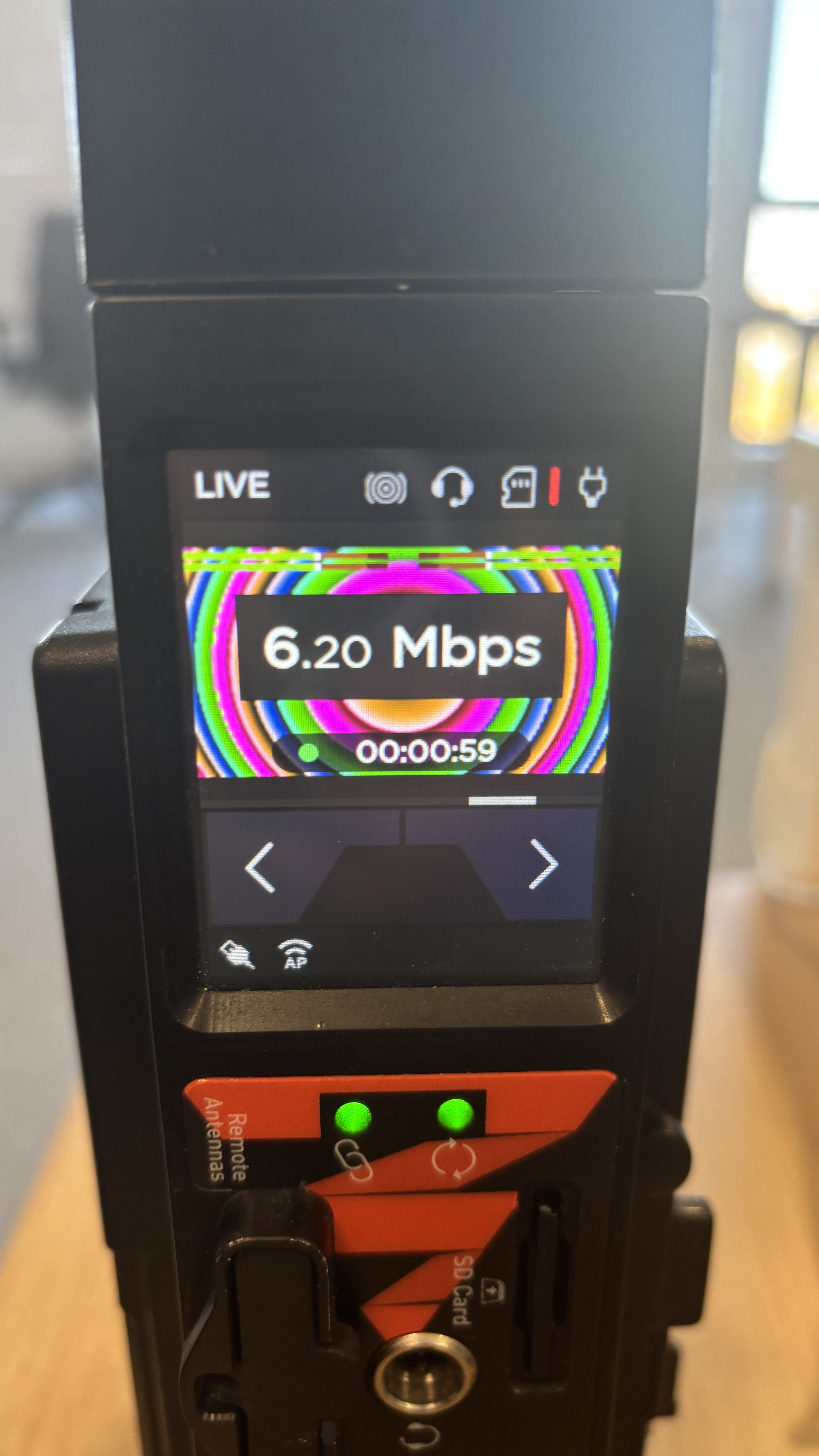
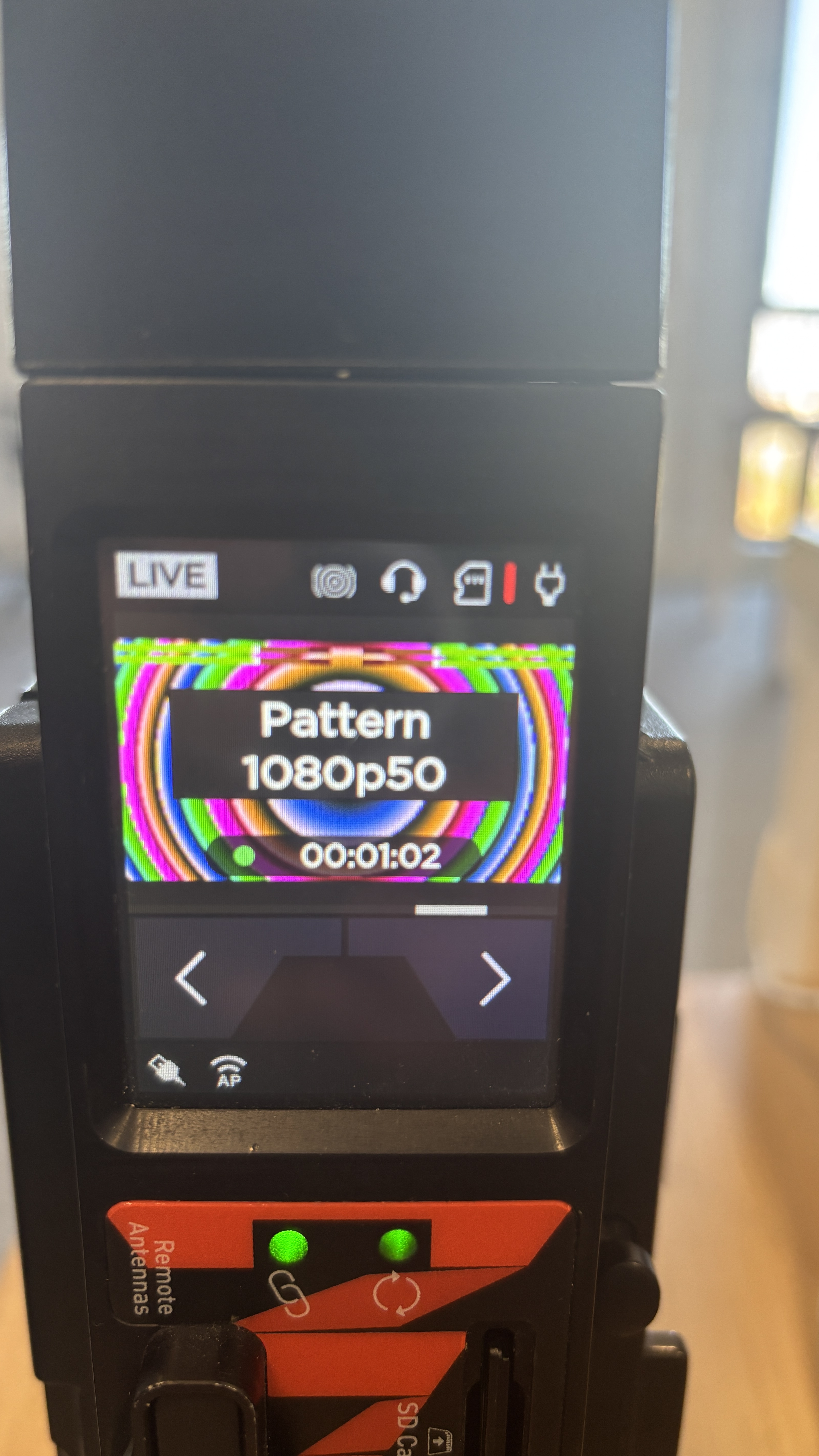
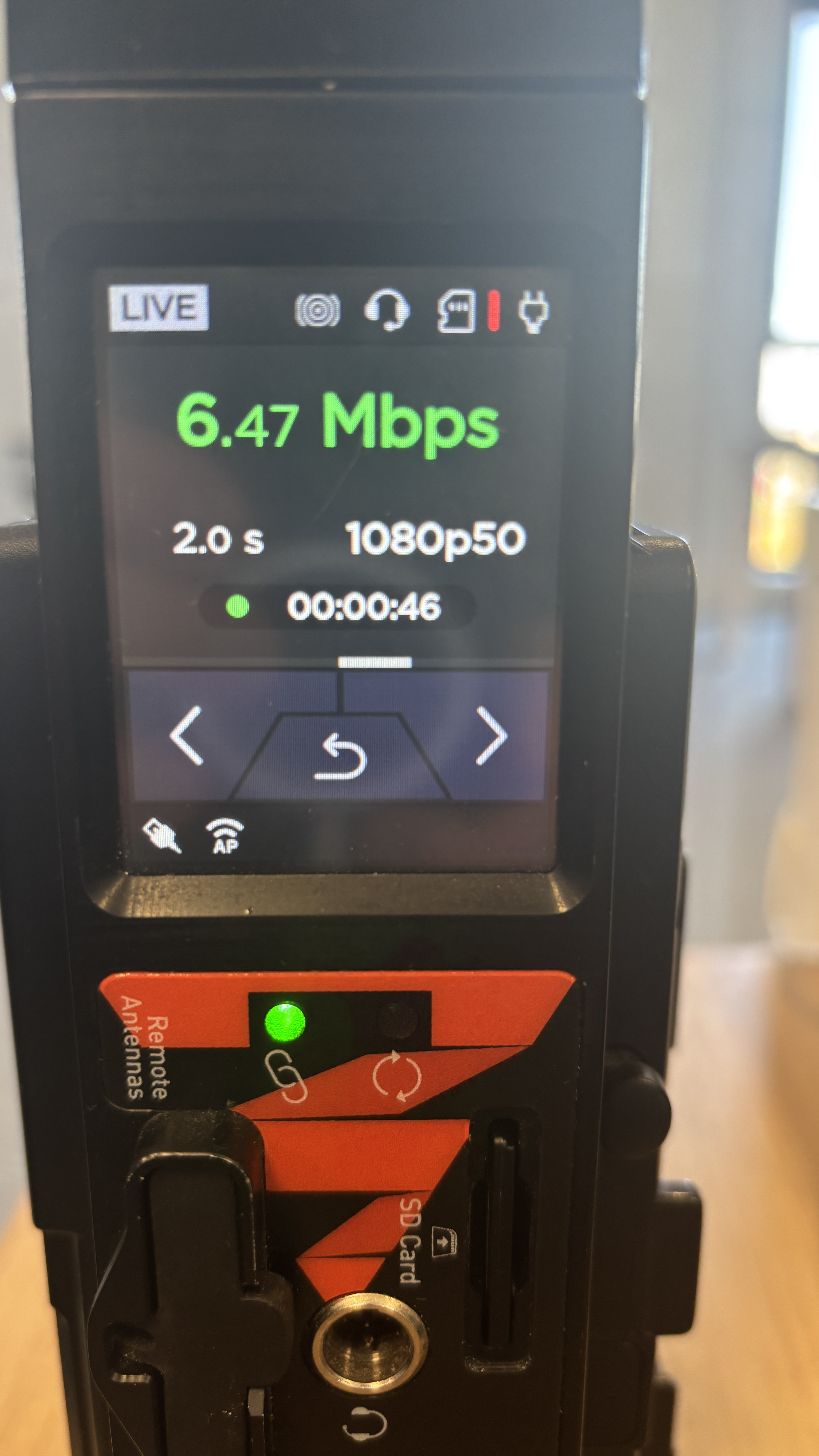
Once we are live on a transmitter, where can we see the information such as bitrate, source standard, and Live duration?
The Live duration is indicated by a timer indicated in the Live view (overlay on the video preview). For the bitrate and the source standard, you have two options:
1. Touch the screen to add an overlay indicating the resolution, and the bitrate:
2. Go left once on the screen menu to display information about the Live action.
2025-09-24
AIR PRO
What happens if I make changes to a live profile?
Live profiles on the transmitters only encapsulate the encoding settings (protocol, bitrate, latency, etc.) and do not affect the modem settings. Modem settings can be adjusted to suit the needs of the event location, however. There are some basic, grouped settings that can be applied per modem (Low frequency bands vs. all bands; 5G, 5G/4G Only, 4G Only, etc.). This gives you some control over the modem behaviors that you can mix-and-match and take advantage of the multiple modems, without needing to dive into the minutia (aka “Expert mode”).
2025-09-24
General
Is there a preferred browser we should use for Hub 360?
While most web browsers should work, Haivision performs more regression testing using Google Chrome.
2025-09-24
Hub 360
Is there a way to save Hub 360 filters and search criteria?
Search and filter preferences are kept at the browser level. They persists when the browser is restarted, but not when using a different browser or using incognito mode. These settings are lost when a user logs out.
2025-09-24
Hub 360
Do you need permission from the end user of a device to control it remotely?
When remote controlling a field transmitter or StreamHub, Hub 360 will authenticate automatically, bypassing the local login screen.
2025-09-24
Hub 360
How do you add new equipment?
Use the pairing process to add equipment to Hub 360, as described here:
https://doc.haivision.com/Hub 360/1.8/adding-an-appliance
2025-09-24
Hub 360
For Video Return is it possible to just drag and drop from the Hub 360 on the Source side onto the unit that needs the return, without going into the StreamHub?
This is a feature request under consideration for a new Master Control design later in 2026.
2025-09-24
Hub 360
No Hub 360 video return?
There are limitations around managing Video Returns in Hub 360. Video returns need to be configured at the StreamHub level. Once this is done, an icon appears in Hub 360 Master Control for StreamHub input having video return enabled.
2025-09-24
Hub 360
How do you set video return in Hub 360?
Video return has to be configured in StreamHub. From Hub 360, access the Web UI of the StreamHub by clicking on the three dots located in the right-hand corner and simply drag & drop the video return to the desired Input. When a video return is configured on a given SHStreamHub input, a bespoke icon is displayed on this StreamHub input card.
2025-09-24
Hub 360
Can Video Return be controlled via Hub 360 instead of having to do it from the StreamHub(s)?
Currently, a Hub 360 User cannot perform the following actions:
Assign a Video Return Input to a Field Transmitter Input and set the Latency.
Create an Encoder Profile and assign the Profile to an Encoder slot.
Create an IP Output Profile and assign the Profile to an IP Output slot.
Create a Live Guest session and assign the session to an Input slot.
These operations must be done on the StreamHub, but once done they can be routed using Hub 360.
2025-09-24
Hub 360
What are pairing codes used for?
Pairing codes are generated on the Hub 360 and used to pair appliances/transmitters or MoJoPro devices. A Multi use or Single use pairing code can be generated. When selecting Multi Use, the pairing code can be used to pair multiple appliances and will be invalidated if it either reaches a set expiry date or if it gets manually deleted. Note that deleting a pairing code will not affect appliances that have been previously paired using that code. Those appliances will remain paired. When selecting Single Use, the pairing code is invalidated after the first appliance uses the pairing code.
2025-09-24
Hub 360
Where do we see the logs of who makes what change?
Hub 360: The user who makes a change is logged.
StreamHub: The IP address of the user is logged when accessing the Web UI. The name of the specific user is not logged.
Transmitter: The name of the user making a change is not logged.
2025-09-24
Hub 360
Is there a reason why the number of receivers is displayed, but it’s not on the Sources side?

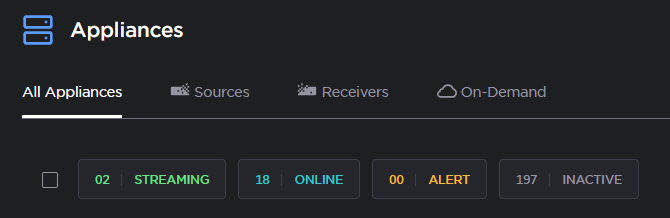
That was a design choice to present the most relevant data within the limited view of the master control. We often have more sources than receivers (hence more filters for sources to be displayed). The number of receivers is useful as we have checkboxes to select receivers individually. If you’re looking for total number of Sources, that information can be found on the Appliances page:
2025-09-24
MoJoPro
If the MoJoPro app displays a “Can’t connect” error, is it because too many people are trying to connect at once?
If MoJoPro is showing a connection error, then there might be a network issue preventing the connection. Troubleshoot the phone’s Internet connection and try again. If the Internet connection is confirmed good, then contact Haivision Support.
2025-09-24
MoJoPro
How to set up pairing code in MoJoPro?
When the MoJoPro connection profile is set to Hub 360, the application automatically opens a popup to prompt the user to write the pairing code and apply it. Refer to this article:
https://doc.haivision.com/MJPiOS/6.2/adding-a-connection?activetab=Hub 360
2025-09-24
MoJoPro
On MoJoPro, how can I see the video return?
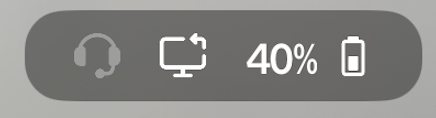
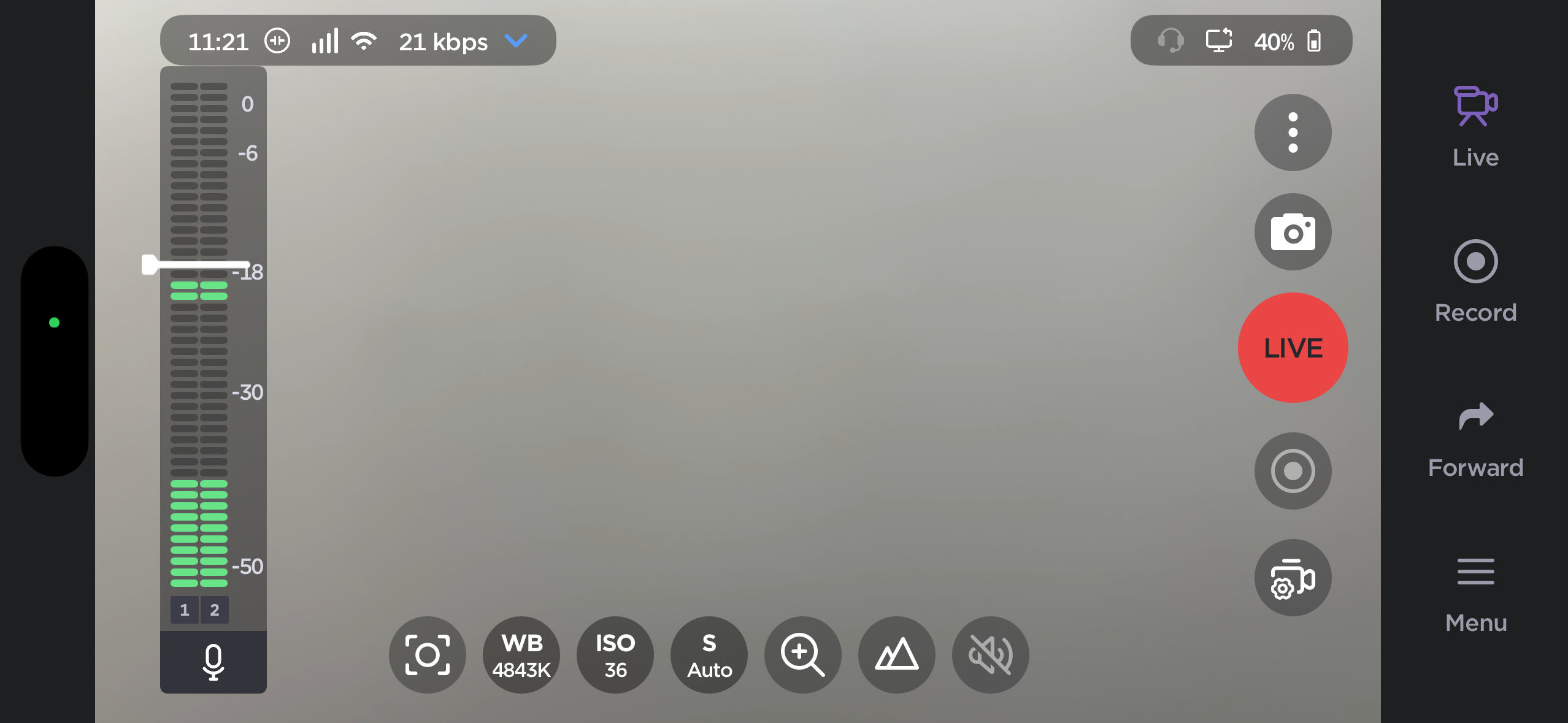
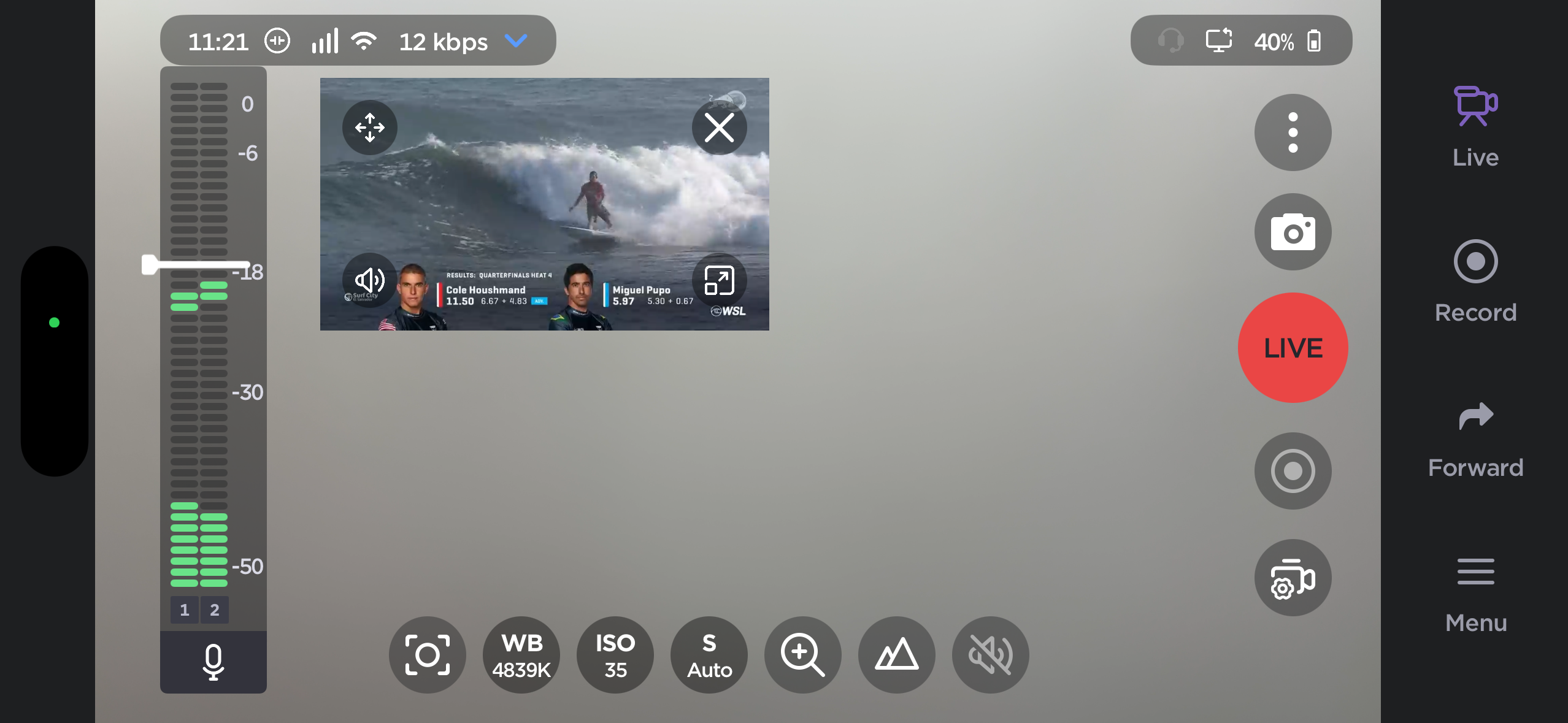
When MoJoPro receives a video return feed, there is a dedicated icon displayed on the top bar (screen with arrow):
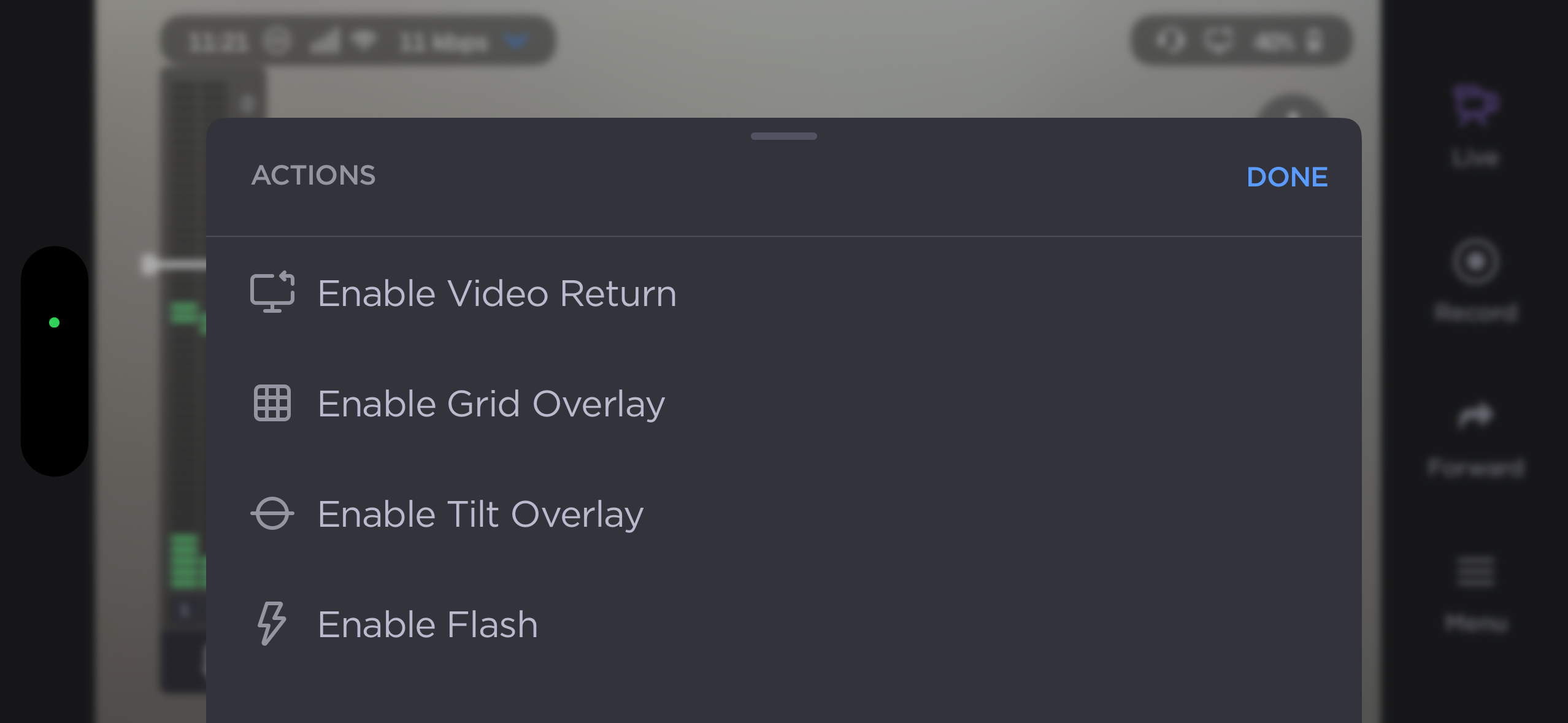
The video return display can be enabled by selecting the three dots button and selecting Enable Video Return:
2025-09-24
PRO
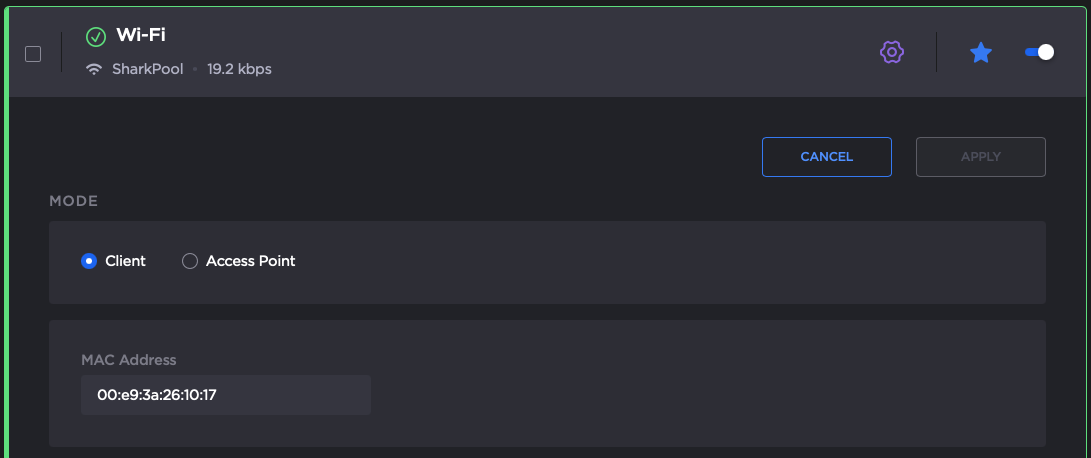
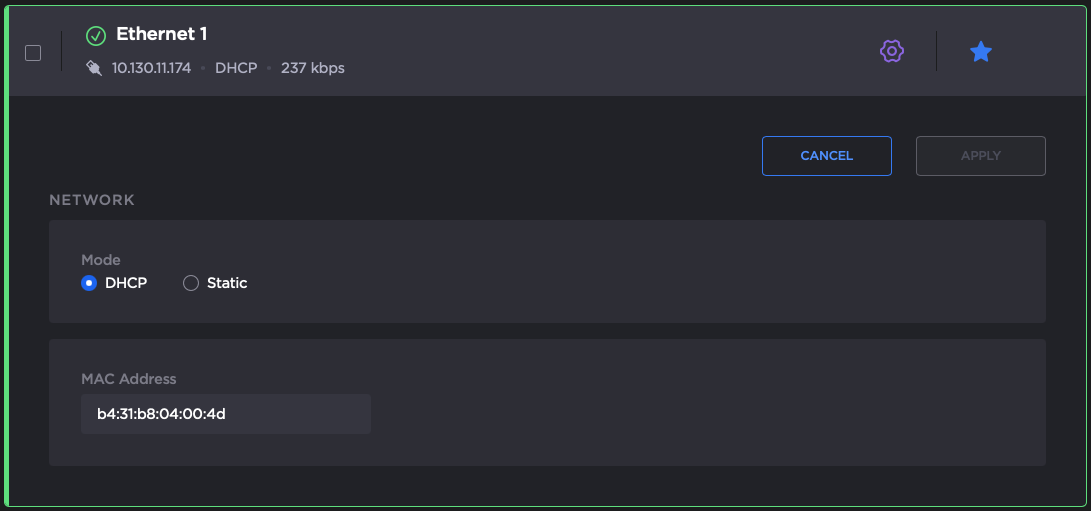
Can we see the MAC Address of a PRO through Hub 360?
The MAC address can be found in the transmitter’s Web UI. On the Network > Interface panel, select an interface to display its MAC address.
2025-09-24
PRO
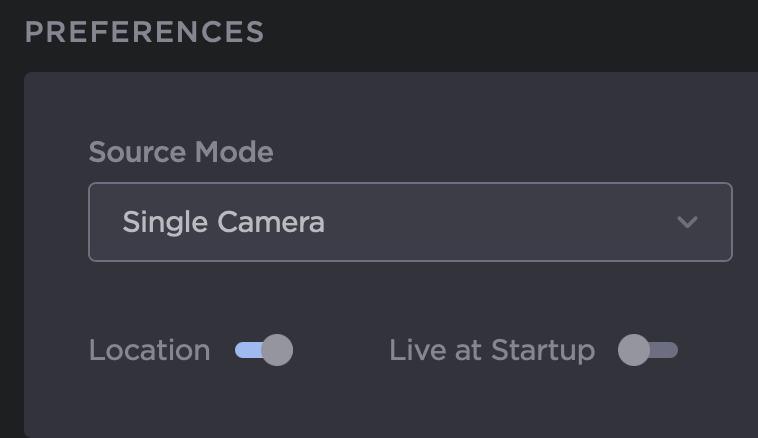
Does Auto Start turn the unit on and start transmitting?
The PRO Series transmitters have an auto-start DIP switch that boots the unit when the unit is powered (by a battery or an external AC/DC source). It does not start the live automatically though. Live auto-start is a separate setting, configurable from the Web UI (“Live at Startup” in the Preferences panel)
2025-09-24
PRO
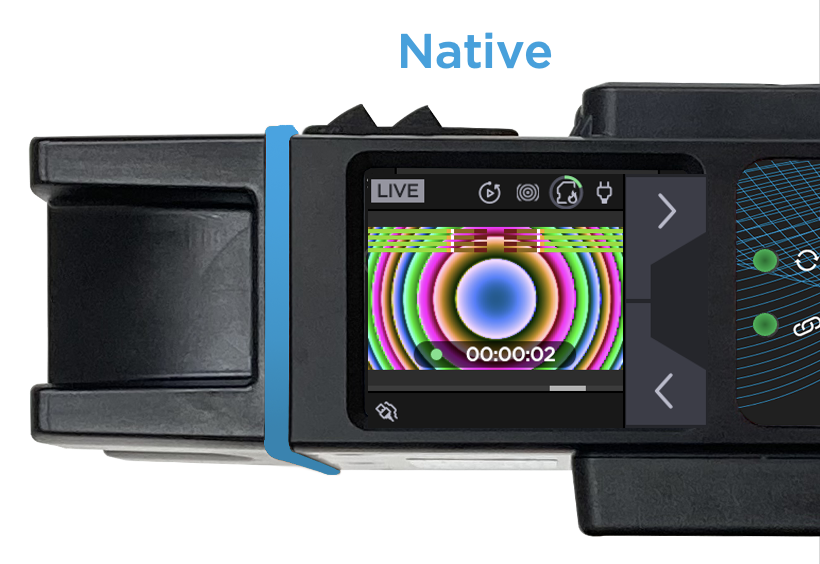
Can we see the camera in the home screen?
No. The Home Screen of the touchscreen displays a menu providing access to configuration, network information, and the launch of a Live stream, recording, or file transfer. The video preview (e.g. the connected camera) is available in the Live menu, the Recording menu, or the Settings > IO menu by clicking on the eye icon.
2025-09-24
PRO
How can we see the video source connected to the device input on the transmitter panel?
The video preview (e.g. the connected camera) is available in the touchscreen:
in the Live menu
in the Recording menu
in the Settings > IO menu by clicking on the eye icon.
.png?inst-v=1269db4f-e850-4272-b1c3-40eb046afe87)
A preview of the video is also available on the web interface dashboard.
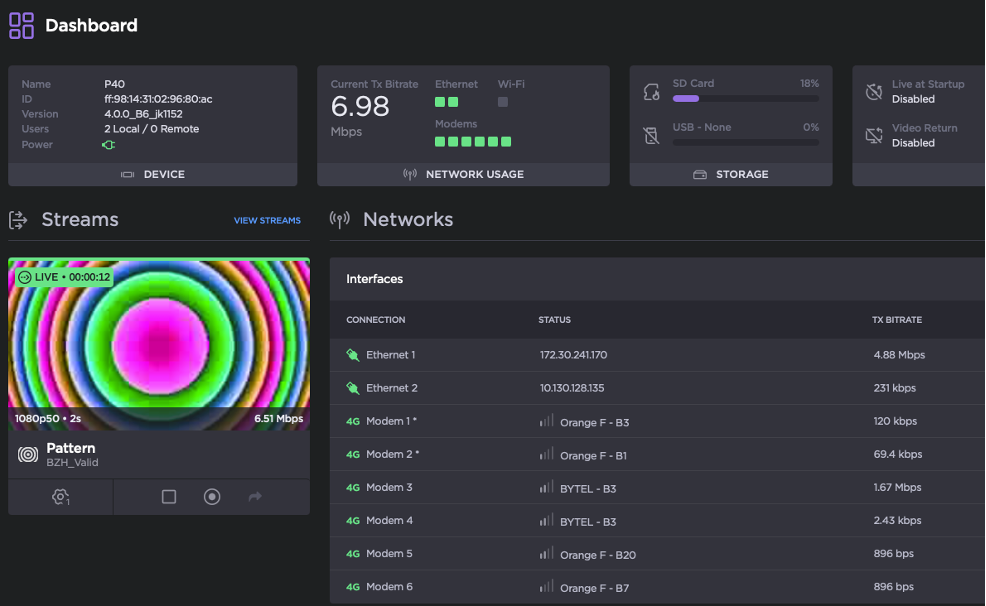
2025-09-24
PRO
On the PRO460 transmitter, can Video Loop Back display Quad Multiview if 4 inputs are connected to it?
No. At this time, the SDI output on the PRO460 is not operational. It does not output any signal.
2025-09-24
PRO
Can more than one person connect to the transmitter Web UI simultaneously?
Yes, more than one user can connect simultaneously. For clients connected locally (by Wi-Fi, by local LAN) there is no limitation. For clients connected from the StreamHub Web UI, we have limited the number to 4 clients (to avoid overloading the cellular network). The number of clients connected locally and remotely is displayed in the Web UI Dashboard. More specifically, in the Users field of the section entitled DEVICE.
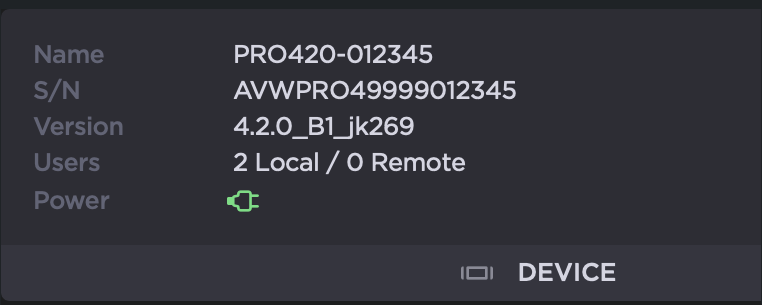
If more that 4 remote clients are connected, the fifth connection display a page indicating the limit has been reached.
2025-09-24
StreamHub
If one of your SDI outputs crashed for whatever reason, can you restart just that one SDI output without killing the other SDI outputs?
Yes, one SDI output can be restarted from the Web UI without impacting the others.
2025-09-24
StreamHub
We had 4 cameras live across stations. One did not sync and kept freezing. What should we do?
If this happens, even if restarting the stream or output fixed the immediate issue, Haivision Support should be engaged to investigate.
2025-09-24
StreamHub
What is the MAX number of encoders available for the signal conversion?
The StreamHubs at WBD are licensed for two encoder slots per StreamHub server.
2025-09-24
StreamHub Hub 360
What is the icon that opens Tx control?
Clicking on the joystick icon activates a remote web UI for transmitter access.
2025-09-24