
Touring the StreamHub GO Interface
The StreamHub interface layout consists of a top navigation bar, a main central screen, and a bottom status bar.
 The navigation bar at the top of each screen provides:
4 tabs that allow you to switch between the various interface screens:
the Account menu
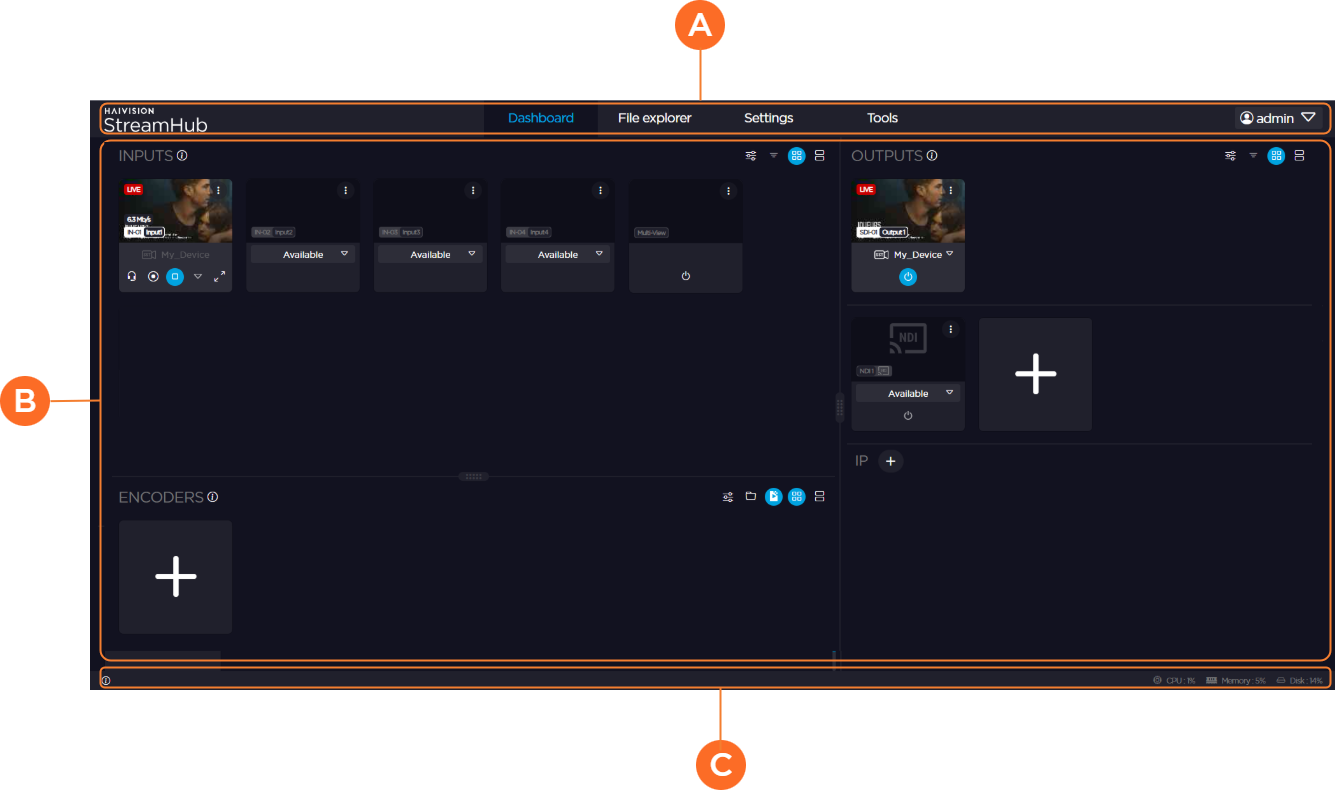
 The main central screen for viewing and performing various StreamHub tasks.
 The status bar along the bottom of each screen gives easy access to:
Info Panel
 that provides information on the current number of users, firmware version, IOS version, hardware ID (if applicable), public IP address, and local IP address.
Quick view of any transcoding activities.
Realtime CPU, Memory, and Disk usage information.