Linking Canvases
In environments that have a video wall with a resolution that exceeds the horizontal or vertical resolutions of a single canvas, additional output cards can be leveraged by linking canvases to create a single large, unified display.

Note
In order to link output cards, they must be the same make and model and have the exact same configuration. Up to 4 canvases can be linked.
Background image files cannot be larger than 16,384 x 16,384 pixels. Larger files will result in the file not being rendered properly on the display. Command 360 will stretch the file to fit the display on the linked canvas. For best results on displays with resolutions greater than 16,384 pixels, use an image resolution under the maximum resolution, that has the same aspect ratio as the display.
To link canvases:
Click the user icon in the top right and select Admin.
On the side menu, click Video Processors.
Click the Advanced Configuration tab.
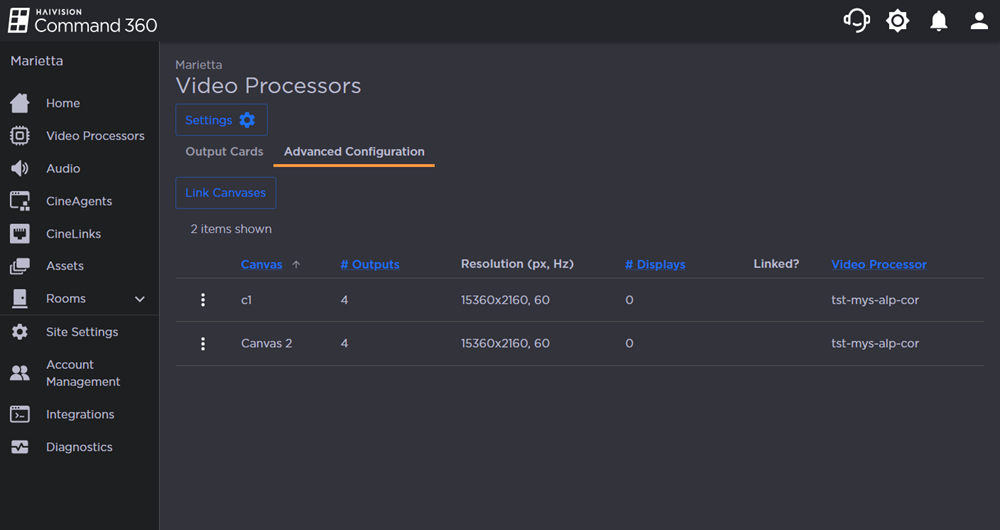
Click the Link Canvases button.
Enter a Linked Canvas Name.
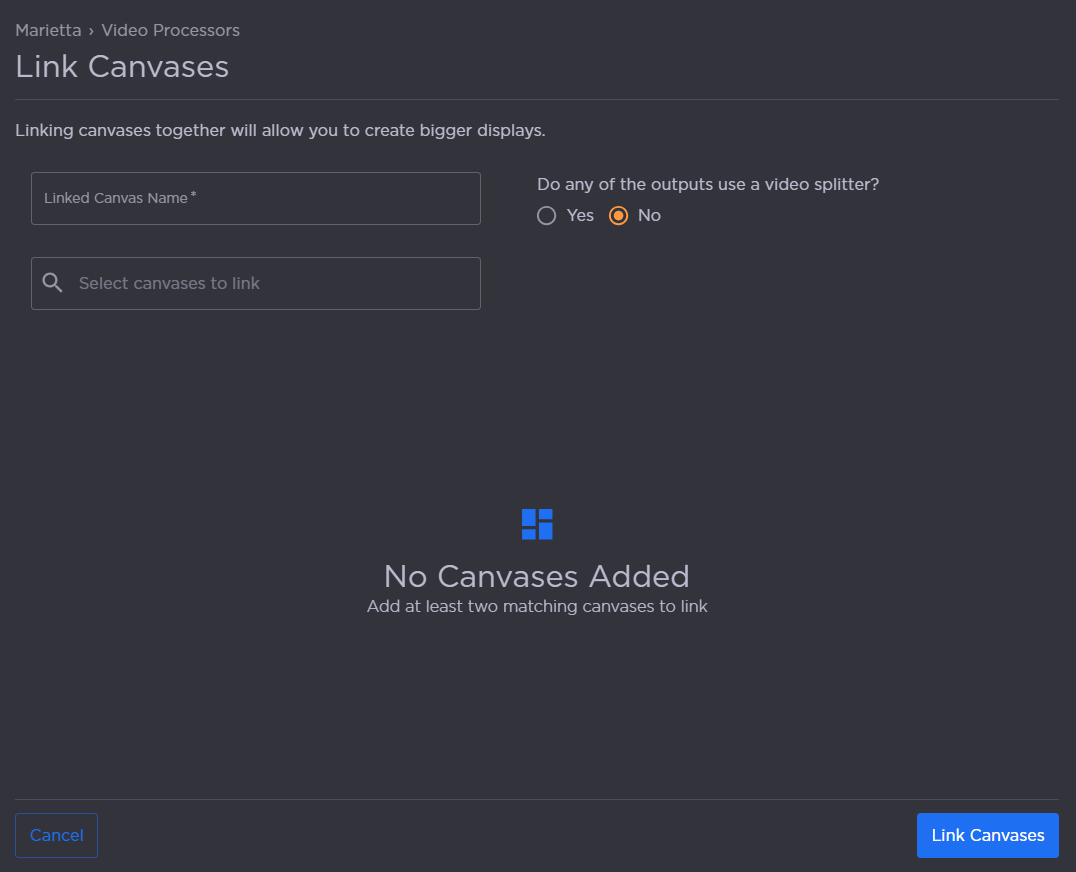
Select canvases to link from the drop-down.
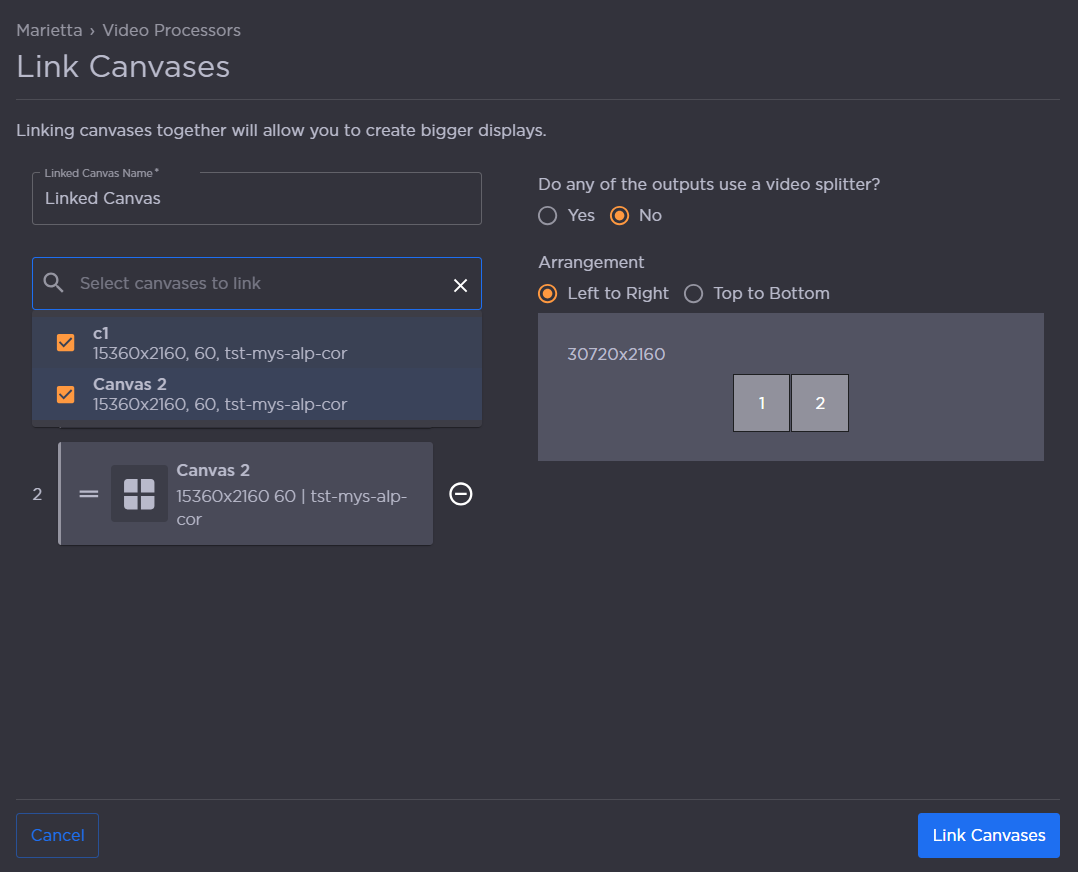
Select whether any of the outputs use a video splitter.
Set the Arrangement: Left to Right or Top to Bottom.
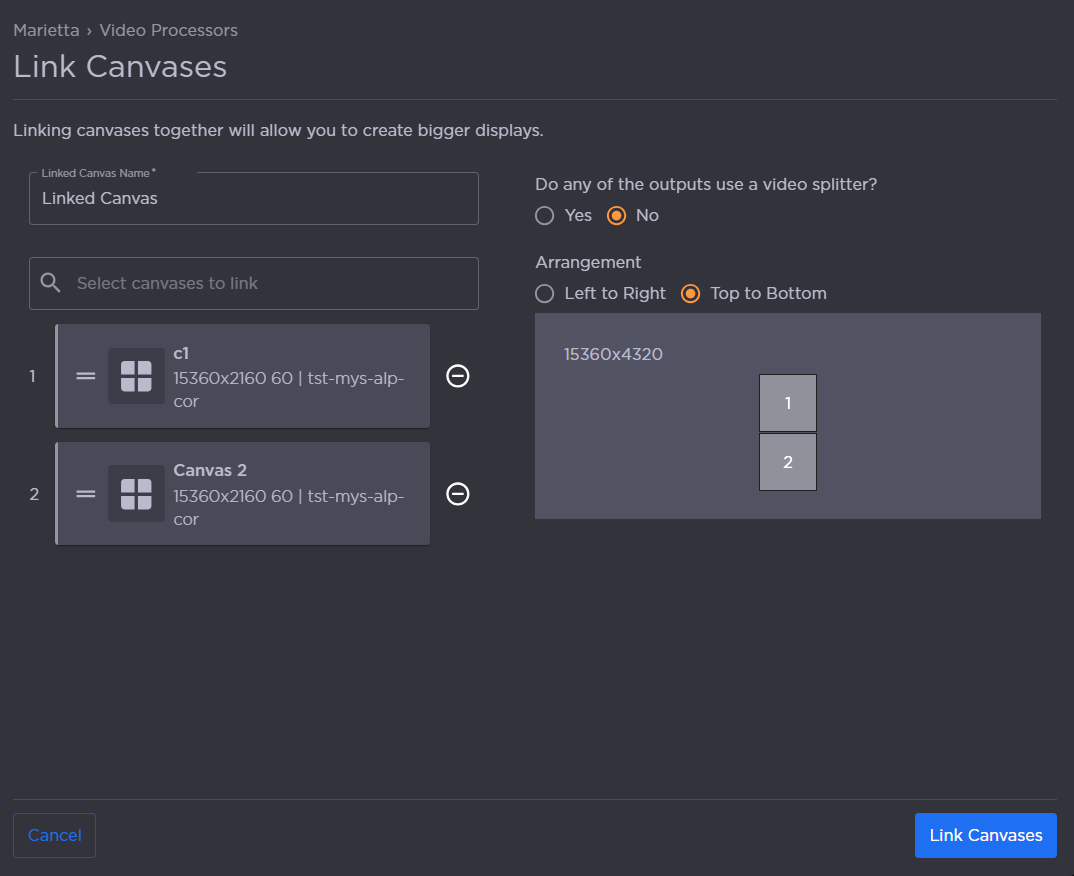
When finished, click Link Canvases.
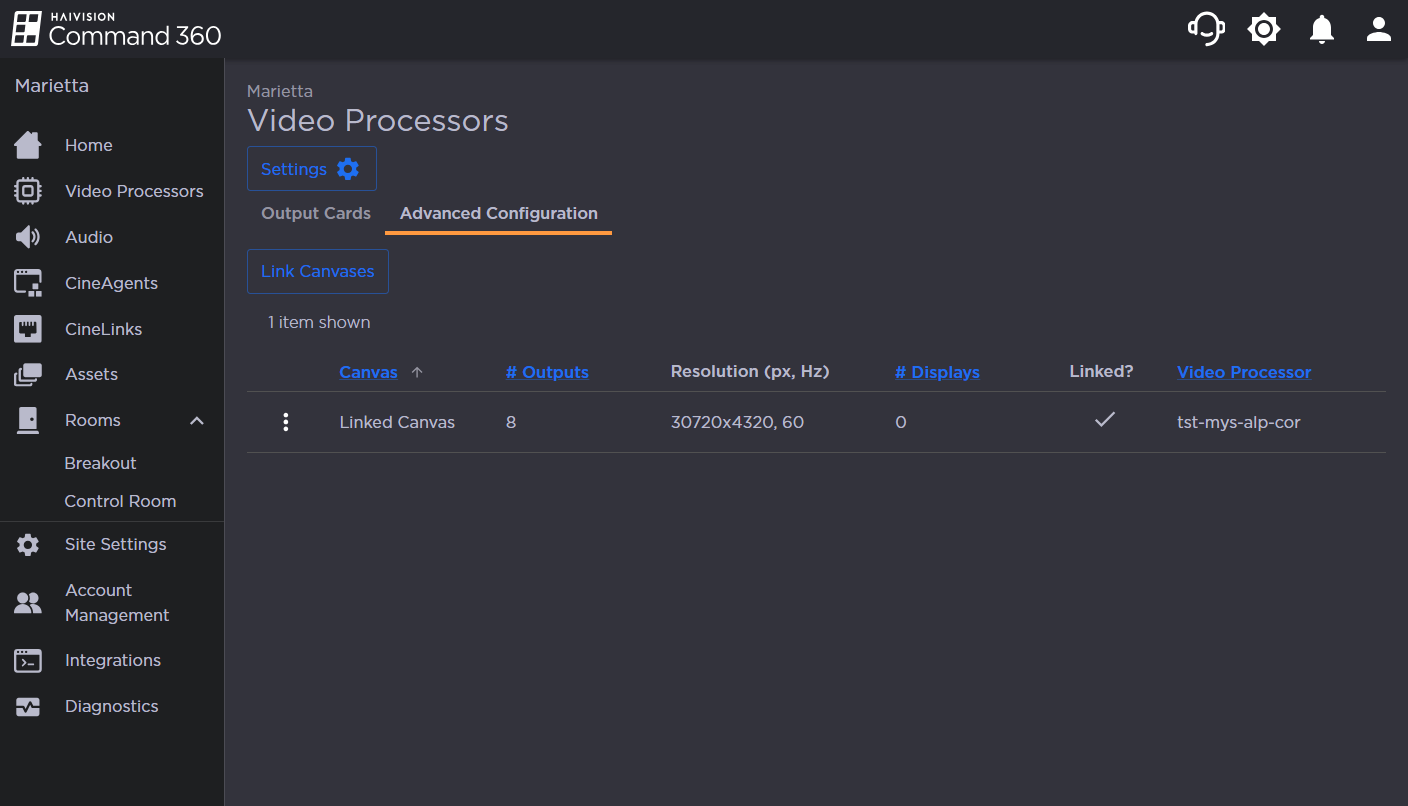
The merged canvases now show as one item in the summary table on the Advanced Configuration tab.