
Selecting a Predefined APN
Unit Panel
From the Home menu, click on
 > MOD >
  >
>  .
.Use the arrows to browse APNs and press the screen to select one.
Enter the password and click on
 .
.
Web Interface
From the dashboard, in the Networks section, click
 on an active modem.
Click the SIM Settings button.
Click Pre-Defined APN and select an APN in the drop-down list.
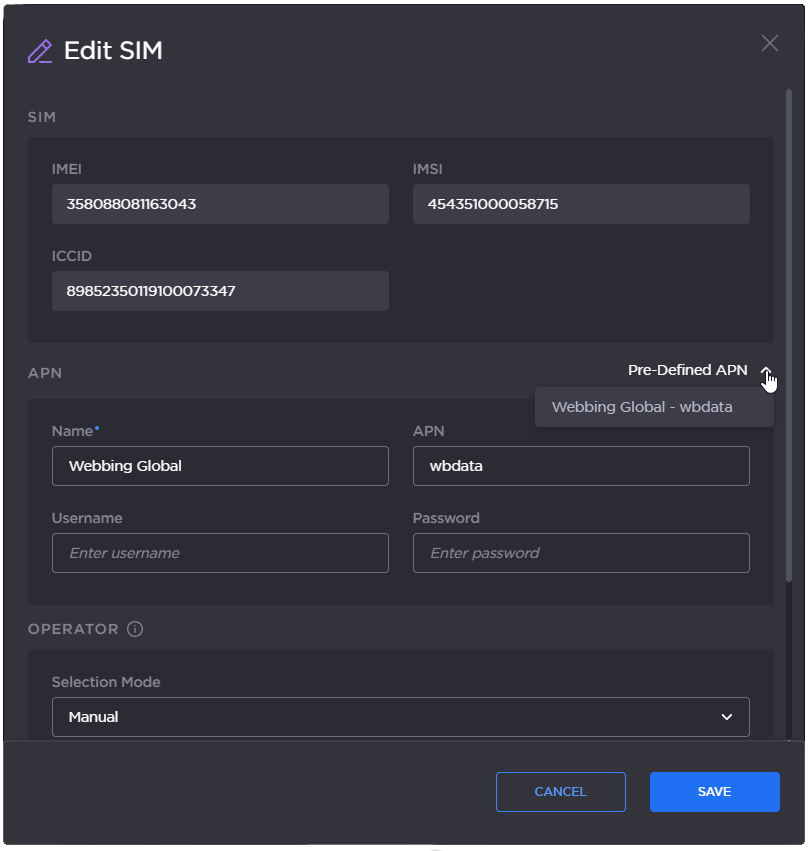
Pre-defined APN
Click the Save button.