Getting Ready
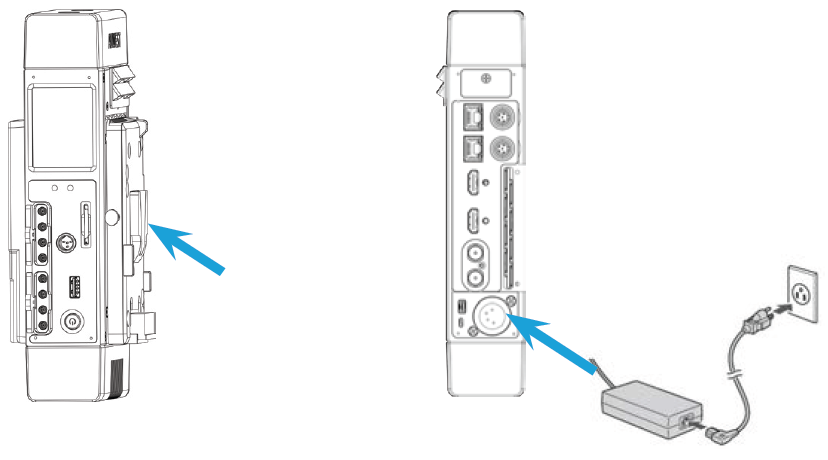
Install an external battery onto the unit or connect the AC/DC adapter to the unit.
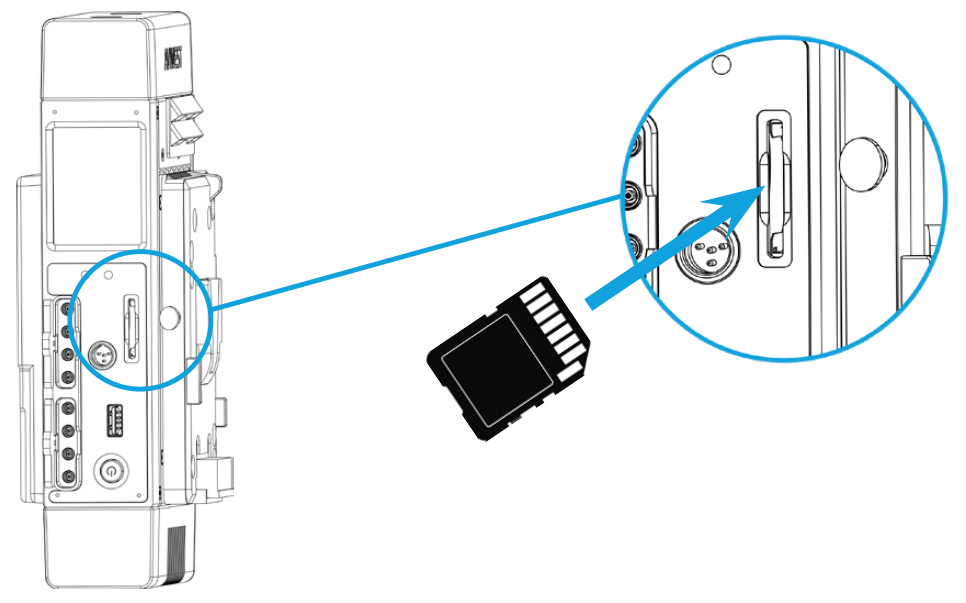
Insert an SD card.

Note
Class 10 recommended
FAT 32 or exFAT
Insert Micro-SIM cards into slots.
Remove the SIM card cover.
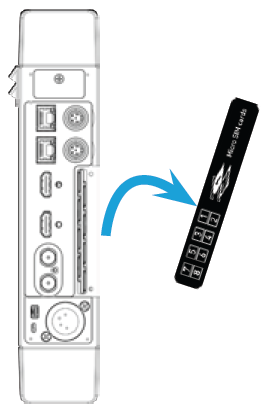
Insert SIM cards according to indications on the cover.
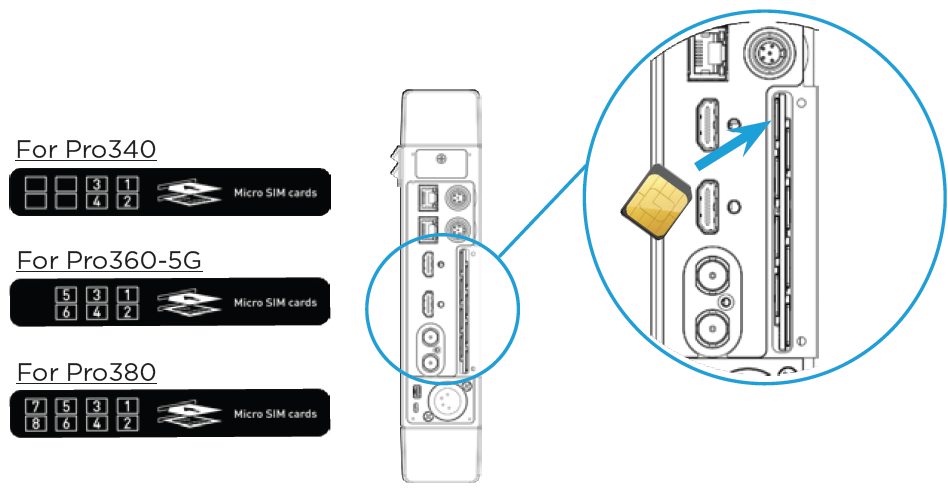
When using the unit in the USA, we recommend inserting SIM cards as follows:
SIM Slot Number | US Operator |
|---|---|
1 | AT&T |
2 | T-Mobile |
3 | Verizon |
4 | AT&T |
5 | T-Mobile |
6 | Verizon |
7 | AT&T |
8 | T-Mobile |
Replace the rear cover.
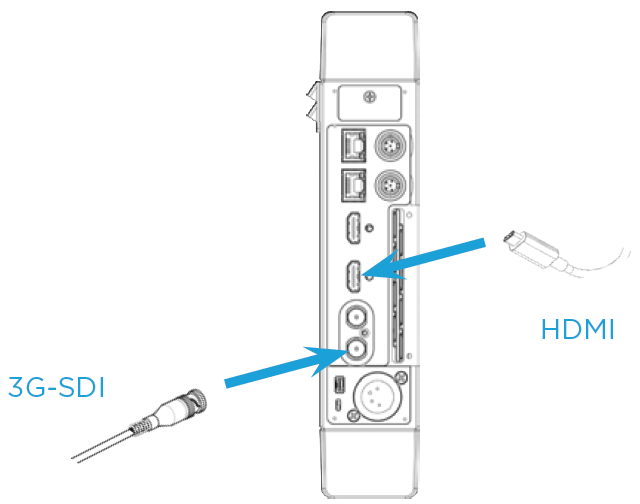
Connect the video input cable (either HDMI or SDI).