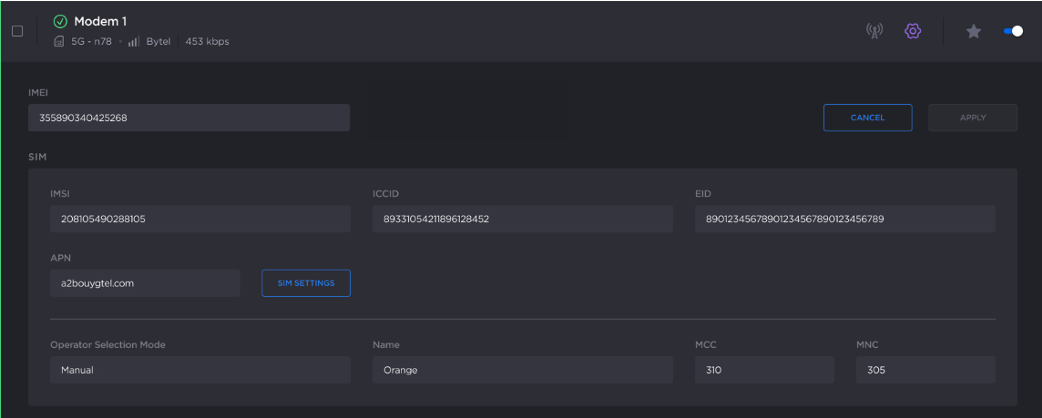
Getting IMEI, IMSI, ICCID and EID Numbers
To view the various ID numbers related to the SIM card and modems from the Unit Panel or from the Web Interface, see the tabs below:
IMEI (International Mobile Equipment Identity) number – A unique 15-digit number that identifies a cellular device within a mobile network. It identifies the modem embedded within the unit.
IMSI (International Mobile Subscriber Identity) number – A unique 25-digit number that identifies a mobile subscriber. It identifies the SIM card inserted in the unit.
ICCID (Integrated Circuit Card Identifier) number – A unique 19- to 22-digit number that identifies a SIM card. It identifies the chip of the SIM card inserted in the unit.
EID (Embedded Identity Document) number – A unique 32 digit number that authenticate and activate the eSIM on a mobile network.

Note
For legal purposes, you may need to register the IMEI, IMSI, ICCID and/or EID numbers of the modems used.
Unit Panel
From the Home menu, tap
 .
.Tap
 to scroll the list of modems.
Tap and hold on the modem for which you require the IMEI, IMSI, ICCID and/or EID number.
The IMEI, IMSI, ICCID and EID numbers are displayed.
Web Interface
In the sidebar, click Networks > Cellular.
Click
 > Edit on the desired SIM line.
The modem's IMEI, IMSI, ICCID and EID numbers are shown: