
Formatting the SD Card
From the Home menu, tap
 >
>  > Format.
In the Format SD menu, tap FAT32 or exFAT.

Note
FAT32 format is older and limits the size of files to 4GB.
Tap Yes to confirm, and tap OK to complete the operation.
In the sidebar, click Settings.
Click the Storage tab.
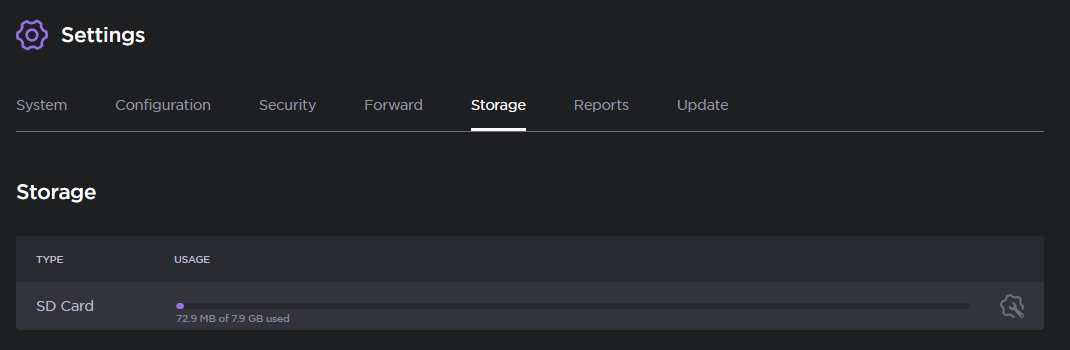
SD Card Storage
Click the
 icon next to the SD card you wish to format.
Select either FAT32 or exFAT.
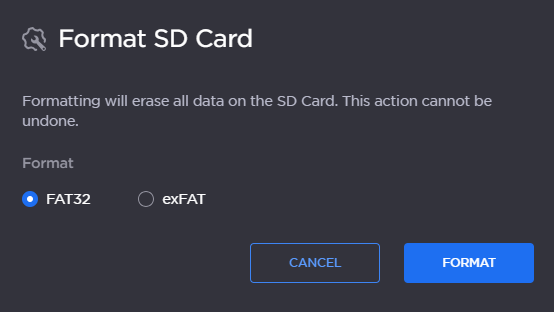
Format SD Card Options
Click the Format button.