
Deleting Files from the SD Card

Important
Ensure that the SD card is not locked.
You can delete files from the SD card via either the unit panel, the web interface, or an FTP client.
Unit Panel
From the Home menu, tap
 >
>  > Delete.
Tap the files you want to delete and tap
 .
.Tap Yes to confirm.
Web Interface
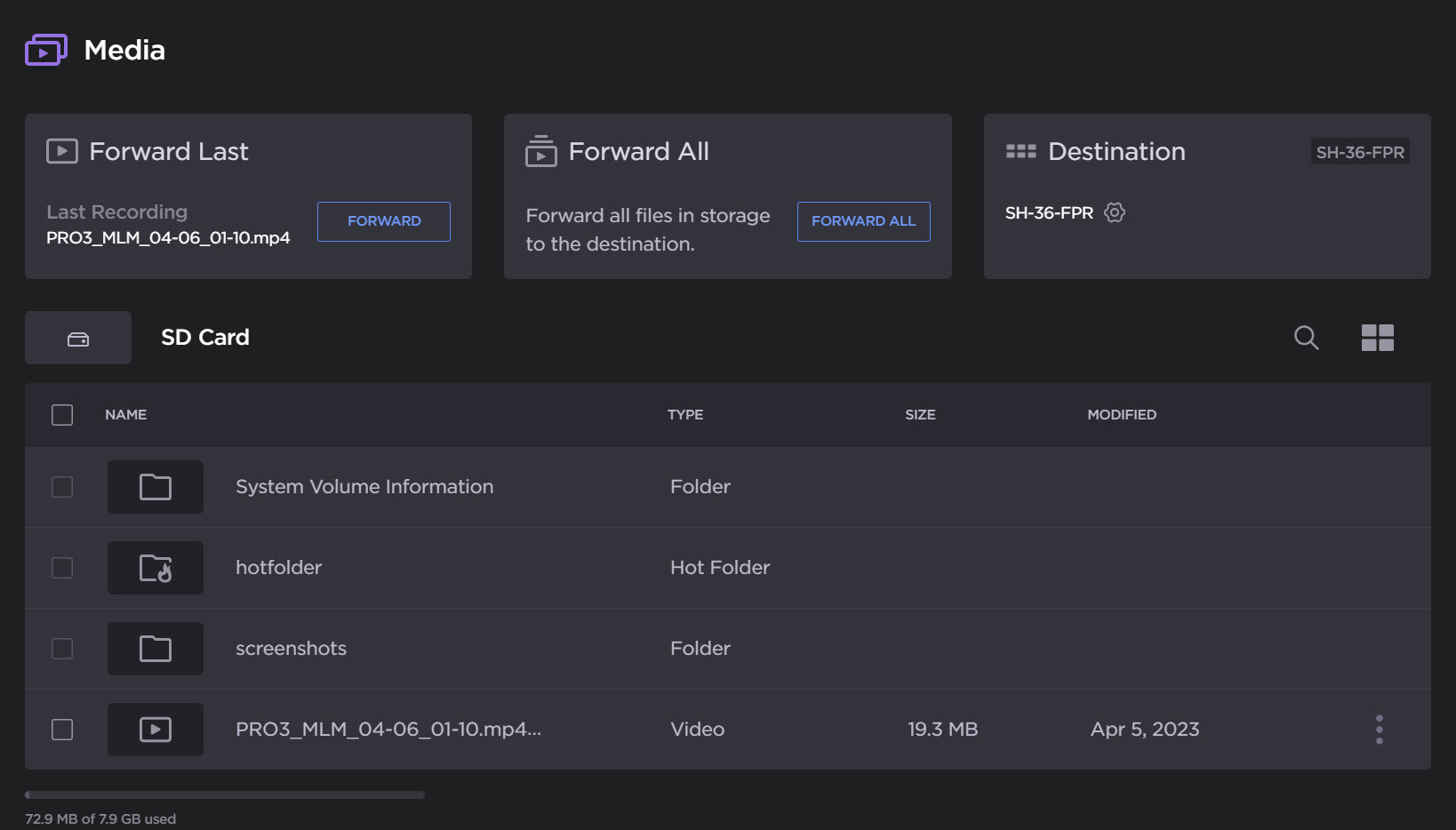
Select Media from the sidebar, the SD Card files will be listed on the Media page, as in the following example:

Note
If the Hot Folder function is enabled, the icon looks like  .
.
You can:
Select one or several files to be deleted.
Click the checkboxes of the files to be deleted.
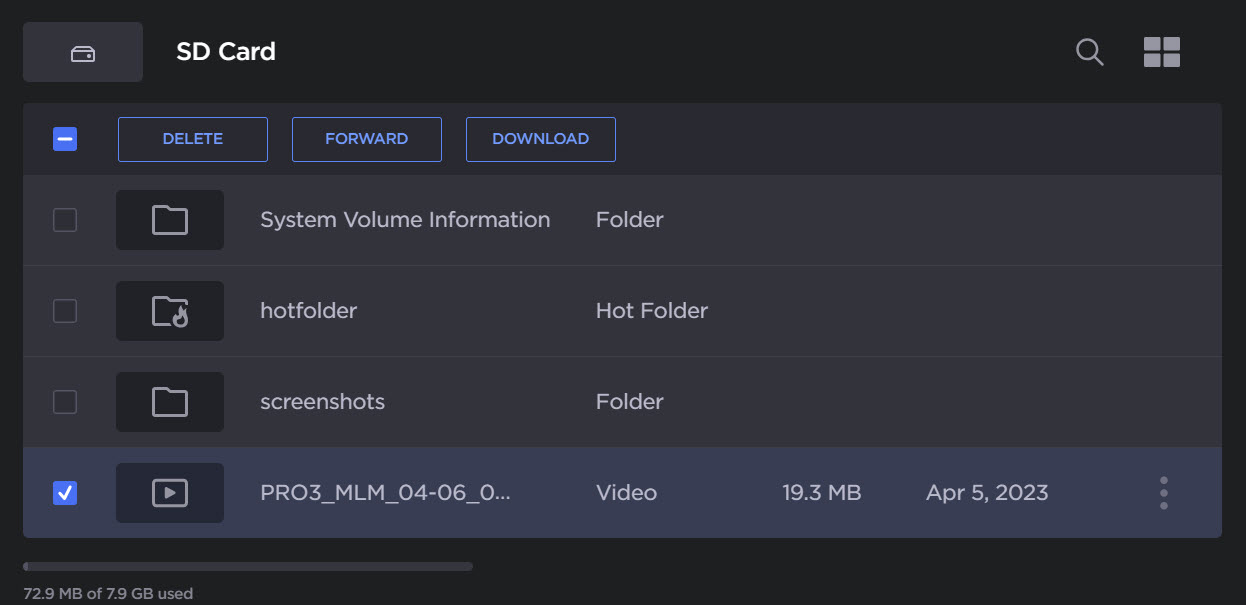
Click Delete.
Select all files.
Click the checkbox in the table header to select all.
Click Delete.
Select files stored in the Hot Folder:
Click Hot Folder.
Enter priority or standard folder to select files to be deleted.
Click Delete.
FTP Client
SD card files can be deleted from an FTP client with the following credentials:
Username:
sdcardPassword:
sdcard
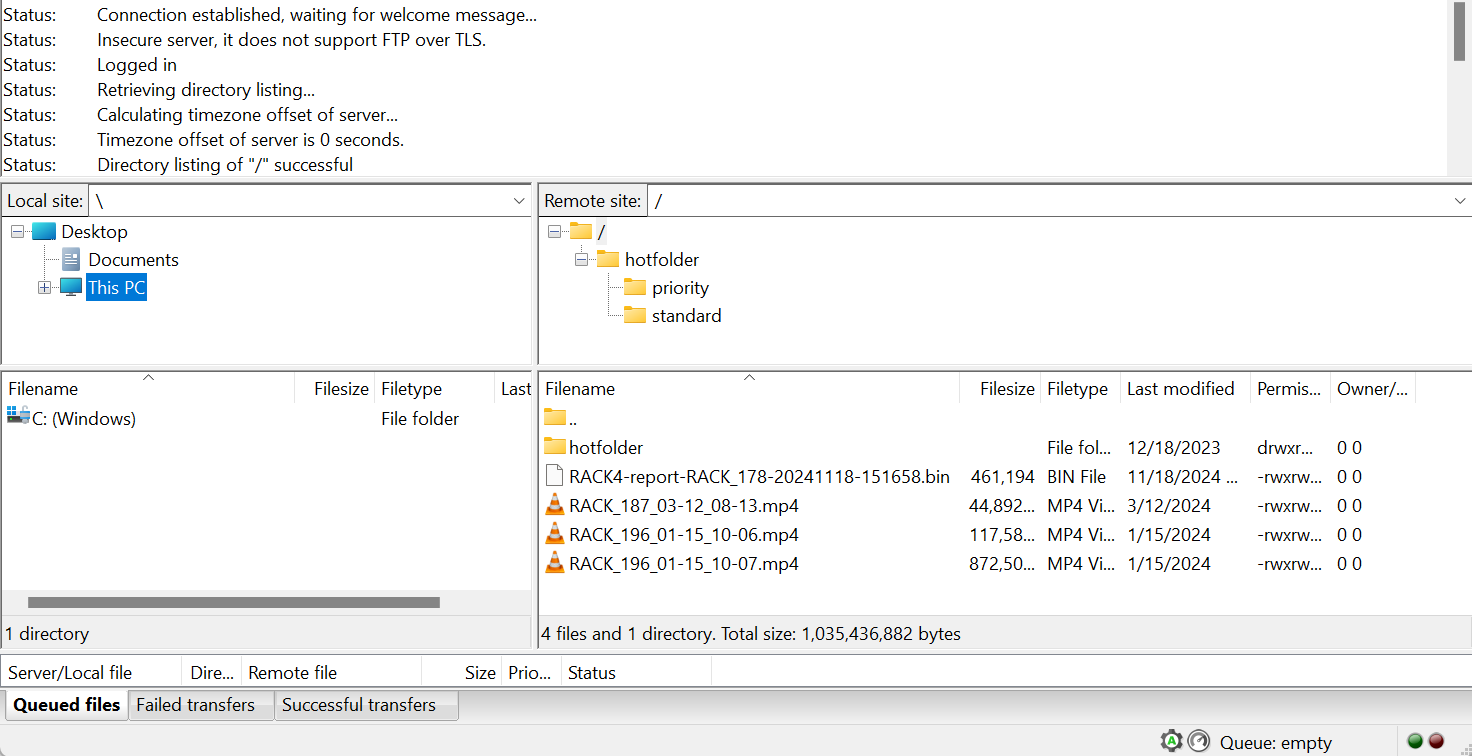
FTP Client