
Adding a Destination Profile
Unit Panel
From the Home menu, tap
 >
>  >
>  .
.Enter a name and tap
 to configure the new destination profile settings (see Destination Profile Settings below for details on each destination type).
Tap
 to save the new destination profile settings.
To select the newly created Destination Profile, see Selecting a Destination Profile.
Web Interface
Click on Streaming > Destination.
Click the Add Profile button.
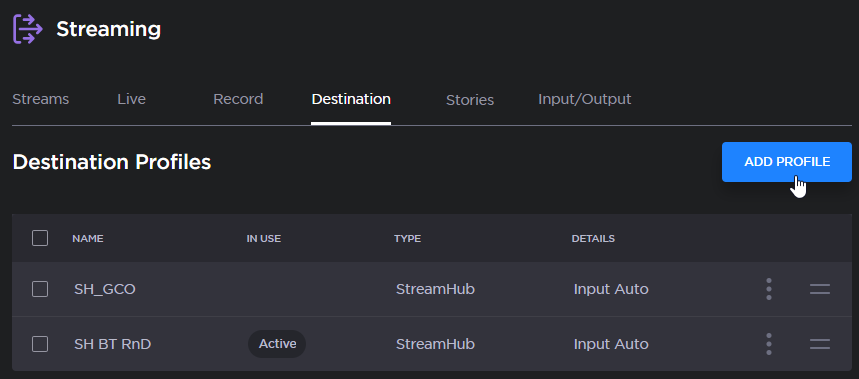
Add Profile button
The Add Destination Profile window appears:
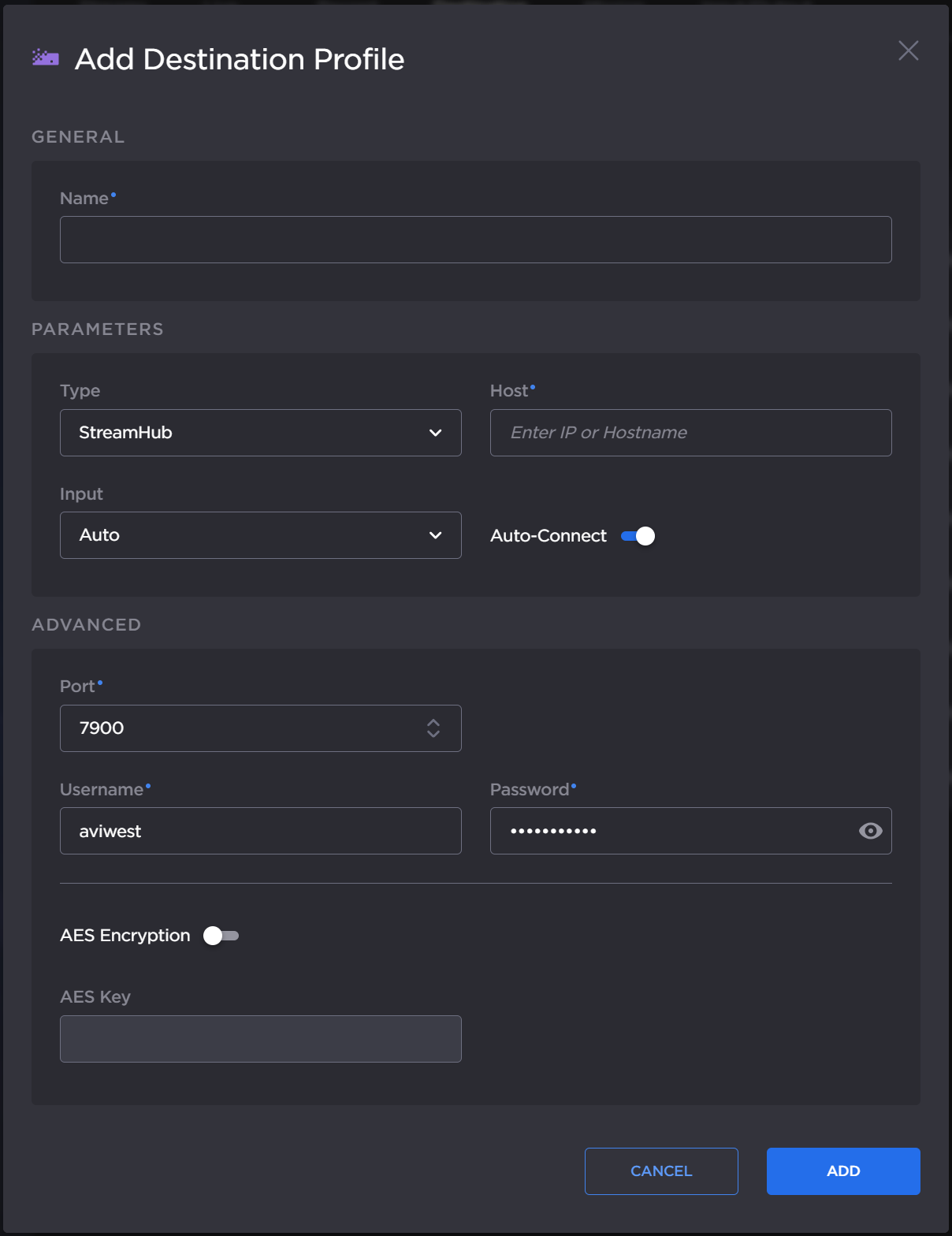
Add Destination Profile dialog
Enter a Name for the Profile.
Select the type of Destination Profile (StreamHub, Manager, Hub360, or SRT Receiver) in the Type dropdown.
Configure the settings as shown in the table below.
Click the Add button.
To select the newly created Destination Profile, see Selecting a Destination Profile.
Destination Profile Settings

Note
These settings may have been changed by the system administrator.
Enable the Auto-connect option to automatically connect to a receiver when the unit is powered on.
Hub 360 | Manager | SRT Receiver | StreamHub |
|---|---|---|---|
|
|
|
|