Quick View of Live Stream Health from Hub 360
This page explains how to use the bitrate under each preview in Hub 360 Master Control to assess live stream health.

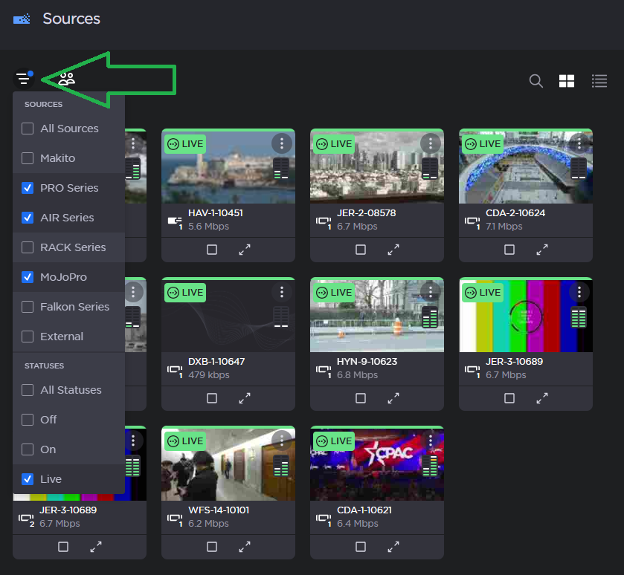
In Hub 360's Master Control, use the filter setting to narrow the Sources view to all the live units.
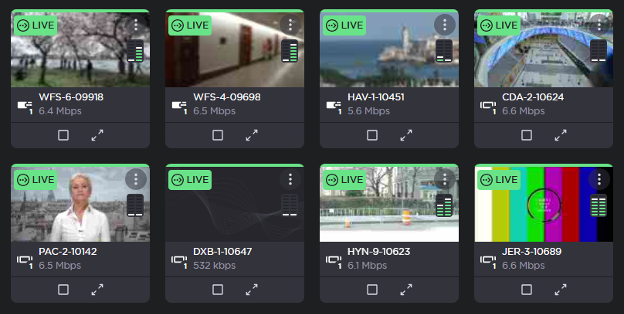
Look at the bitrate under each preview to get a quick idea of the health of each stream. Since the usual bitrate on a healthy stream is about 6.5 Mbps (+/- .5 Mbps), anything below that may indicate an issue. In this screenshot, there are two field kits of interest (HAV-1-10451 and DXB-1-10647)
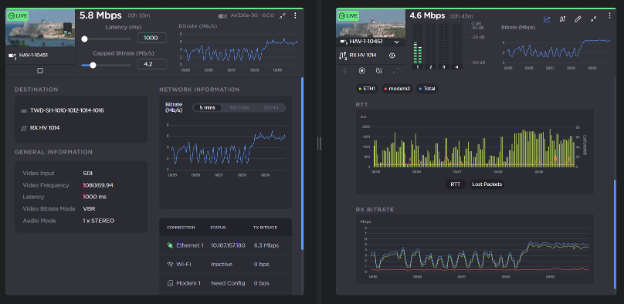
HAV-1-10451’s bitrate is fluctuating. If you look at its details, there are three things of note:
The Ethernet connection shows a lot of dropped packets. Combined with the low latency configuration (1.0 seconds), the stream is periodically struggling. This one would benefit from a higher latency setting.
Modem 1 is displaying a “Needs Config” message. This modem needs manual intervention to get it working. Having the additional modem would give an additional path for data.
The firmware on the AIR is old (v6.0.0). We always recommend updating units to the most recent version at the earliest opportunity in order to benefit from bug fixes and improved functionality.
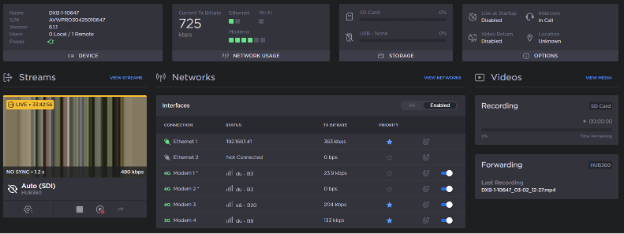
DXB-1-10647 has a very low bitrate because it has lost its camera connection and is not actually streaming anything: