Managing Outputs
From your Manager, you can enable/disable receivers' outputs, or modifying inputs assigned to outputs.
Enabling/Disabling an Output
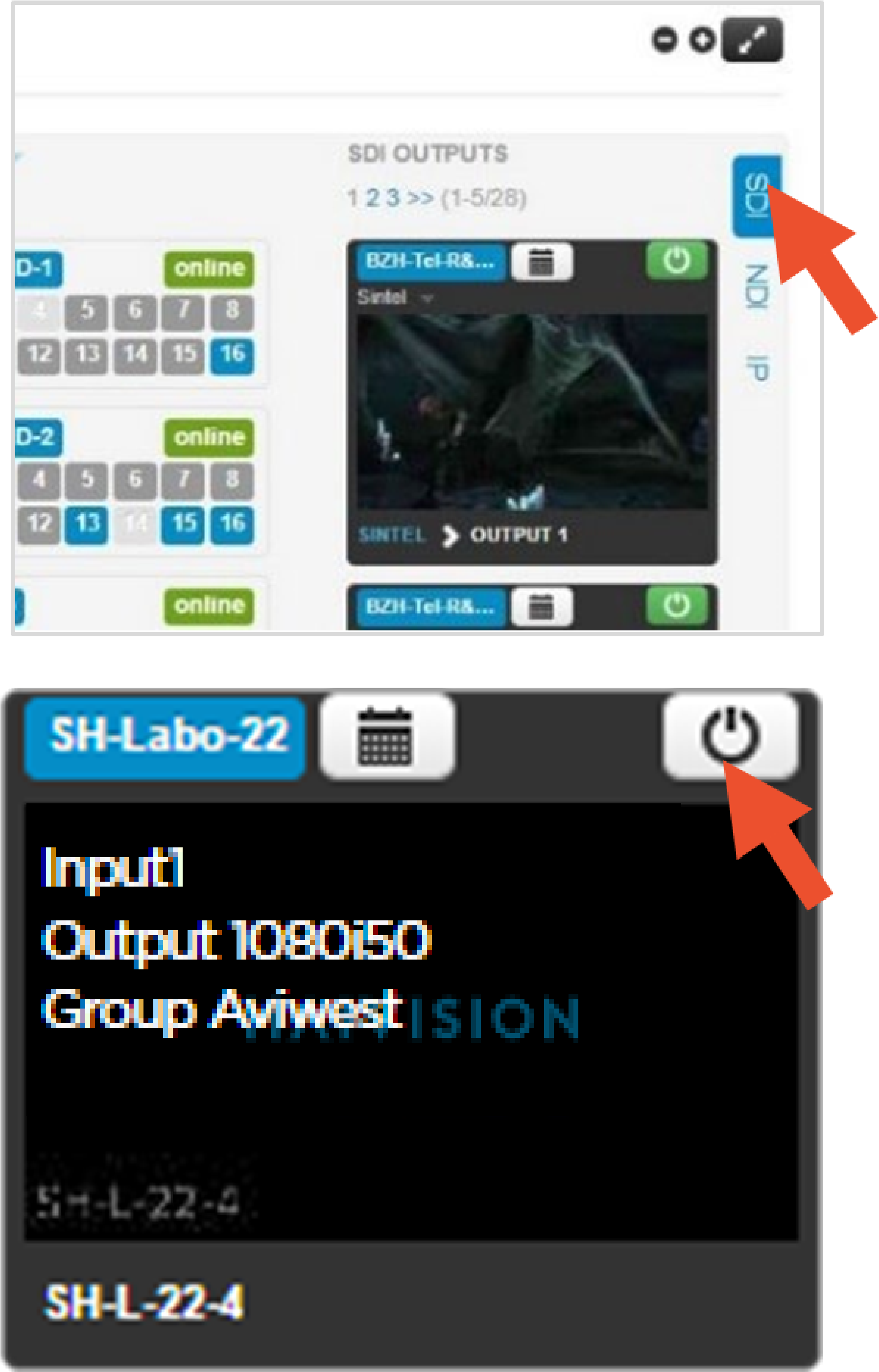
From the Grid view, it is easy to enable / disable an output.
Click on the type of output on the right side (SDI/ NDI/IP).
Search for the output thumbnail and click on
 to enable or disable the output.
Modifying the Input on an Output
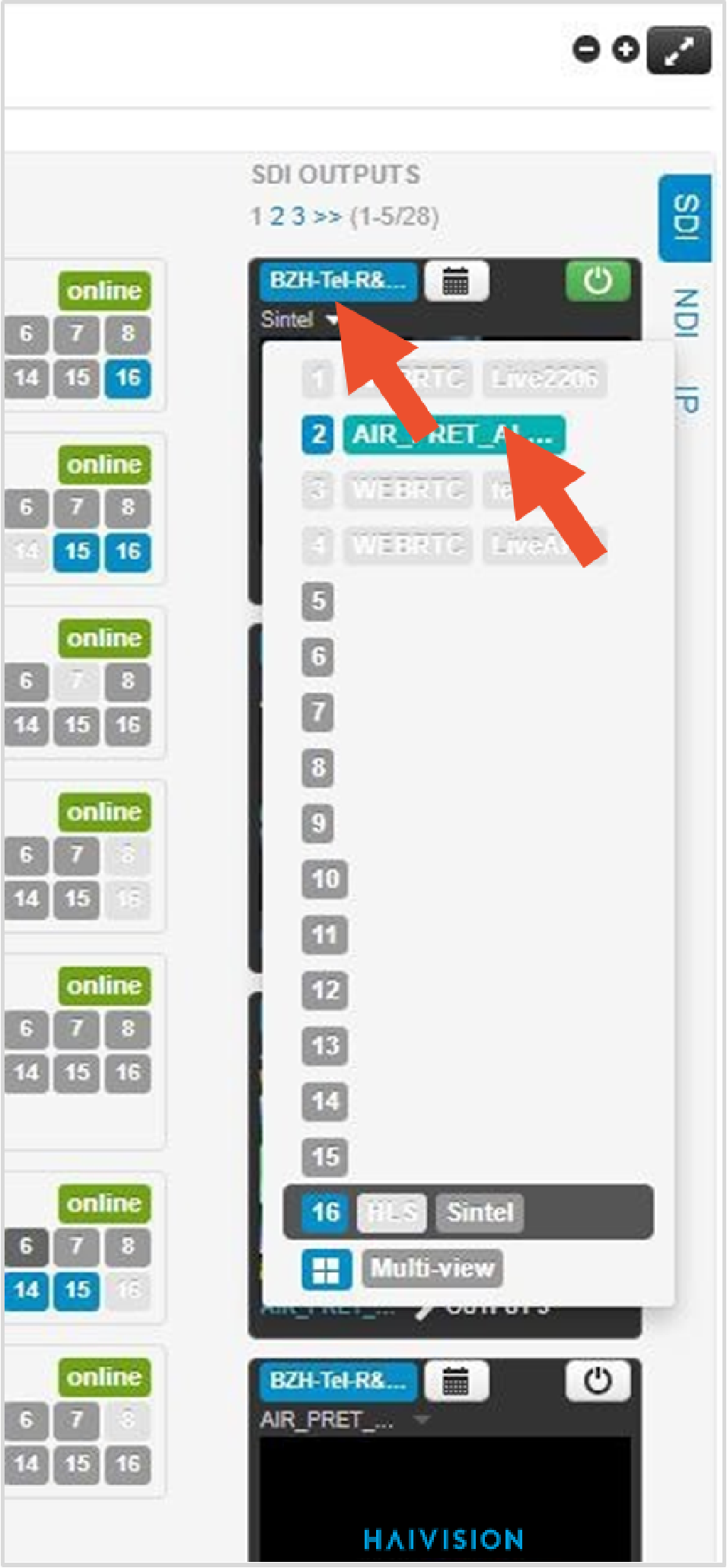
From the Grid view, it is easy to select another input for an output.
Search for the output thumbnail.
From the drop list, select the input that you want to assign to output.