Booking
The administrator, and users with the "Booking" permission, can reserve a receiver's input and output(s) for live transmissions coming from a specific field unit. You can set a booking either from the Booking menu, the Field Unit panel, or the Output.
Please note that adding a booking on output(s) will automatically book an input for this field unit.
Booking from the Booking menu
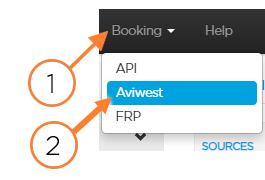
In the menu bar, click Booking.
Click the group in which you want to set a reservation.
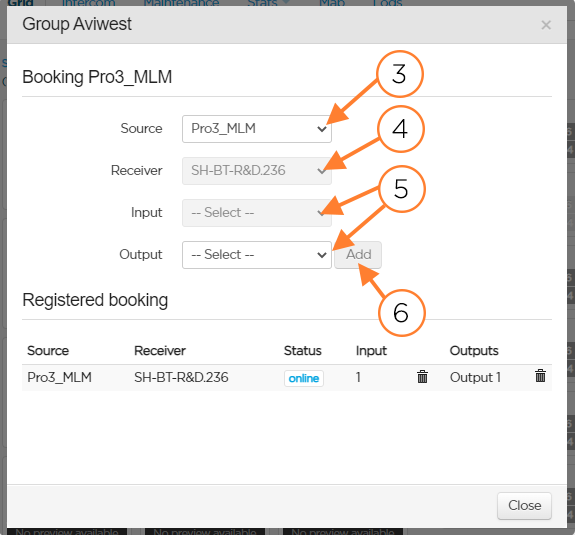
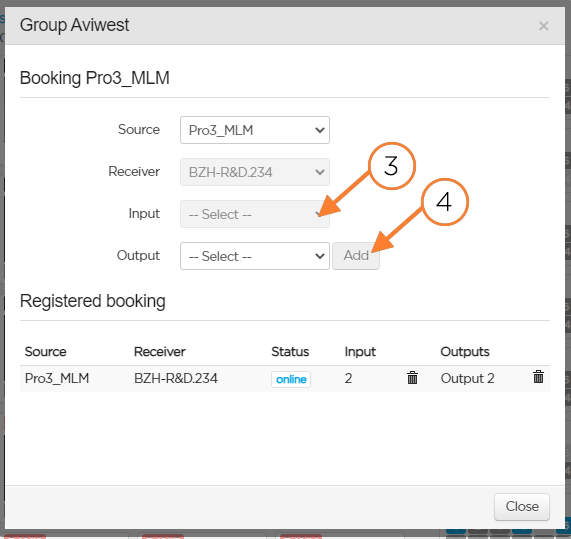
In the first dropdown list, select the Source.
In the second dropdown list, select the receiver on which you want to book an input and optionally an output.
Select the input and the output to be reserved on this receiver.
Click Add. The new booking is added to the Registered booking list.
Click the Close button.
Booking from the Field Unit Panel
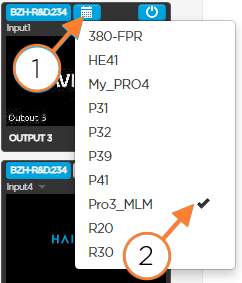
From the field unit panel, click the
 icon. A window opens. The selected Source is displayed.
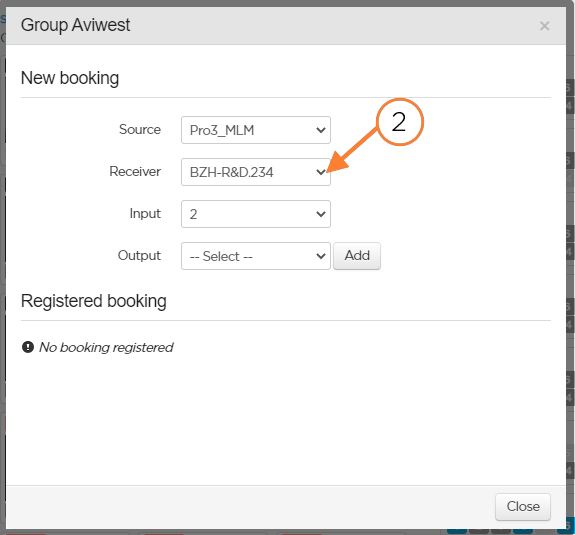
Select the receiver on which you want to book an input and optionally an output.
Select the input and /or the output to be reserved on this receiver.
Click Add. The new booking is added to the Registered booking list.
Click the Close button.
Booking from the Output
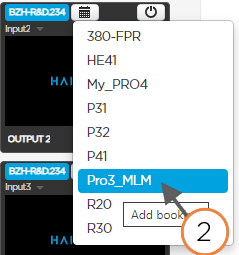
From the output on the right side of the screen, click the
icon.Select the field unit sending the video source.

Note
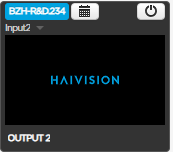
The first available input on the selected receiver is reserved for this field unit.
Except if the field unit is running a live. If so, the input used for the Live is booked.
Checking a booking
You can see the booking that you set in different ways:
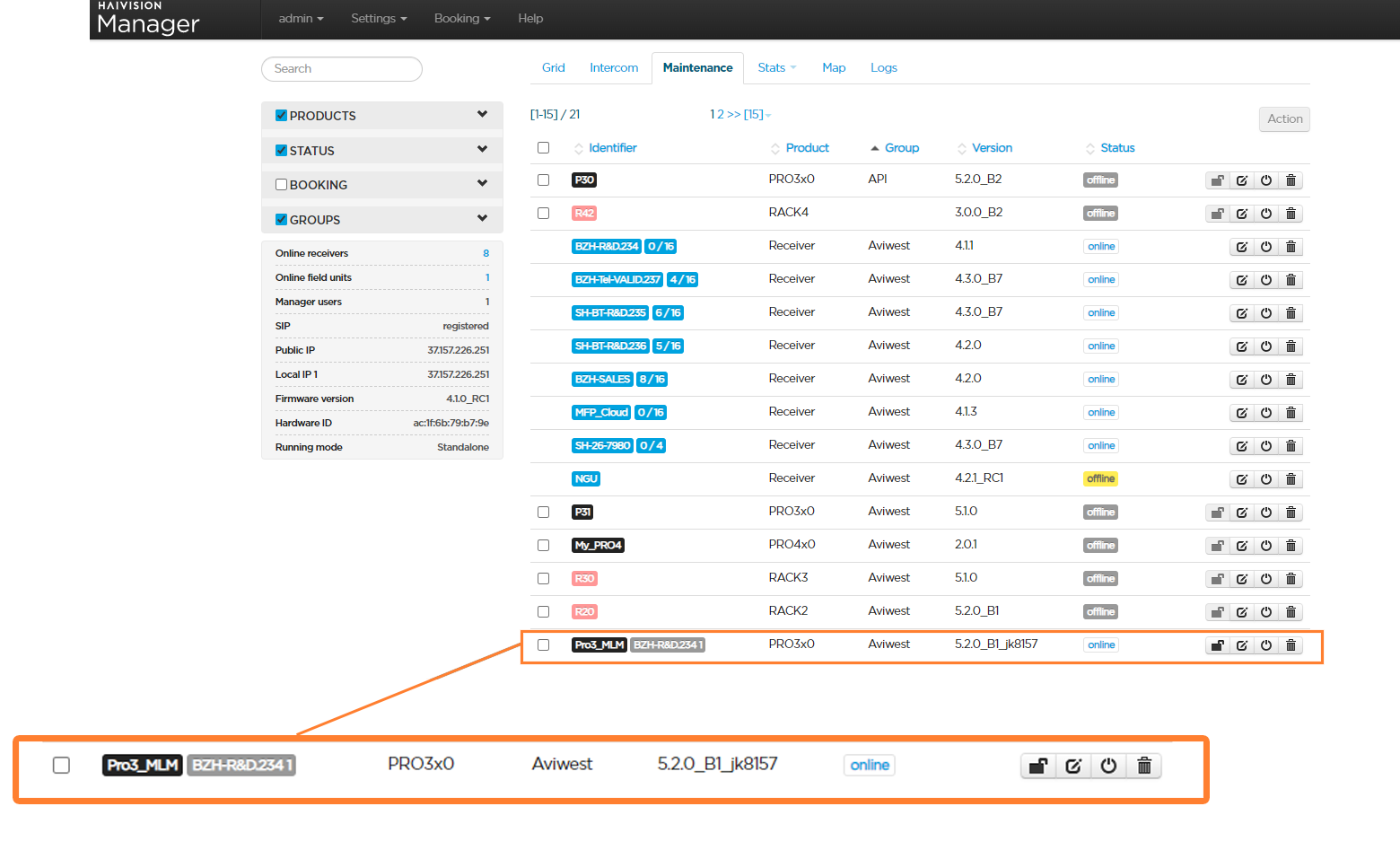
Under the Maintenance tab:
The reserved receiver and input are indicated besides the field unit's name.
From the field unit panel:
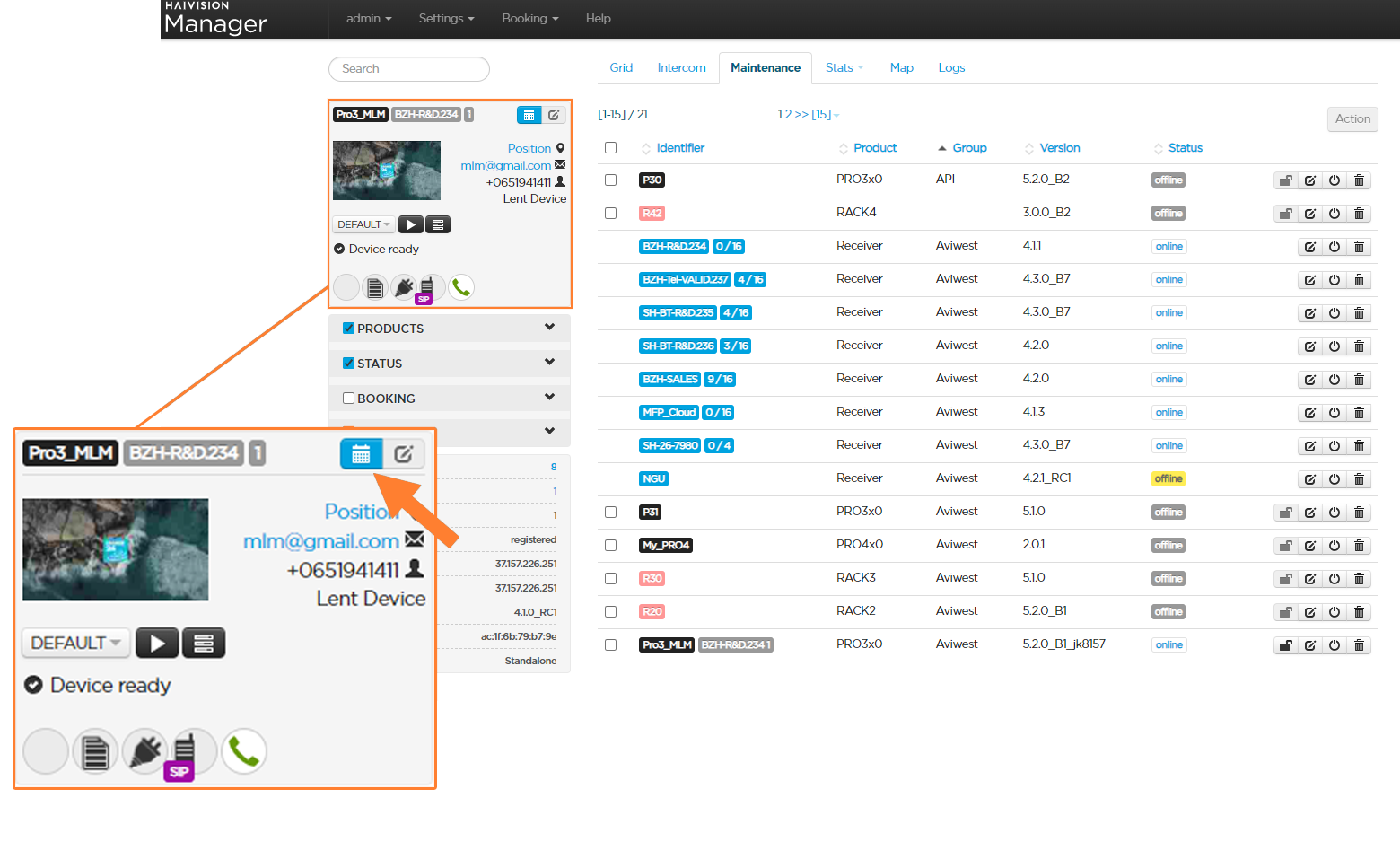
The reserved receiver and input are indicated besides the field unit's name. The booking button turned to .
.
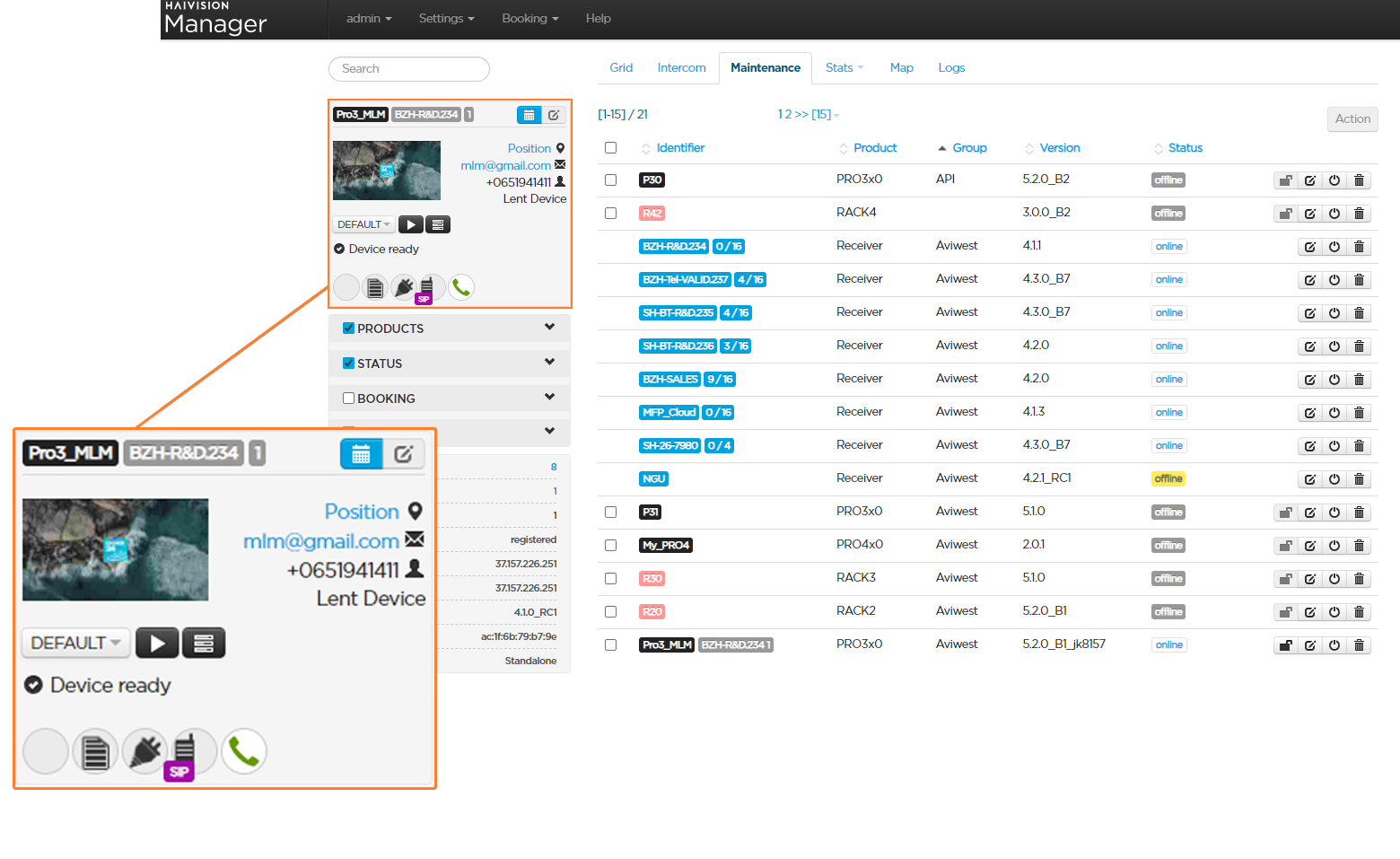
Note
Clicking on  gives access to the booking details to apply modifications if required.
From the grid view:
The output block indicates the booking that was set for the output. The booking button turned to.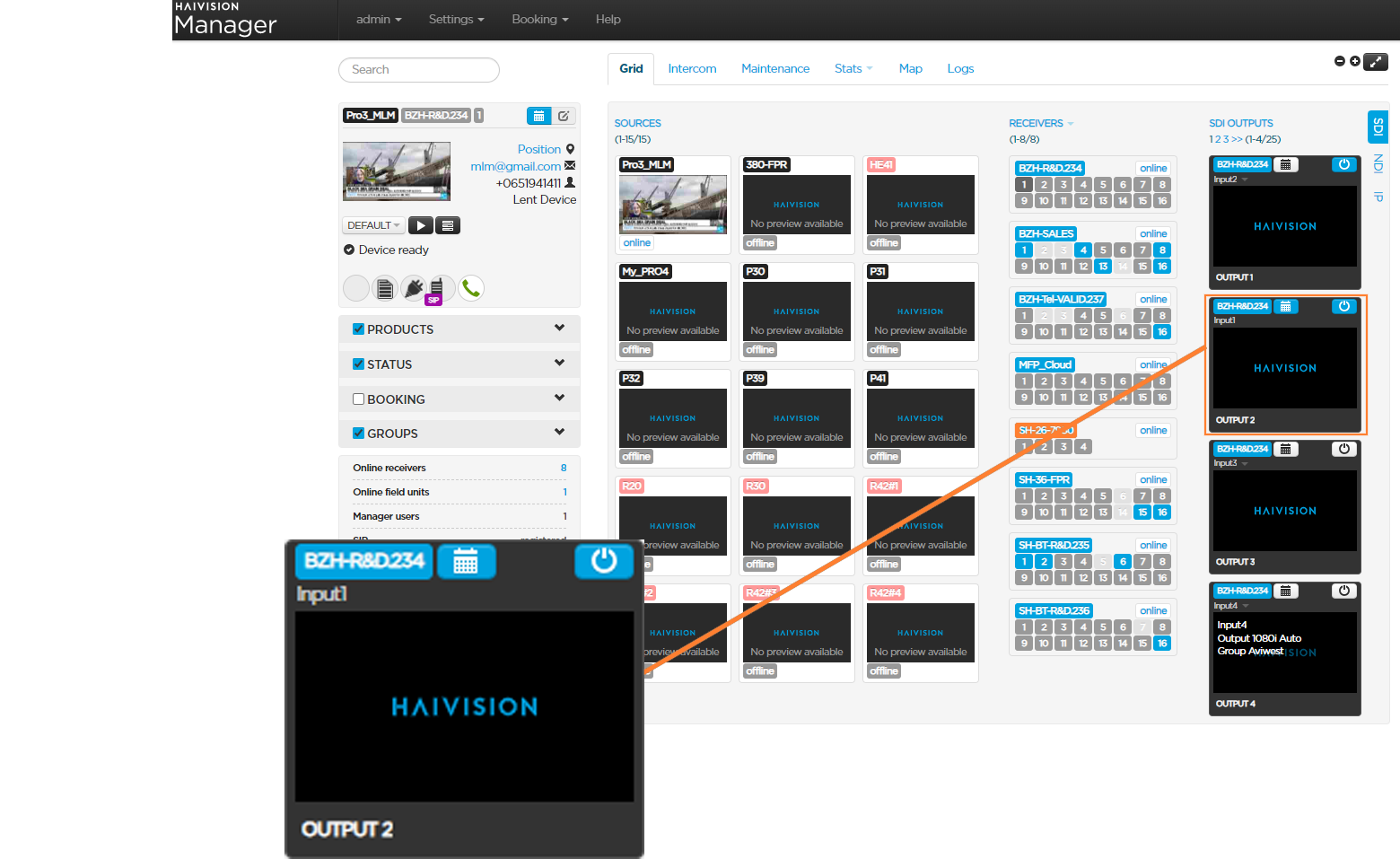
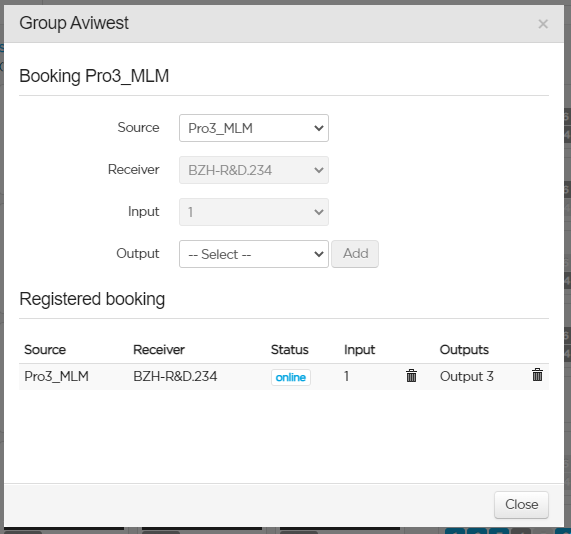
Cancelling a Booking
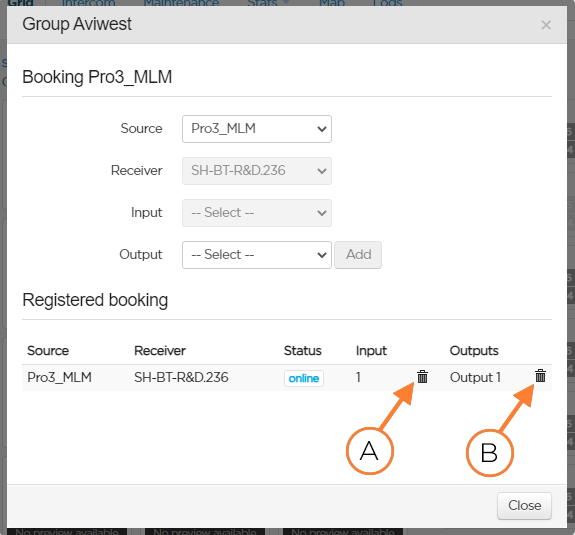
You can fully or partially cancel a booking from the booking form.
To open the booking form:
From the Booking menu, select the field unit's group.
From the field unit panel, click the
icon.To cancel the booking for the field unit, click the
 icon (A).
To cancel the booking on the output, click the
> icon (B).
Note
When the receiver belongs to another group, removing the booking on the last output leads to fully cancel the booking for the field unit. This is to preserve the group coherence.
Cancelling the Booking from the Output
From the output block, click the
icon.Untick the selected field unit in the scrolling list.
The button turns to and the output is no longer booked for the field unit.
Note
When this was the last output booked for the field unit, the booking is fully cancelled.