
Starting a Live Transmission
To start a Live transmission using a field unit, you simply have to select a live profile and start the operation.
Connect the field unit to the StreamHub as indicated in the transmitter's User Guide. The field unit appears and is identified as an input in the INPUTS section:
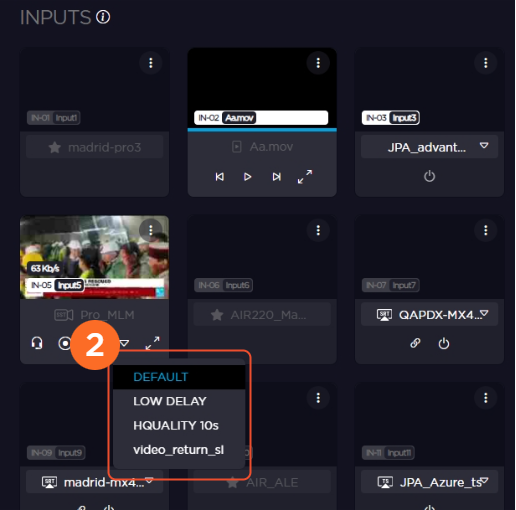
Select a live profile from the scrolling list.
Click the Start button
 . The Live transmission starts and the Start button turns into
  the Stop button.
Click
to stop the live transmission.