
Disabling StreamHub Managed Mode
By default, video routes and booking settings are managed from supervising solutions such as Manager and HUB360.
From V4.4.7, this “Managed” mode can be disabled easily:
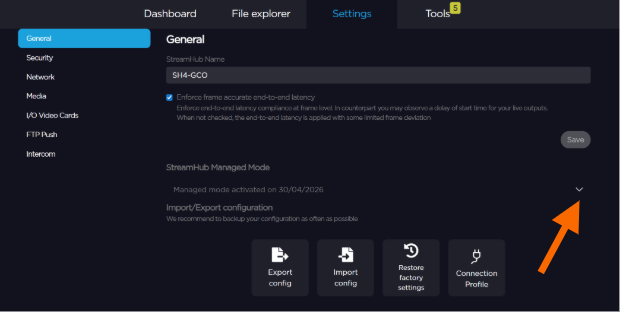
In the menu bar, click on Settings.
From the sidebar, click on General.
Expand the StreamHub Managed Mode option.
Click to Activate or Deactivate the Managed Mode.
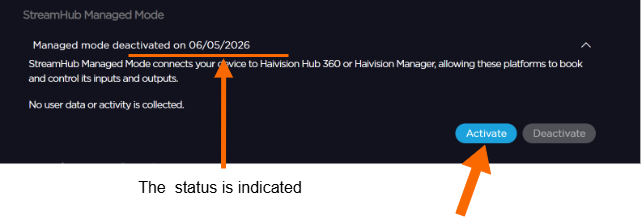

When booking management is disabled, all existing bookings on this StreamHub are deleted.
Live sessions (lives) are not affected and remain active when booking is disabled.
Any subsequent attempt to create a new booking from any source, including Hub360 or Manager, is rejected. A dedicated error indicates that bookings are disabled for this StreamHub instance.