
Replacing the RTC Battery
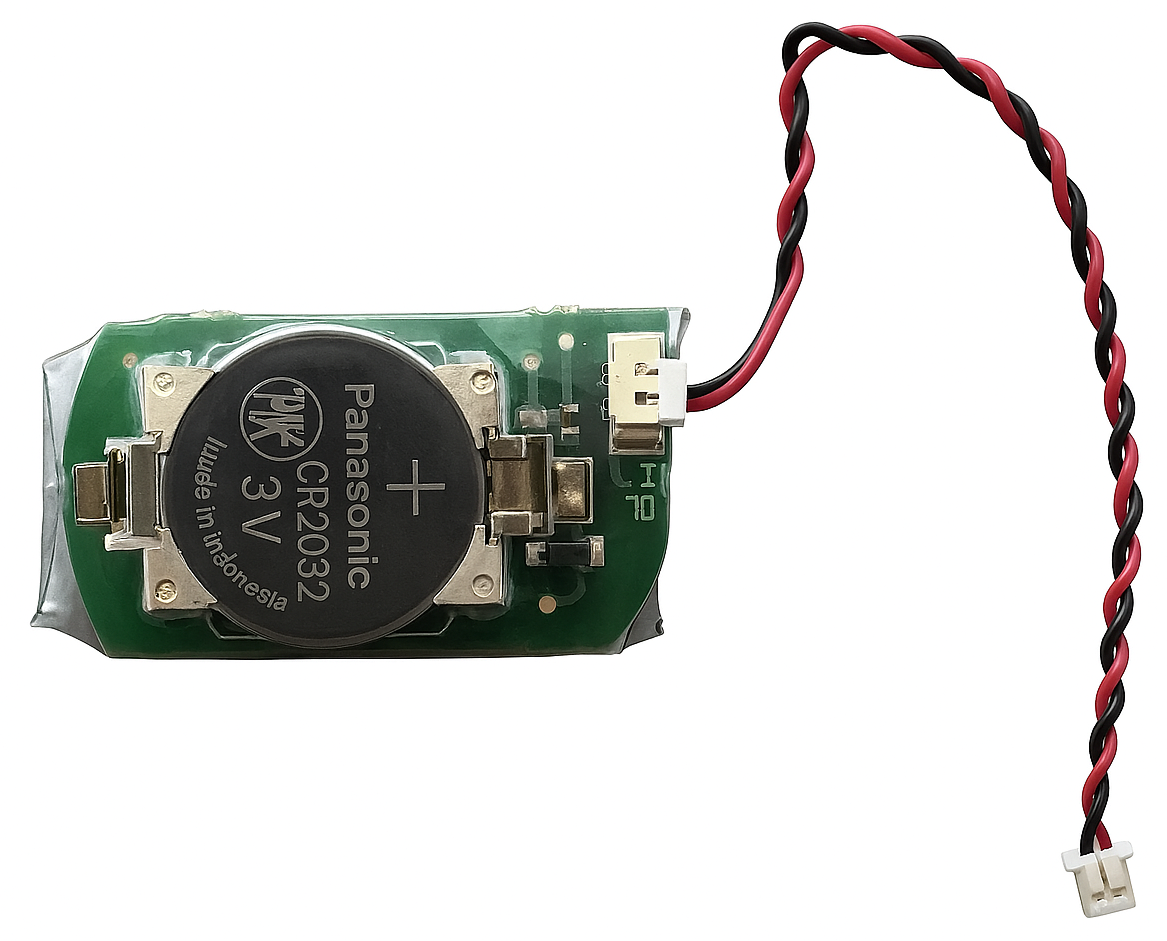
The Makito X appliance contains a real-time clock (RTC) powered by a Haivision battery assembly (P/N: 084P089-900G). At the end of its life (7-10 years), the battery should be replaced by the end user. For instructions, see Replacing the RTC Battery Assembly below.
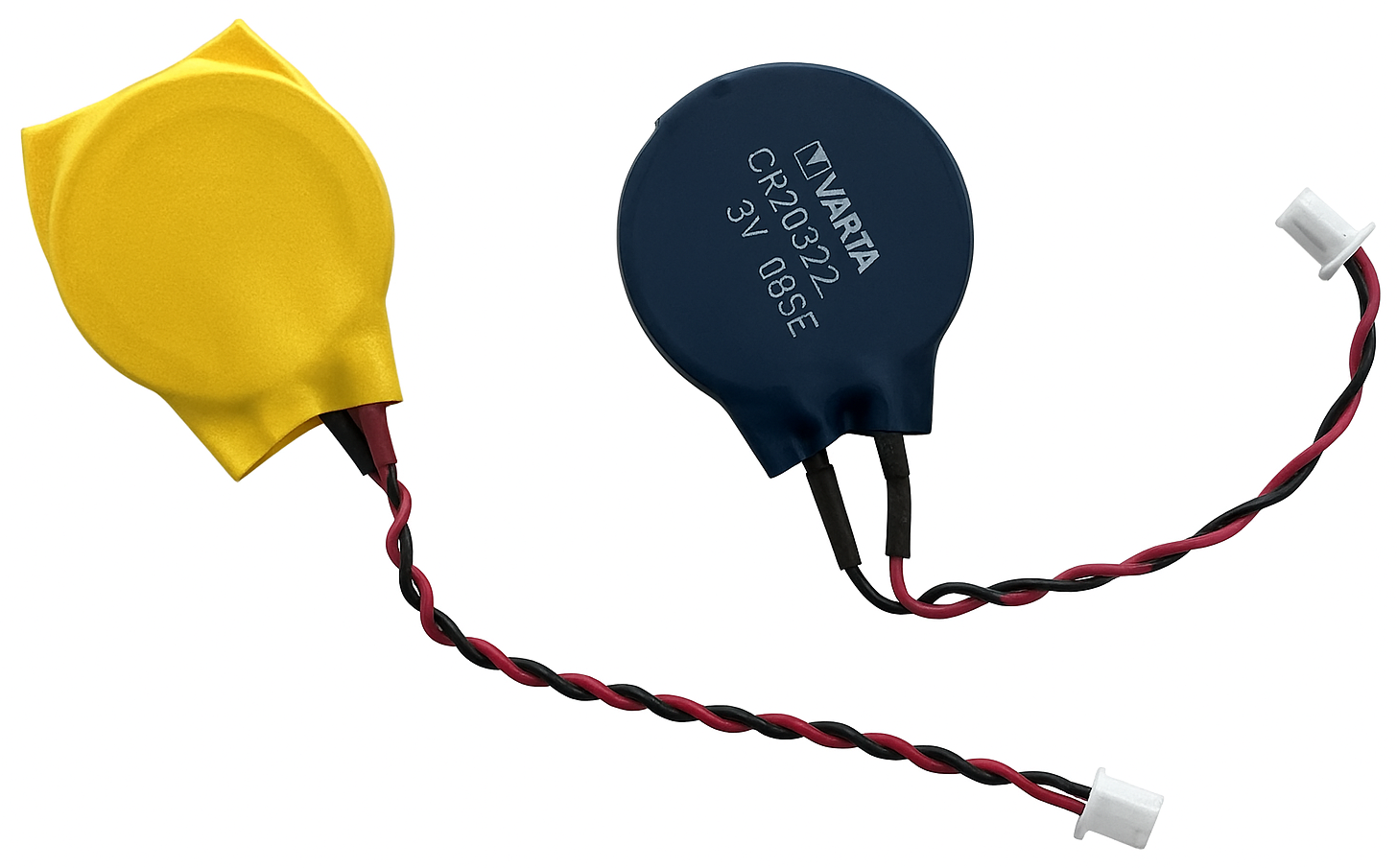
Your Makito X may have an older version of the battery assembly, identified by a blue or yellow plastic coating (as shown in the pictures below). It is recommended to replace this battery with Haivision battery assembly P/N: 084P089-900G. See Replacing a Previous Gen RTC Battery below.
Haivision RTC Battery Assembly
Previous Gen RTC Battery

Note
Ruggedized enclosures do not have a battery.

Tip
The RTC battery needs to be replaced if, at a power-cycle event, the system time and date are reset to within 24 hours of January 1, 1970 (Coordinated Universal Time, UTC). The 24 hour time difference depends on your time zone.
To replace the RTC battery assembly (P/N: 084P089-900G):
Disconnect all external devices connected to the appliance.
Disconnect the power from the appliance by unplugging the power cord from the AC outlet.
Unfasten the two screws on the encoder or decoder panel.

Slide the PCB out of the chassis.
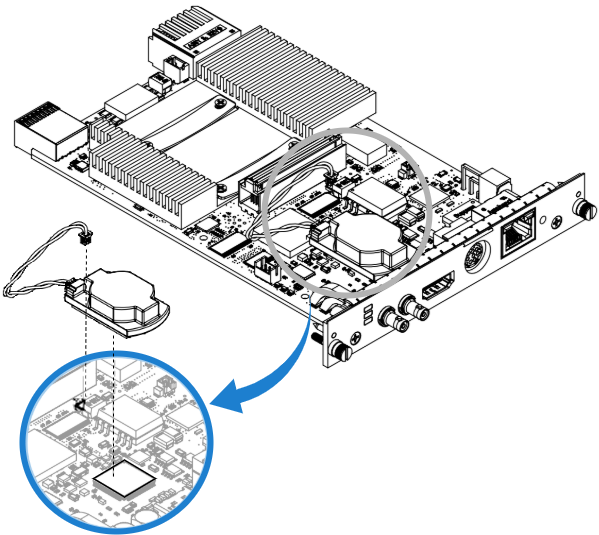
Disconnect the battery connector.
Remove the battery assembly by pulling it upward from the PCB.
Note
The tape connecting the battery assembly to the board is extremely adhesive and may cause damage if removed carelessly. While holding the board steady, gently twist the assembly to break the glue.

Important
The used battery should be disposed of and recycled in accordance with your national/local battery collection schemes.
Clean the surface of the transformer with alcohol if there is glue residue.
Peel the protective layer off the tape on the new battery assembly.
Press the new battery assembly onto the PCB (top of transformer T1) with a force of 3 pounds-force per square inch for three (3) seconds.
Note
The new battery assembly must be ordered directly from Haivision to ensure compatibility.
Reconnect the battery connector.
Reassemble the chassis, reconnect any external devices to the appliance, and reconnect the power to the appliance.