
Connecting to A/V Displays
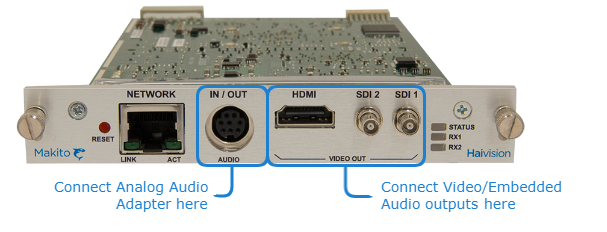
Decoder Audio Video Connections
To connect the Decoder to A/V Displays:
3G-SDI Video Output with Embedded Audio:
Connect one or both of the decoder’s SDI outputs to TV or display monitors, using the HD-BNC to BNC adapter cable(s) (included in package).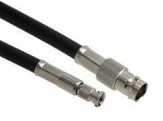
HD-BNC to BNC Adapter Cable
HDMI Video Output with Embedded Audio:
Connect the decoder’s HDMI output to a TV or display monitor.Analog Audio Output:
Connect the decoder’s audio output to the audio sound system/speakers, using the RCA female to audio adapter (unbalanced shown below, included in package).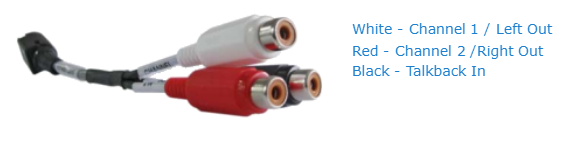
Decoder Analog Audio Output (RCA audio adapter)

Note
A balanced audio cable adapter is available from Haivision upon request. Please contact your sales representative or email Haivision at: sales@haivision.com
Related Topics