
Connect to A/V Sources
To connect to SDI Audio/Video sources:
Connect your video source cables to one (or more) of the Makito X4’s SDI video inputs, using the BNC connector(s).

Note
The Makito X4 is shipped with four (4) HD-BNC to BNC adapter cables.
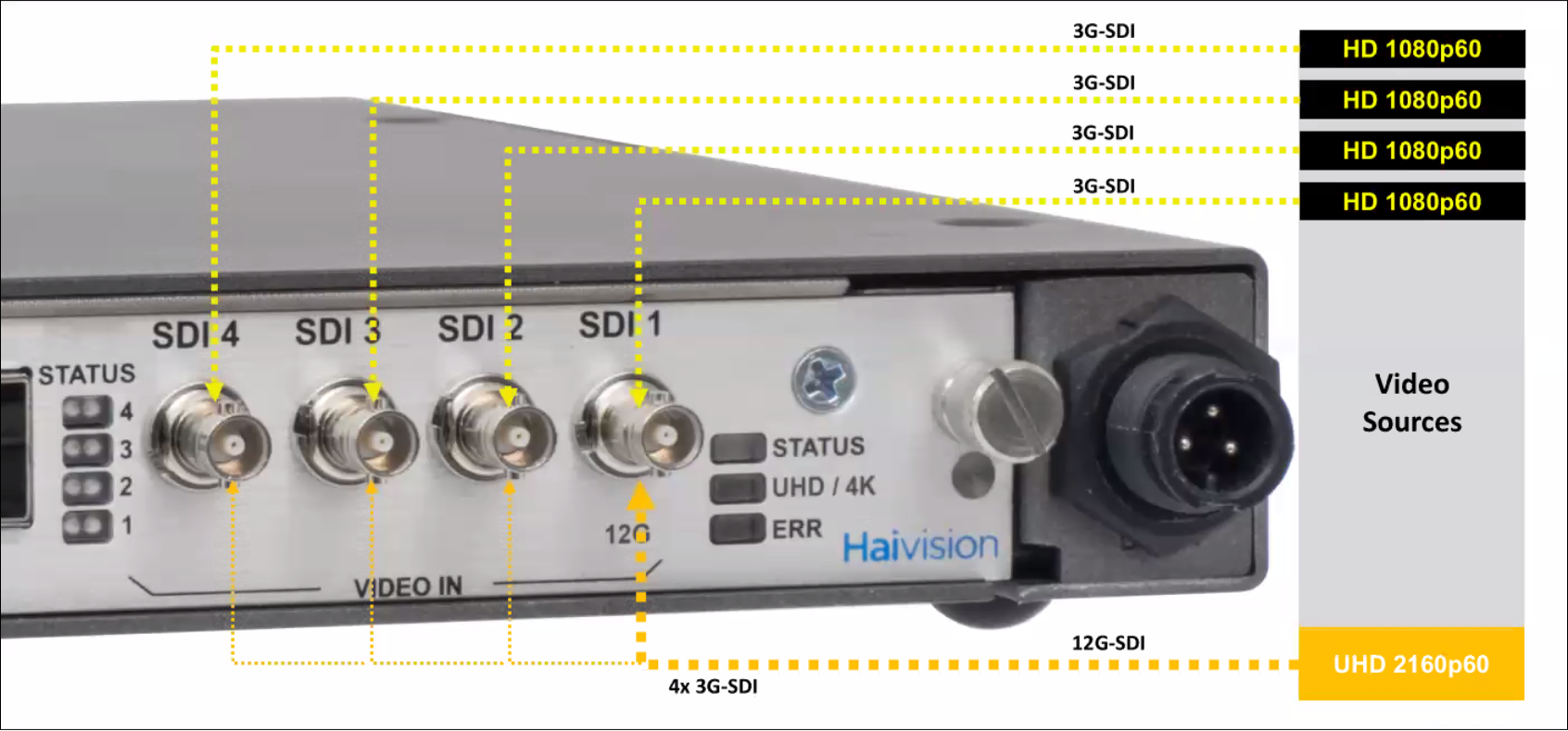
The following SDI video configurations are available:
Single UHD (Ultra High Definition) Input carried in one 12G/6G-SDI channel
Use scenario: UHD Video / 6/12G-SDI → Makito X4 Encoder → stream to decoder |
Single UHD Input carried over four 3G-SDI channels
Note To configure SQD mode, the encoder must be set to "SQD" Personality. You can configure the Personality either from the Web Interface on the Status page (see Managing System Status Information) or via the personality CLI command (see personality). Use scenario: UHD Signal → 4 x 3G-SDI → Makito X4 Encoder → stream to network/decoder (uses existing 3G-SDI cabling to support new UHD work-flows by sending the UHD video over 4 parallel cables). |
Quad Channel Encoding - Up to four full-HD 1920 x 1080p60 inputs carried over four independent 3G-SDI channels
Use scenario: 4 video sources → Makito X4 Encoder (each input is encoded 2 times) → 8 x stream to decoder The encoder may be configured to support a high/low streaming configuration for each channel, so long as the total aggregate encoding capabilities of the device are not exceeded. |
Related Topics