
Configuring Video Encoder Settings
From the Video Encoder Detail View, you can define the Input interface and video encoding parameters, such as the Codec Algorithm, Encoding Profile, Bitrate, Frame Rate, and GOP Size.
On systems licensed for ST 2110 with the Personality set to ST 2110, you can select an Ancillary Data Input.

Tip
For supported video encoding resolutions, see Supported Video Encoding Input and Downscale Resolutions.
To configure the Video Encoding Settings:
From the Video Encoders List View, click the Settings icon
 on the encoder panel.
The Video Encoder Detail View opens, displaying the settings for the selected video encoder.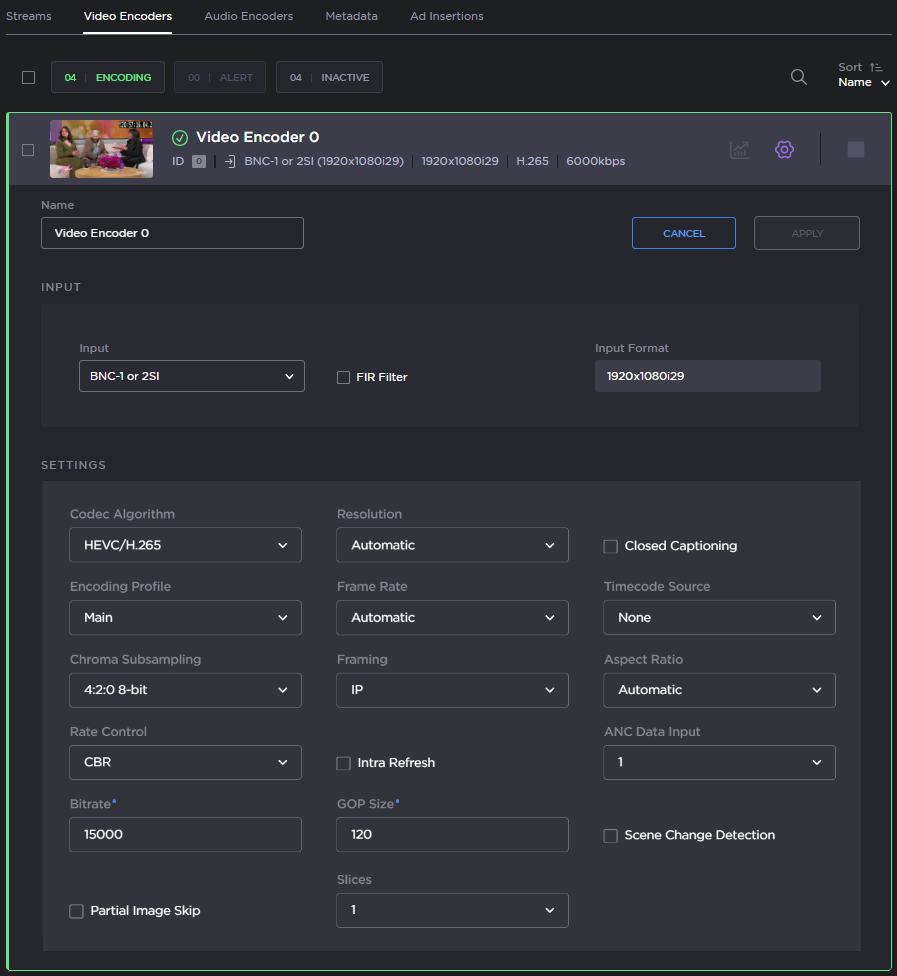
Select or enter the new value(s) in the appropriate field(s). See Video Encoder Settings.
Click the Settings icon
again to retract the video encoder settings.To start or stop the encoder, click the Start/Stop icons
 /
/ (as applicable).
To view statistics for the encoder, click the Statistics icon
 . For details, see Video Encoder Statistics.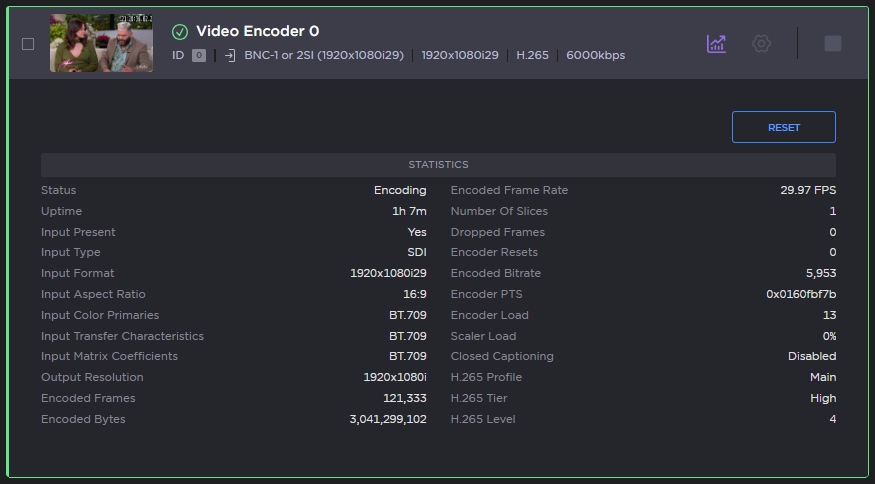
To reset the video encoder statistics, click Reset.
Click the Statistics icon
again to retract the video encoder statistics panel. To apply your changes, click Apply.

Note
For information on configuring multi-channel synchronization on the Makito X or Makito X4 Encoder and Decoder, see Multi-Channel Synchronization.
Related Topics
videnc (CLI Command)