
Network Status and Route Info
When a live is in progress, network status, connection info, and aggregate bitrate are displayed in the corner of the screen.
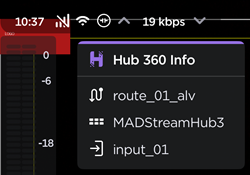
Tap the  caret next to the
  connection icon to view Hub 360 route name, StreamHub name, and input number:
Tap the caret next to the aggregate bitrate to view the bitrate across cellular and Wi-Fi connections:
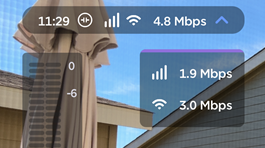
Bitrate Display Example
Tap again to hide these displays.