
Audio Inputs
On the 

To change the audio input:
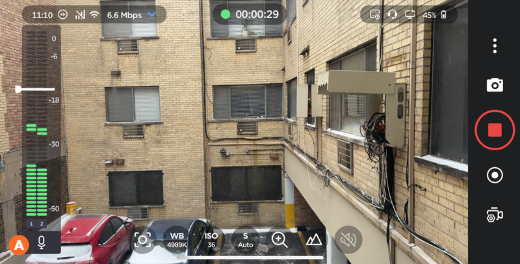
On the Live or Record screen, tap the Audio Input icon


Note
The type of audio input currently selected is indicated by the appearance of the microphone icon on the VU meter:


On the Audio In tab, select an input device. The currently selected input is indicated by a green checkmark.
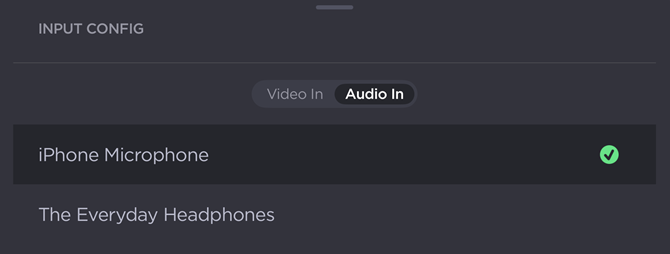
Audio Input Selector
Note
To mute the audio input, drag the scrub bar handle to the bottom of the VU meter. A new icon ( ) appears on the meter, indicating that audio is muted:
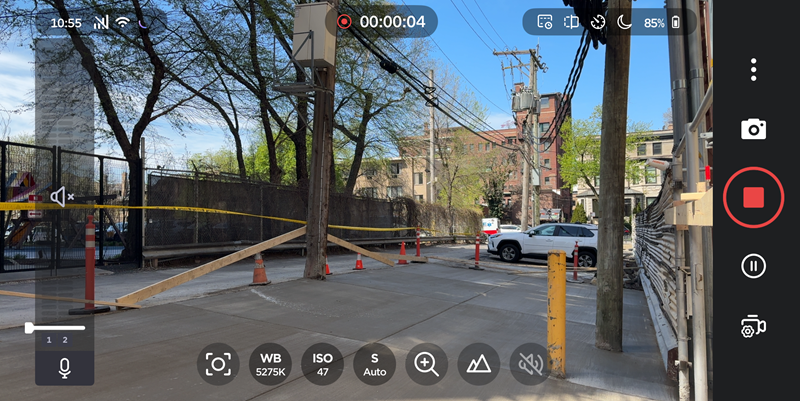
Drag the handle up to unmute.