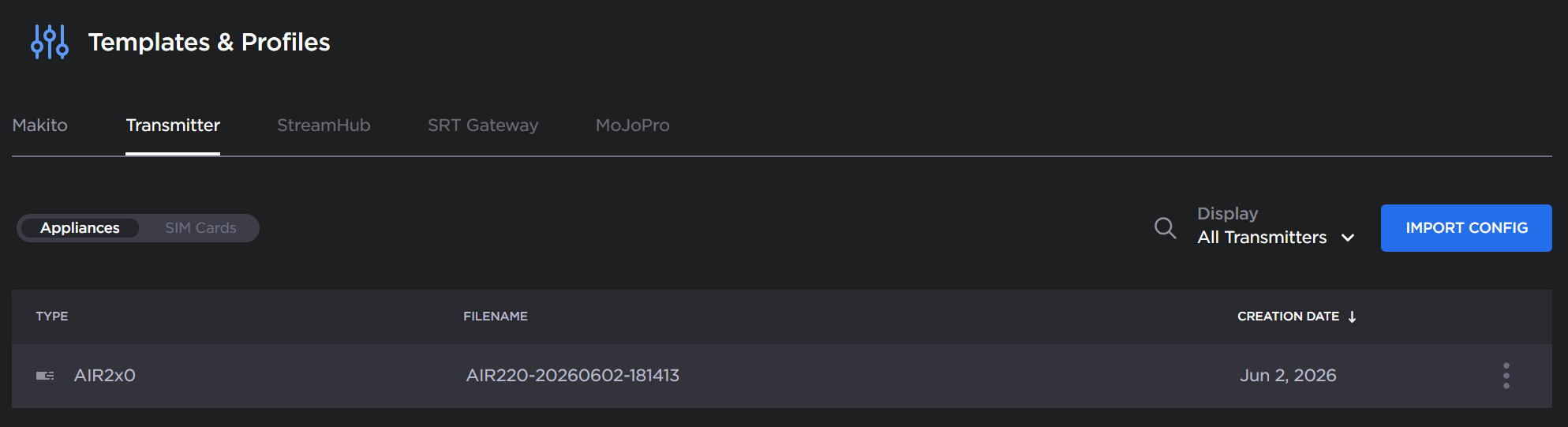
Adding/Importing a Transmitter Configuration
Hub 360 allows you to create and import configurations of an existing transmitter, both transmitter and SIM configurations. This allows you to synchronize the configuration of the other transmitters paired to your organization.

Note
The same configuration file can only be applied to the same family of transmitters. For example:
AIR2x0: AIR220 and Air220-5G
PRO3x0: PRO340, PRO360-5G, and PRO380
A configuration may be created from either the Hub 360 or transmitter web UI:
To create the configuration using the Hub 360 UI:
Click Appliances in the sidebar.
Find the transmitter whose configuration you wish to save.
Click the
 icon >
  Configuration >
  Save as Template or
  Save SIM template
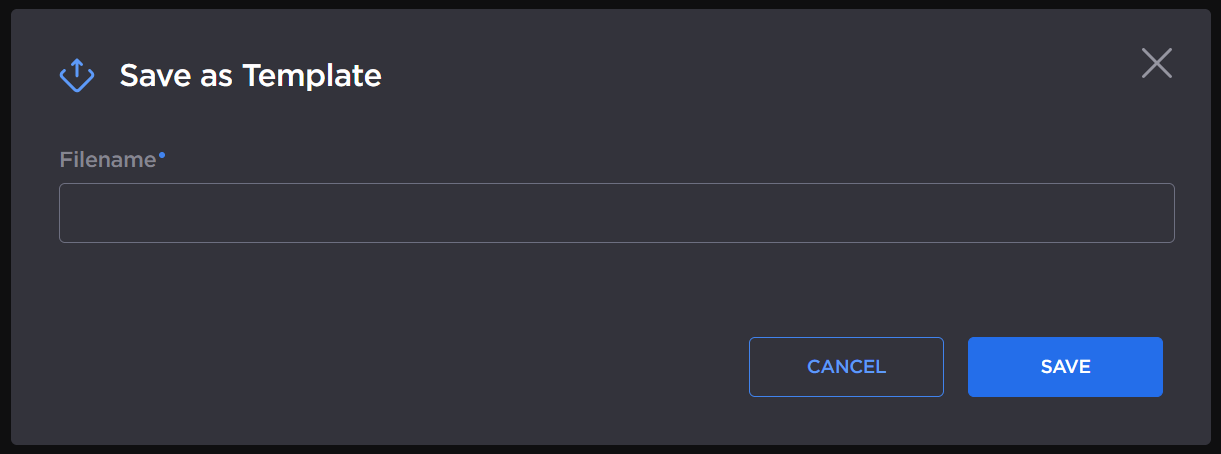
Enter a name for the template and click the Save button.

Tip
You can rename the Template after it’s saved by clicking icon >  Rename on the Templates and Profiles screen.
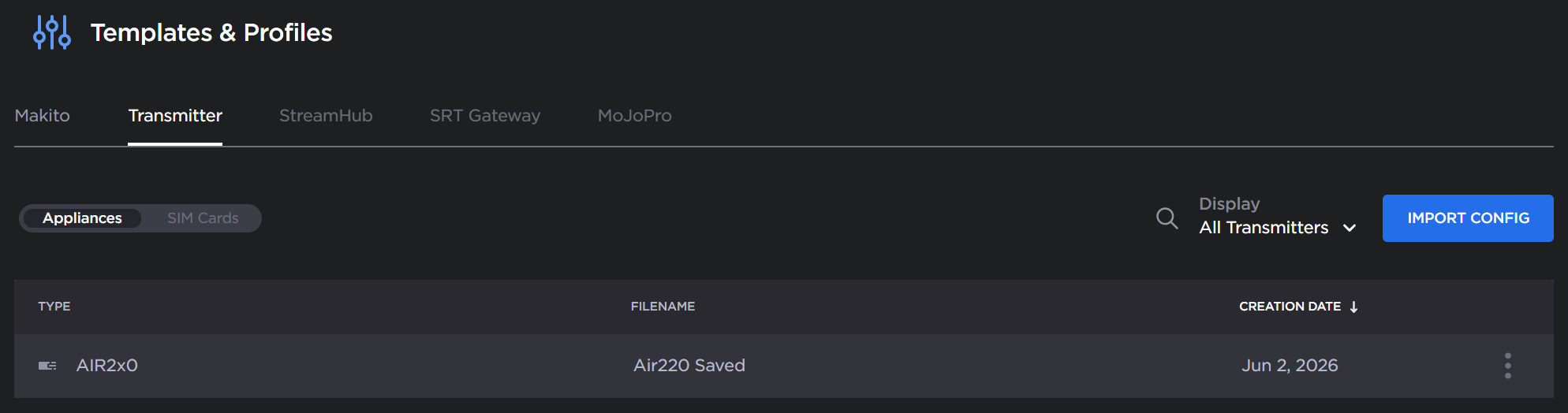
The template is saved on the Transmitter’s Templates & Profiles screen, and can now be applied to other transmitters of the same family:
To create the configuration using the transmitter UI:
Sign in to the transmitter UI whose configuration you wish to import.
For transmitter configuration:
Click Settings in the sidebar.
Click the Configuration tab.
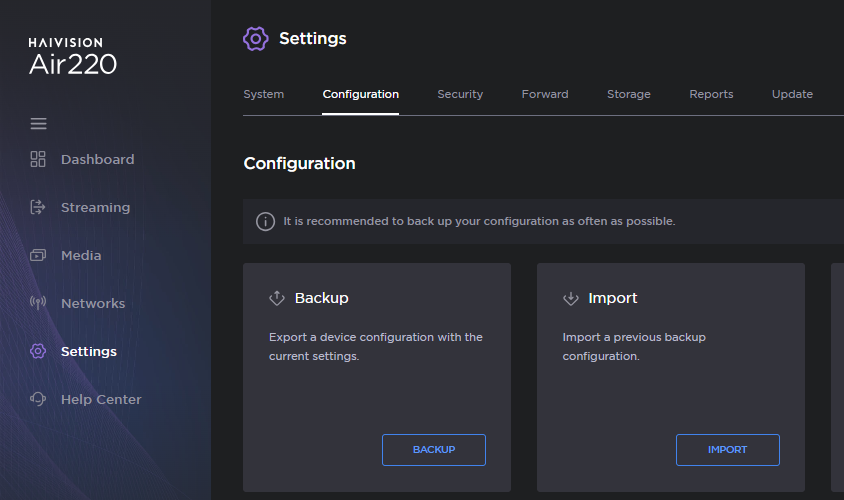
Click the Backup button.
For SIM configuration:
Click Networks in the sidebar.
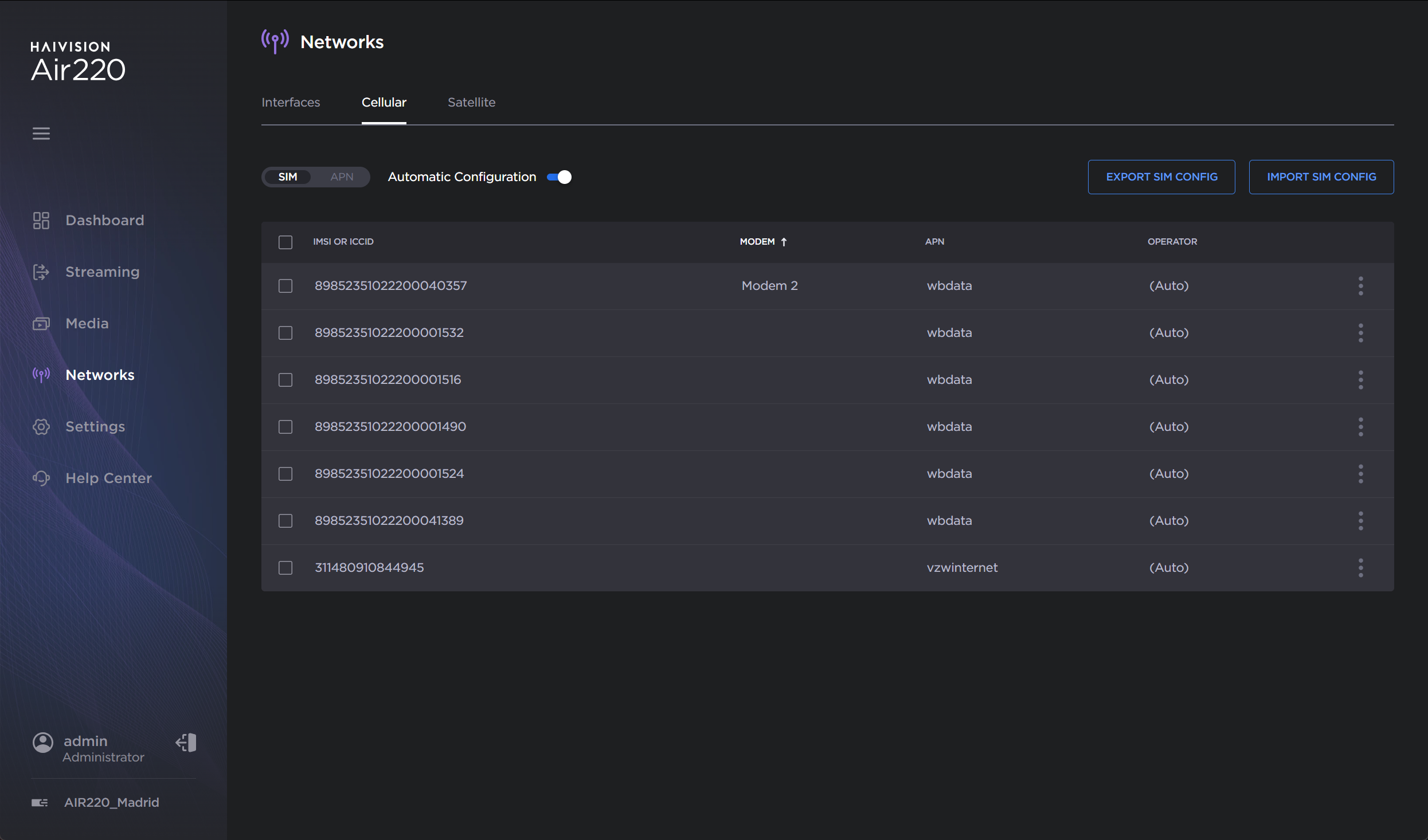
Click the Export SIM Config button.
The configuration file is downloaded by your browser.
Open Hub 360 in your browser:
Sign in to Hub 360.
Click Appliances > Templates & Profiles.
Click the Transmitters tab.
If importing an appliance configuration, click the Appliances button, or
If importing a SIM template, click the SIM Cards button.
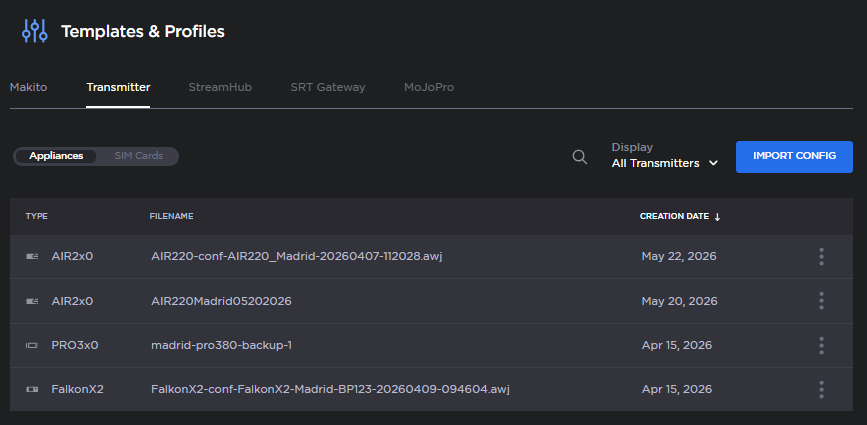
Click the Import Config button and the Import Configuration dialog appears:
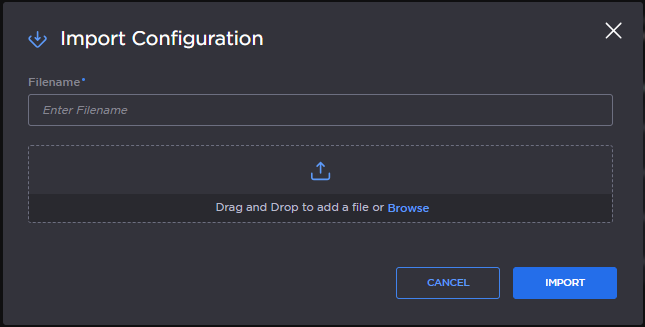
Name your configuration, if desired, and drag and drop the configuration file you previously downloaded to the Import Configuration dialog.
Tip
You can rename the Template after it’s imported by clicking icon > Rename on the Templates and Profiles screen. See Renaming and Deleting a Transmitter Configuration.
Click the Import button.
The new configuration is added to the Templates & Profiles screen, and can now be applied to other transmitters of the same family: