
Establishing the Source
If you followed the steps in Creating your Workspace (Optional), switch to the Makito X4 Encoder's browser tab. Else, enter the URL for the Makito X4 encoder web interface and log in when prompted.
On the Makito X4 Encoder's sidebar, click Streaming and then click Streams in the navigation toobar.
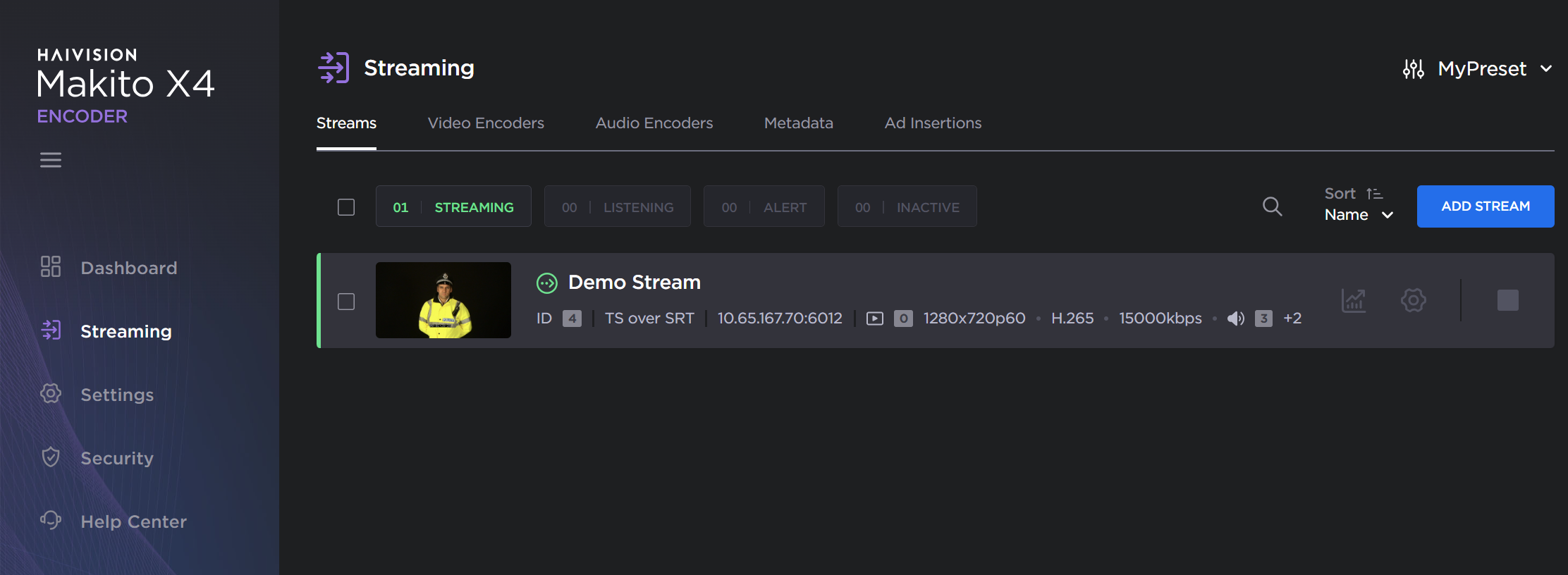
Makito Encoder outputs
The view pane lists the available streams. For this example, we are going to add a stream that uses TS over SRT. Click the Add Stream button. If you have an existing SRT stream, you can modify it instead.

Note
Refer to your Makito X4 Encoder documentation for more information on adding streams if you are new to this process
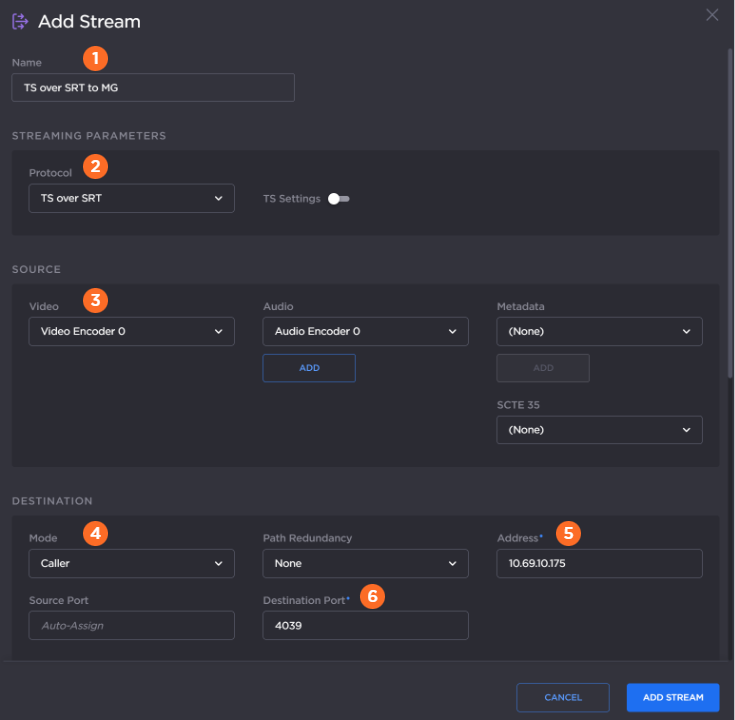
When the Add Stream screen opens:
Provide a
 stream name.
In the Streaming Parameters section, specify the
 TS Over SRT protocol.
In the Source section,
 select an active video encoder.
In the Destination section, select the
 mode as "Caller," enter the
  address for the Media Gateway/SRT Gateway (in the Cloud) and a
  destination port.

Tip
If needed, switch to the appropriate browser tab or enter the URL for the cloud-hosted gateway to acquire this information
Click the Add Stream button.