
Configuring a Video Return Live Profile
To configure a video return Live Profile from the Web Interface, see the procedure below.
In the sidebar, click Streaming > Live.
Click the Add Profile button. The Add Live Profile dialog appears:
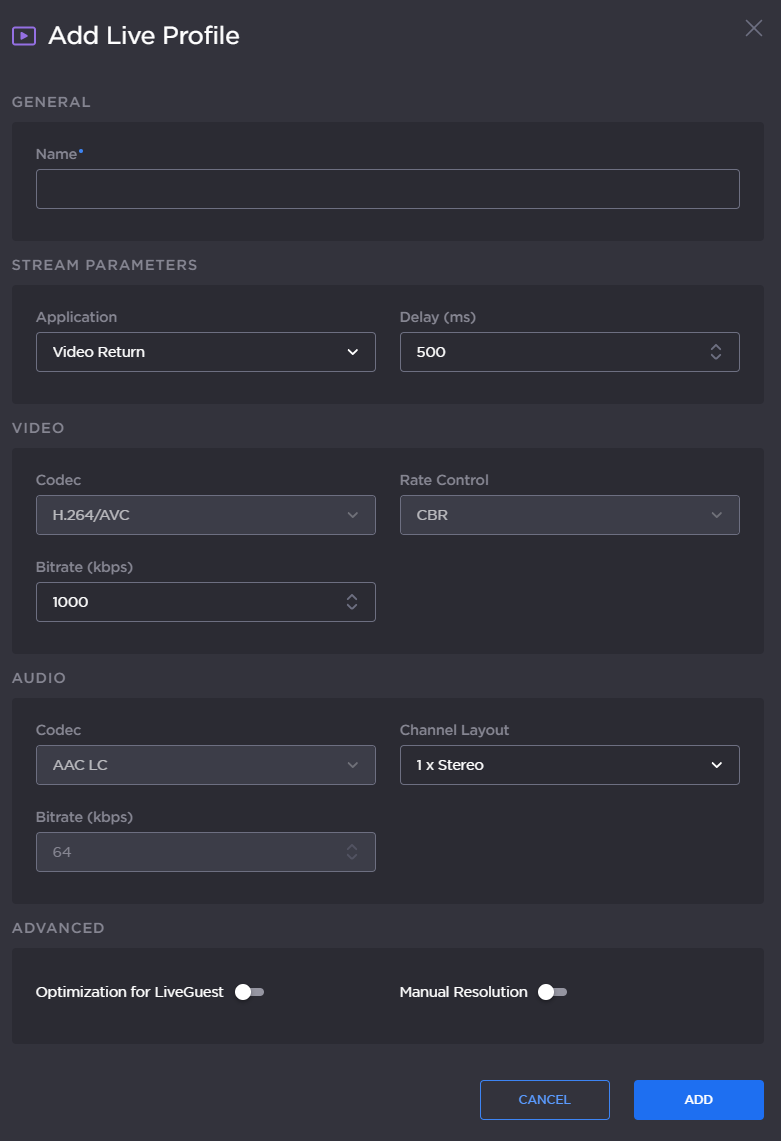
Enter a profile name in the Profile Name field.
Set the Application to Video Return.
Set a Delay between 500 and 10000 ms.
In the Video settings, set a bitrate between 200 and 6000 kbps.
In the Audio settings, select a Channel Layout between: 1x Mono or 1x Stereo.
Click the toggle button to enable Optimization for LiveGuest.
Click the toggle button to enable Manual Resolution.
Click the Add button.