
Configuring a Data Bridge
The data bridge feature allows you to establish an IP tunnel to enable the communication and control of cameras, shading, or tally.
When configured in Data Bridge mode, the unit can be used as a Data Bridge that provides access to the Internet from the field, or access to devices connected to the transmitter LAN from the studio (e.g., remote control of the camera).
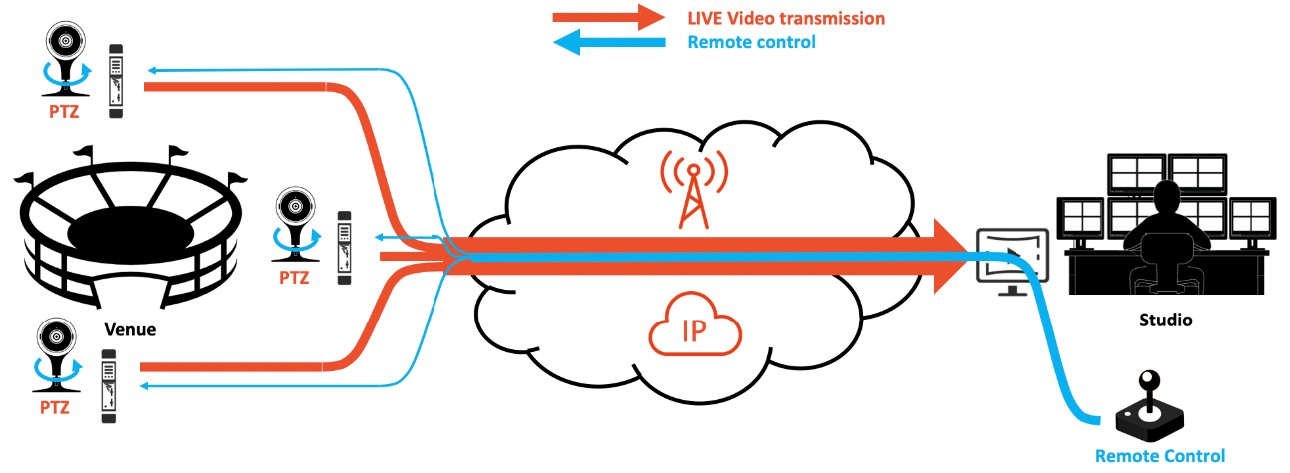
Data Bridge example
In this configuration, Live operation is still allowed, but Record and Forward operations are no longer available. Up to 10 client devices can connect simultaneously to the unit's local network. The Ethernet interface shall be configured in Gateway mode, see Configuring an Ethernet Interface.
To configure a unit as a Data Bridge, you must select the server that should be used (Destination Profile), and then enable Data Bridge mode. The selected server automatically allocates a license token to each Data Bridge that you enable.
To enable or disable the data bridge from the Unit Panel or from the Web Interface, see the tabs below:
From the Home screen, tap
 .
.Tap the Destination field. A green dot (
 ) indicates the currently selected profile.
Tap
 to scroll down the list of Destination Profiles.
Select a Destination Profile.
Tap the toggle button to enable or to disable the option.
In the sidebar, click Settings > System.
In the Data Bridge section, click the Data Bridge toggle to enable or disable it.
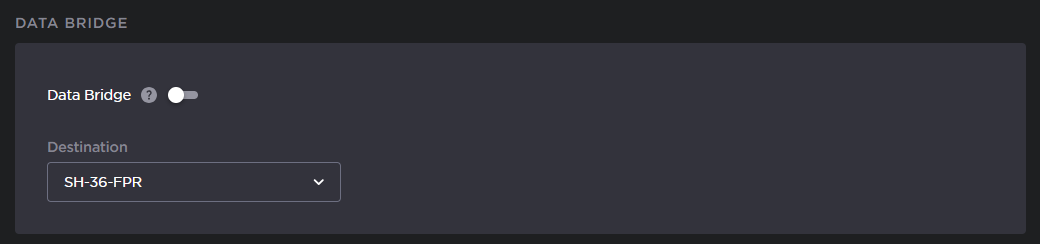
Data Bridge settings
Select the Destination from the dropdown list.
Click the Apply button.

Note
Once you click Apply, the destination cannot be changed. To change the destination, you must disable the Data Bridge connection first.
If the Data Bridge could not be established, a notification will appear.

Data Bridge notification
Click Learn More to view possible causes of the Data Bridge connection failure.

Tip
You can also check the Data Bridge status from the Dashboard.
If connected successfully, the Data Bridge panel will show the connection's upload and download speed in kbps.
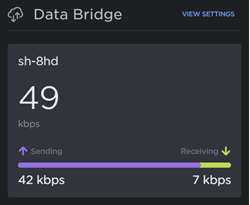
Transfer speeds
If not connected successfully, the Data Bridge panel will show an error message.
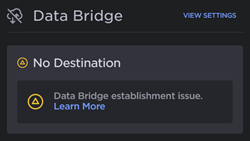
Error message