Software Codec
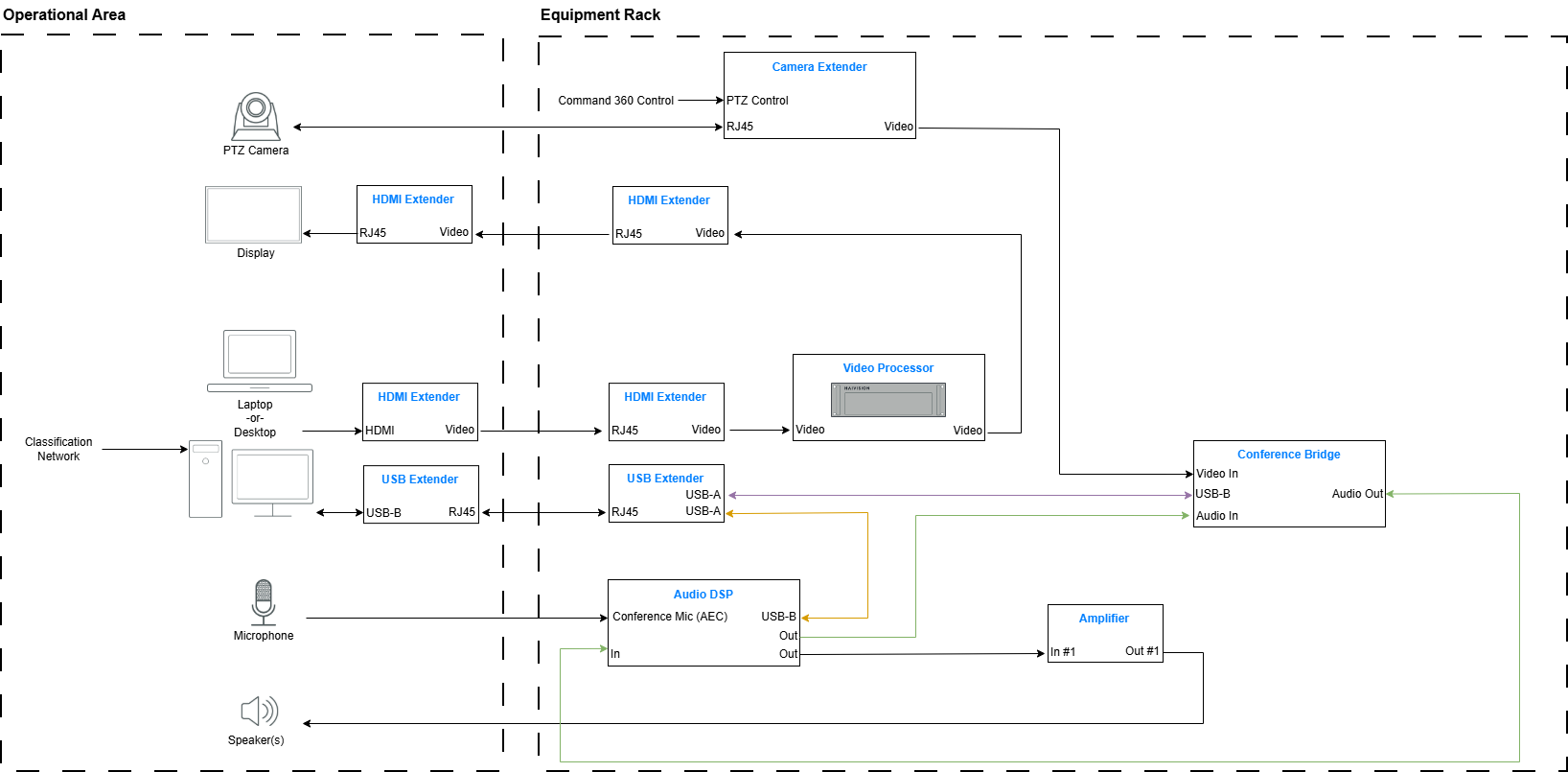
A typical software codec design is shown in the illustration below. A local connection to the Classification Network provides the pathway to communicate with remote users. An HDbT extender is used to extend video from the laptop to the video processor for display.
Alternatively, a local display could be fed directly from the PC or laptop without an extender. Using the video processor offers the option to route other sources to the display when not using the videoconferencing system.
In a soft CODEC approach, a conference bridge is located in the equipment rack. It provides the following functions:
Formats the camera video into a streaming format used by the soft CODEC (PC or laptop) and places the stream on the USB cable (shown in purple)
Extracts audio from distant users via the USB cable (purple)
Injects audio from local users on to the USB cable (purple)
Often the DSP can interface directly with the soft CODEC via USB. If this is the case, the analog audio connections between the DSP and the Conference Bridge (shown in green) are not required. An all-digital connection for audio using USB is preferable to the analog connections provided by the Conference Bridge.
If the DSP does not have a USB port for this function, or the USB Extender unit in the equipment rack has only one port, then the green analog connections would be used instead of the USB connection shown in red.
Not shown in the figure below for reasons of simplicity are AV LAN connections to the Video Processor, the Audio DSP, and the Conference Bridge. Commands sent to the Camera Extender for PTZ (pan, tilt, & zoom) control are mostly sent via RS-232C, so a Global Cache or similar interface would be used.