
Editing Support Information
Contact information, which may be useful when requesting support, can be added on the General tab of the Site Settings page.
To edit support information:
Click the user icon in the top right corner and select Admin.
Click Site Settings on the side menu.
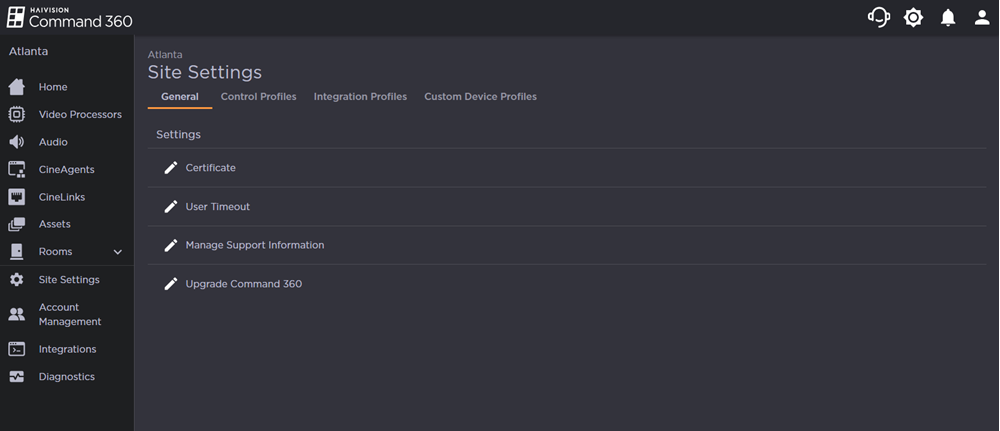
Click the
 icon next to Manage Support Information.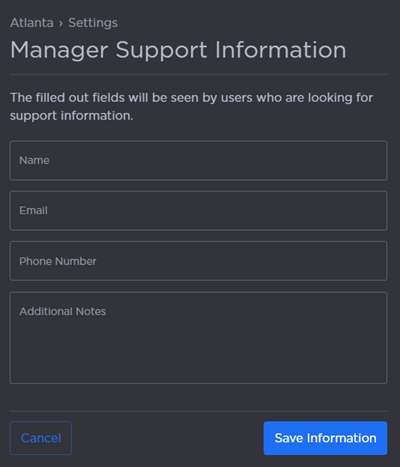
From here, you can update:
Name
Email
Phone number
Additional notes
Click Save Information when finished.
This information can be accessed at any time by clicking the headset icon on the site banner.